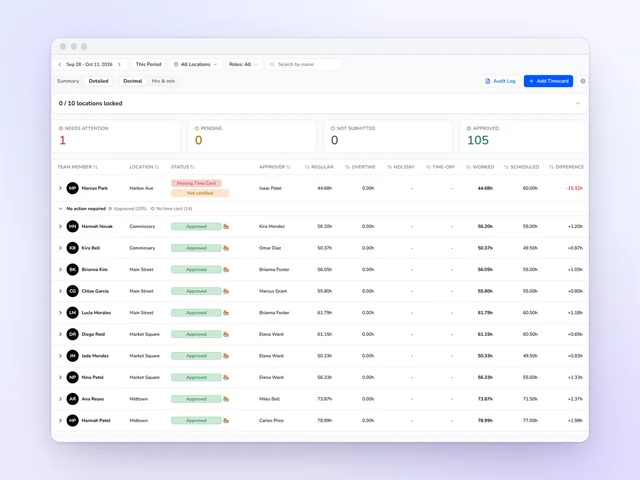
Time clock and time cards
Approve the week without opening every card, and send approved hours on to payroll.
See moreCoffee shop scheduling software
A cafe's whole day turns on a few busy hours. Kronto staffs the morning rush from your own register sales, drafts the shifts the rush is missing and flags the closer who's back on the 5:30 open. Baristas trade shifts from their phones, and the owner gets off the switchboard.
No credit card requiredFree for up to 10 people
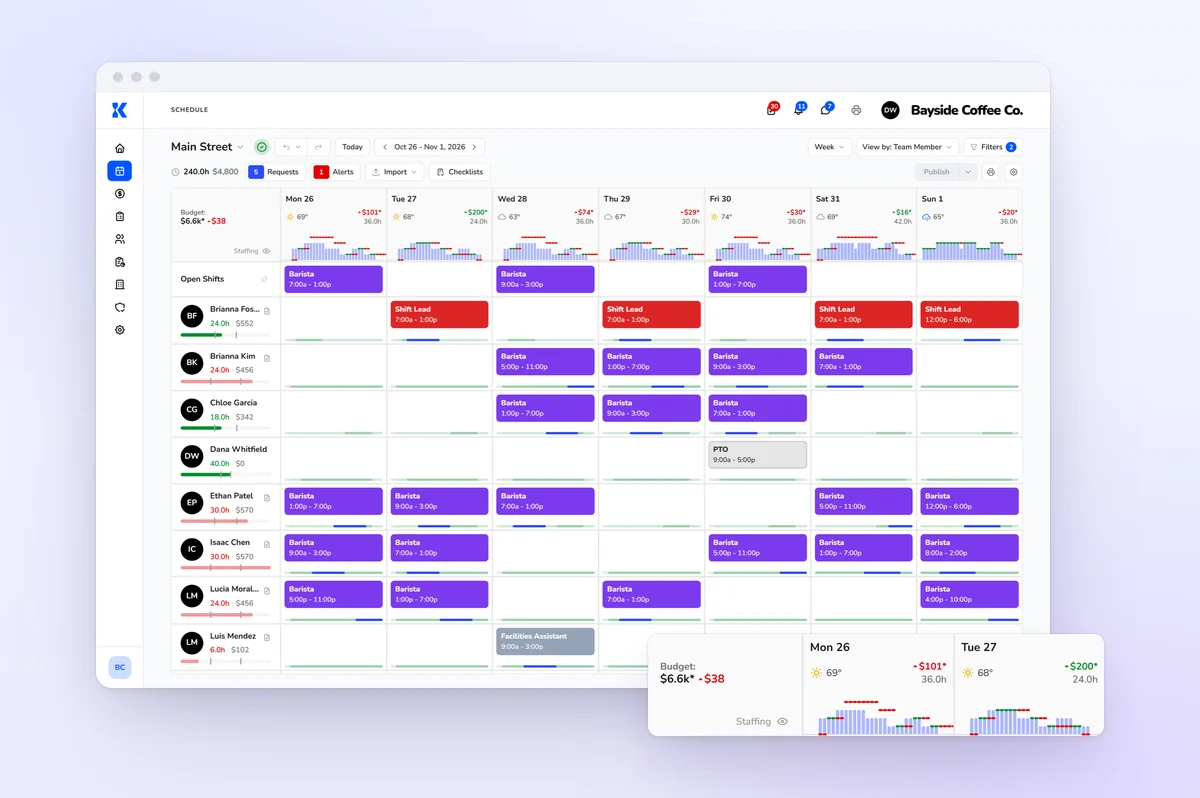
Staffing by the half hour
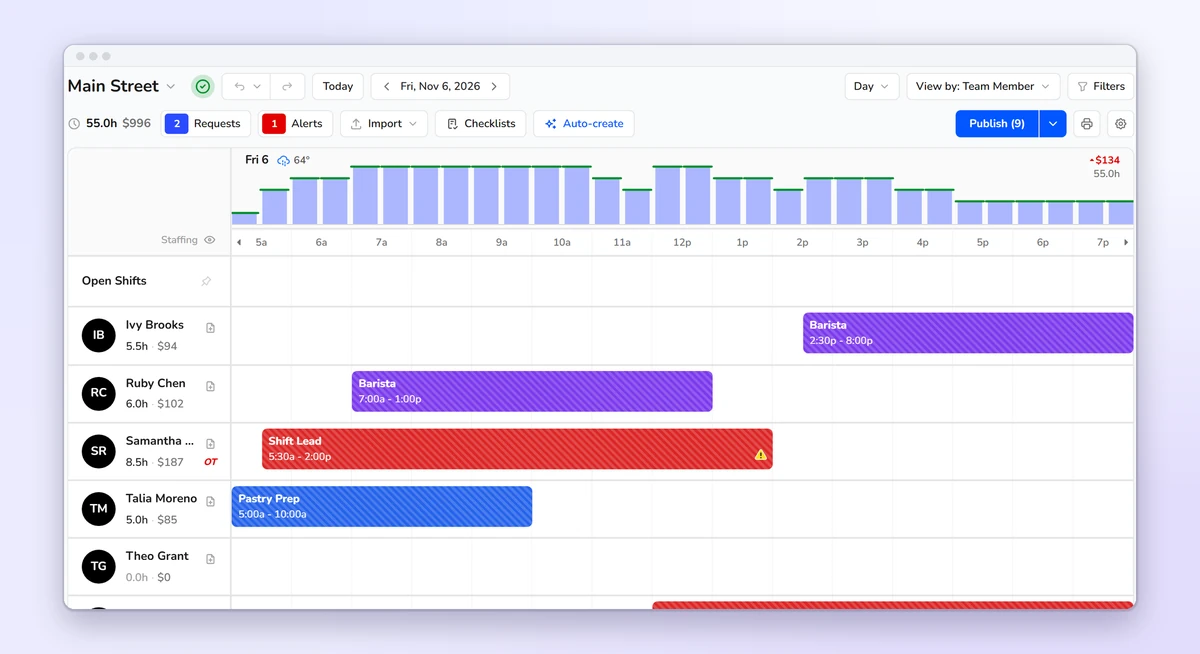
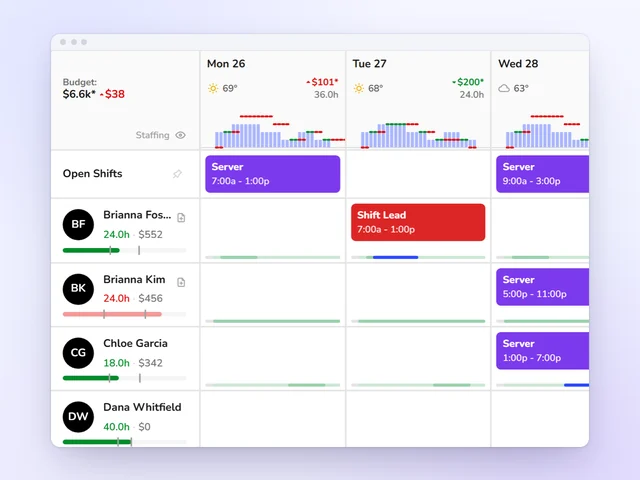
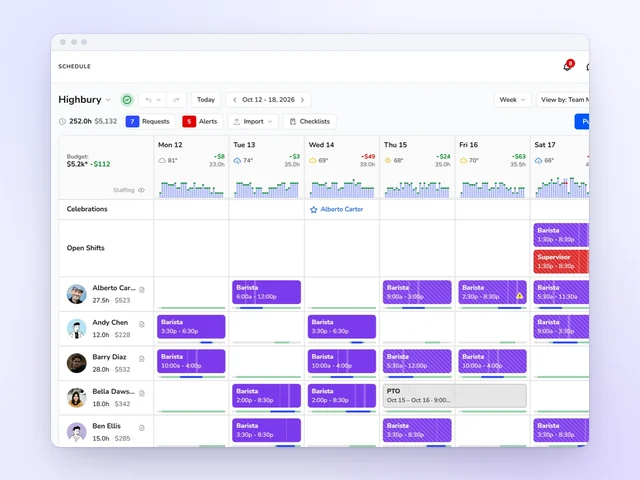
Kronto forecasts your cafe's sales from its own register history. Your staffing requirements turn that into the baristas each 30-minute slot needs, from the first pull to close. On the day view, the need sits above your shifts in green, yellow or red. A thin 7 a.m. shows up days ahead, not when the line reaches the door.
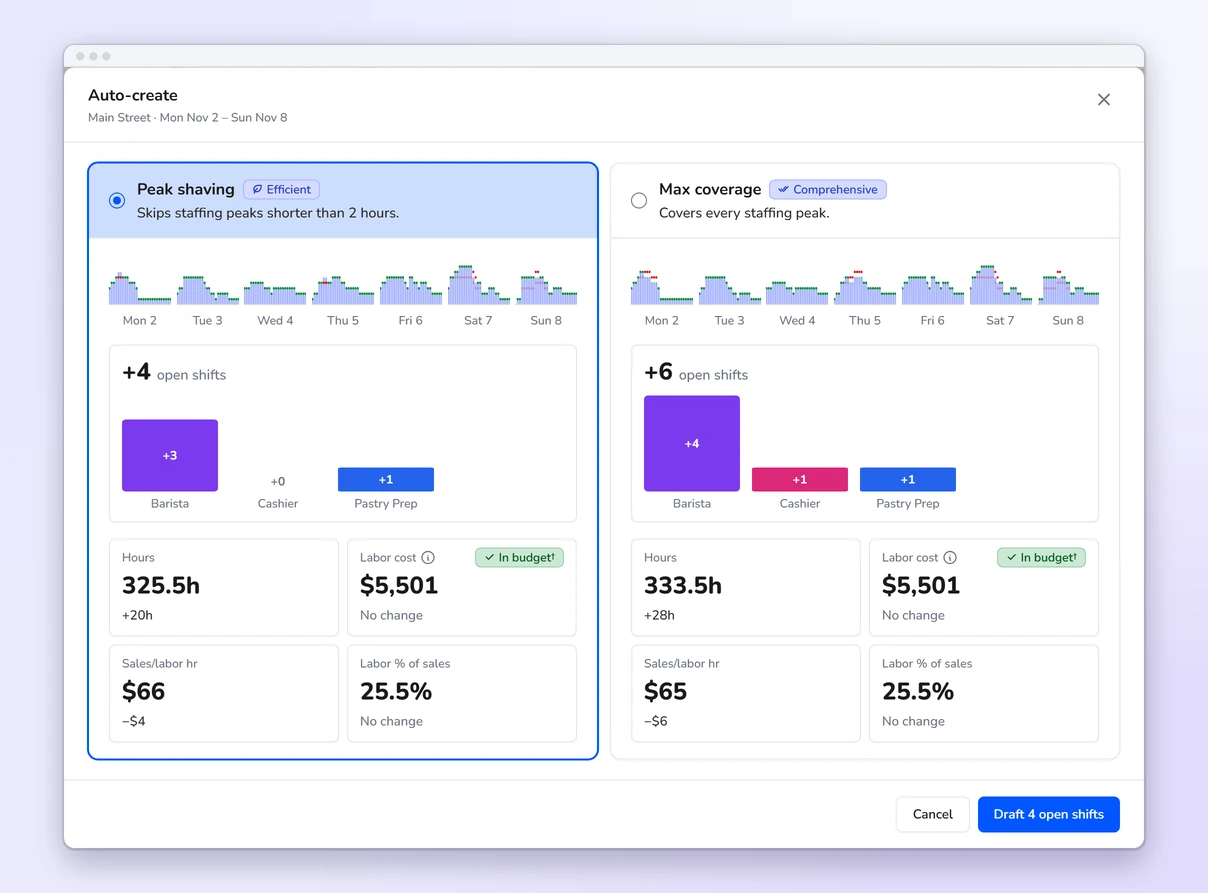
Auto-create
Saturday's rush needs two more baristas. With Auto-create, Kronto drafts the shifts and prices them before you add one. We even give you two options: cover every peak, or keep the cost down. Who works them is still your call.
Schedule checks
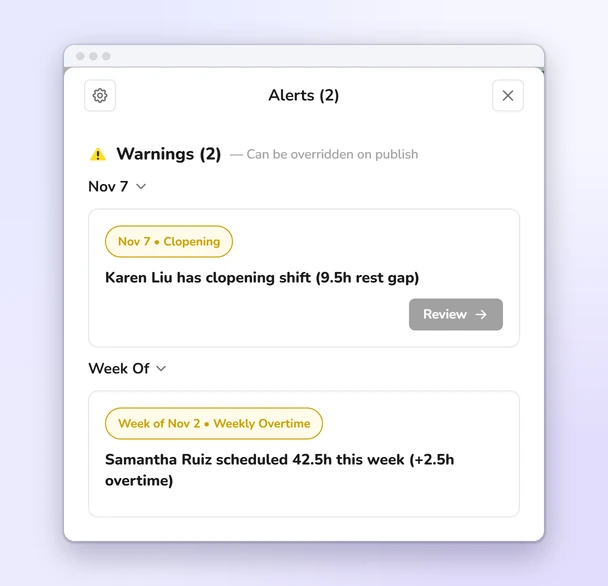
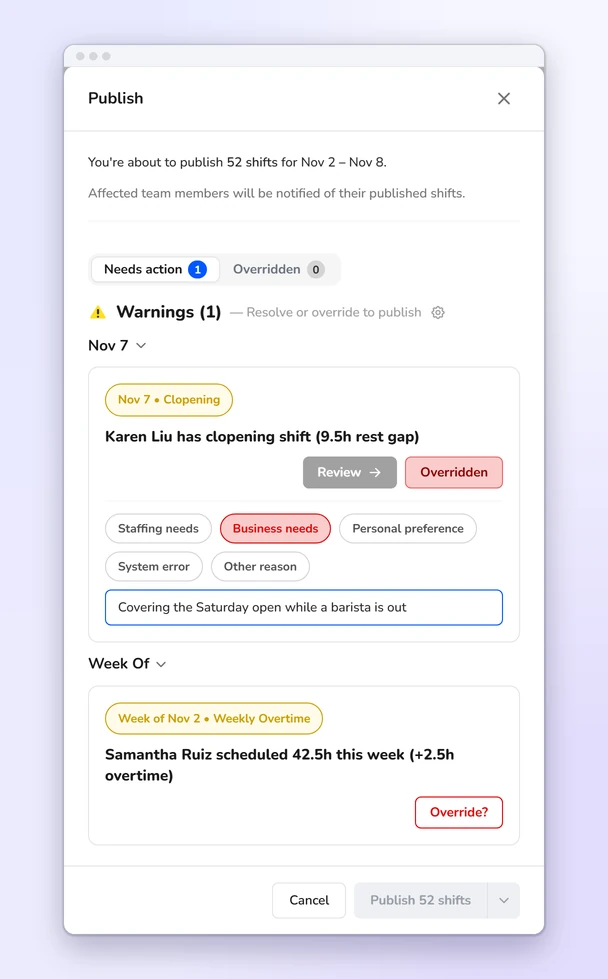
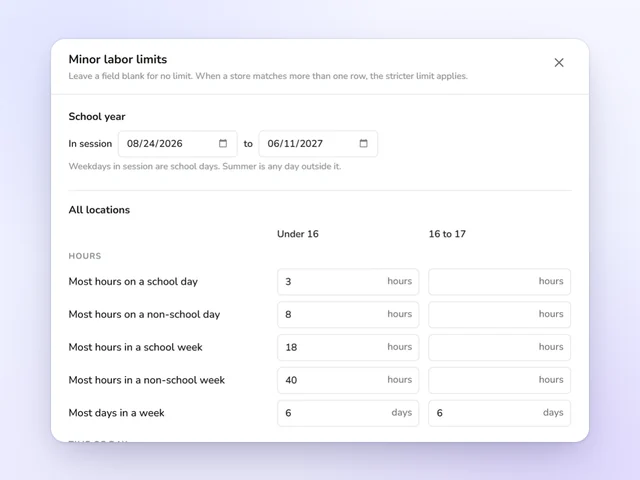
Close at 8, open at 6, and that barista is back on bar after less than ten hours. Kronto spots it while you build, along with overtime, overlapping shifts, too many days in a row, unavailable baristas, short notice and the teen limits you've entered. You pick the rest a closer needs, and whether each check warns or blocks.
Schedule builder
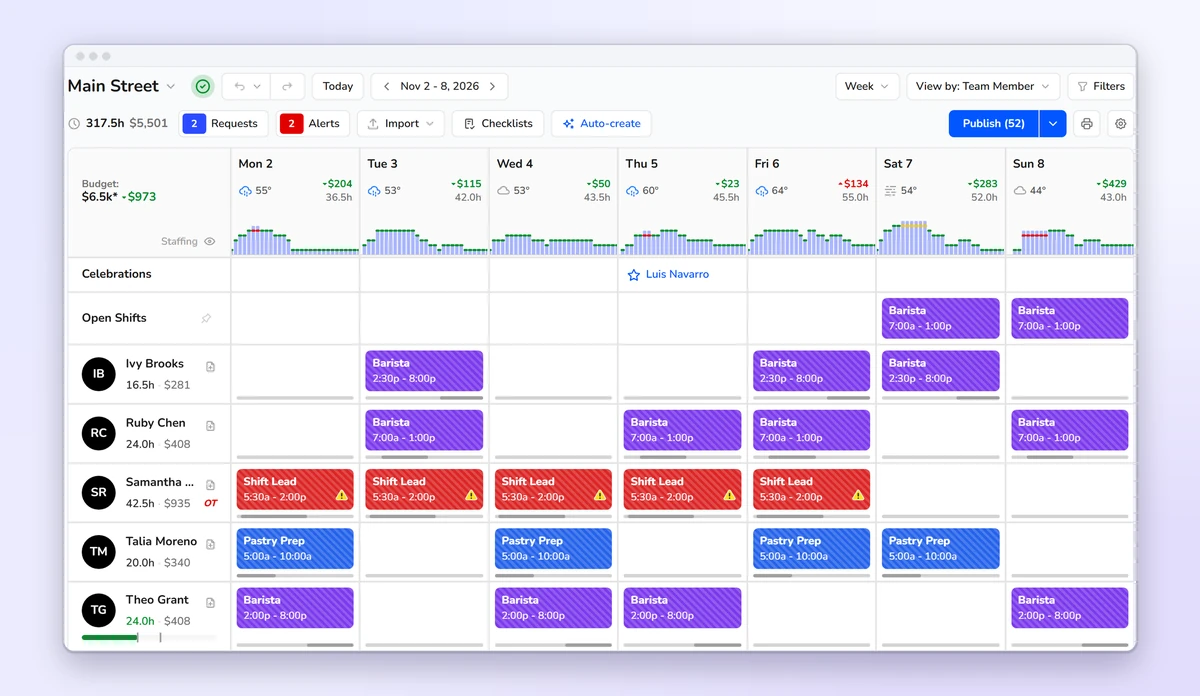
Start from last week, an earlier one or a saved template, and drag shifts around the grid. Openers, baristas, pastry prep and shift leads share one schedule. Rework Saturday as many times as you like. Your baristas see none of it until you publish.
Labor cost
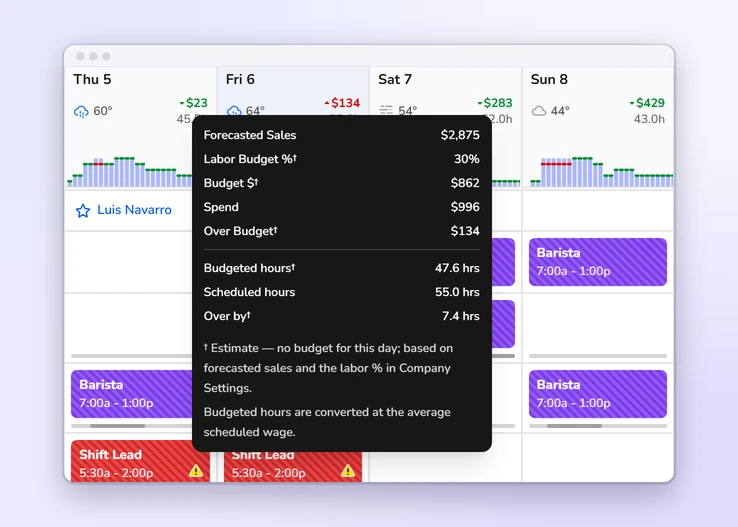
Pick the labor percentage you can afford, and each day's budget follows its forecasted sales. As you build, every day and the week show what the schedule costs at your baristas' pay rates, and by how much you're over or under. Hover a day to put sales, budget and scheduled spend side by side.
On the phone
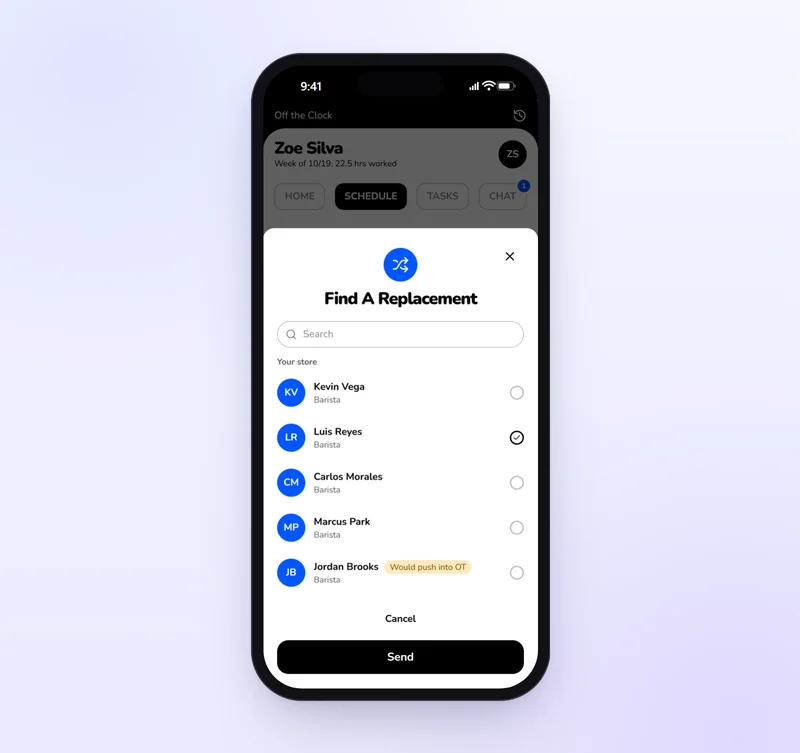
A barista who can't make it taps Find coverage and picks from teammates who hold the role. They can give away part of a shift, like the rush half of an open. Kronto flags it first if the trade would mean overtime for someone. The teammate accepts, a manager approves, and the schedule changes.
Publishing
Publish the whole week, a day or a few shifts. Baristas get a notification for every new, changed or canceled shift, unless you publish quietly. Publishing also hands the opening and closing checklists to the right shifts. Kept a warning? Add the reason, and it stays on record with your name and the time.
Time clock and time cards
Approve the week without opening every card, and send approved hours on to payroll.
See more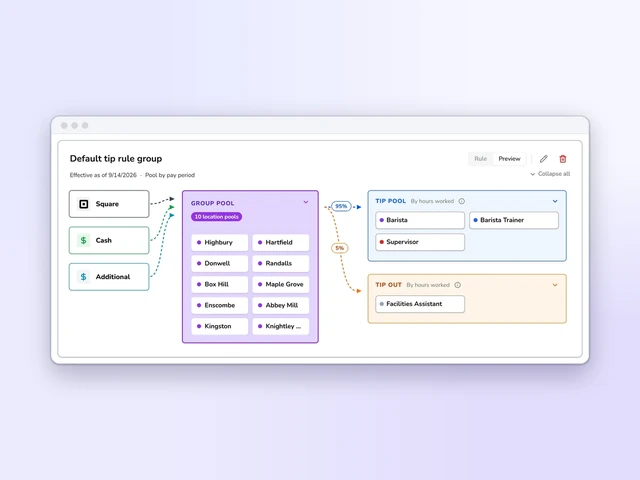
Tip distribution
Set tip pools and tip-outs by role, and Kronto does the math with card tips from Square or Toast.
See more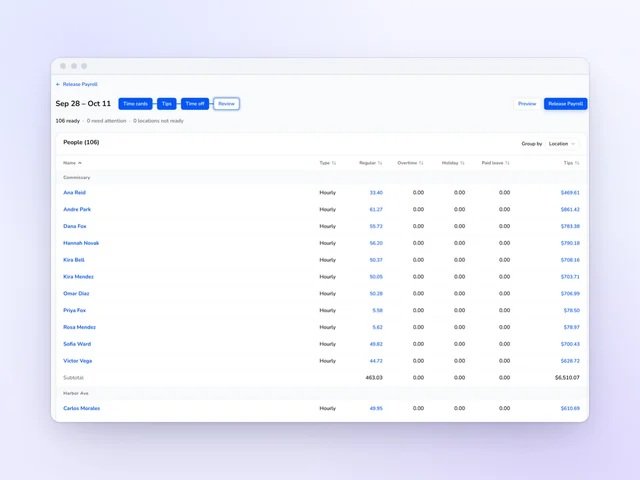
Payroll
Review hours and tips side by side, then release payroll from Kronto without retyping a time card.
See moreOne that staffs baristas for the rush instead of the lull, catches clopenings before you publish and lets a small team trade shifts by phone. Kronto does all three, starting from your Square, Toast or Clover sales. It's free for teams of up to 10, and Standard is $5 + tax per user per month.
Set the rest a closer needs before an open, then let the schedule check it for you. Kronto flags any closing shift followed by an opening one with less rest than you set, before the schedule goes out. You choose whether that check only warns you or blocks the schedule until it's fixed.
Yes. A barista taps Find coverage on a published shift, picks from eligible teammates and offers all of it or just a piece, such as the back half of an open. The teammate accepts, then a manager approves. If taking it would put someone into overtime, everyone sees that first.
Yes. Kronto runs one cafe or many. A single shop with up to 10 people uses it free. Larger teams pay $5 + tax per user per month on Standard, for the whole team, billed monthly with no contract.
Yes. A staffing rule such as "Cannot have baristas without a supervisor" covers what a forecast can't, and Kronto warns on any half hour that breaks it.
Yes. Send an open shift straight to the baristas you choose, and the first of them to accept gets it. Or leave it open for anyone eligible to request, and approve the request yourself.
Product details checked against Kronto's live scheduling features in October 2026. Last reviewed November 5, 2026.
Reviewed by Jonan Junwikul, Growth, Kronto, on November 5, 2026.
Paid for the open they covered, tips included
Scheduling, the time clock, tips and payroll share one app. The hours a barista clocks go straight into their tips and their paycheck, with nobody retyping them.
No credit card requiredFree for up to 10 people
 Jonan Junwikul
 Jim McKelvey