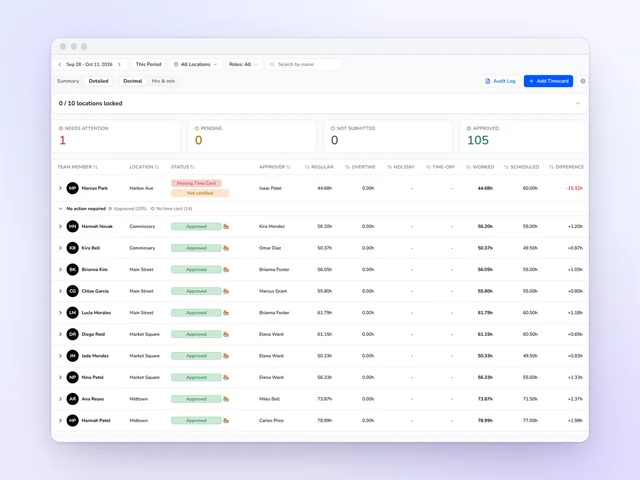
Time clock and time cards
Approve the week without opening every card, and send approved hours on to payroll.
See moreRestaurant shift swap app
Friday close, and a server can't make it. Kronto's shift swap app sends the request only to teammates who hold the role and are free. Any overtime shows before anyone says yes, and the schedule changes only when a manager approves.
No credit card requiredFree for up to 10 people
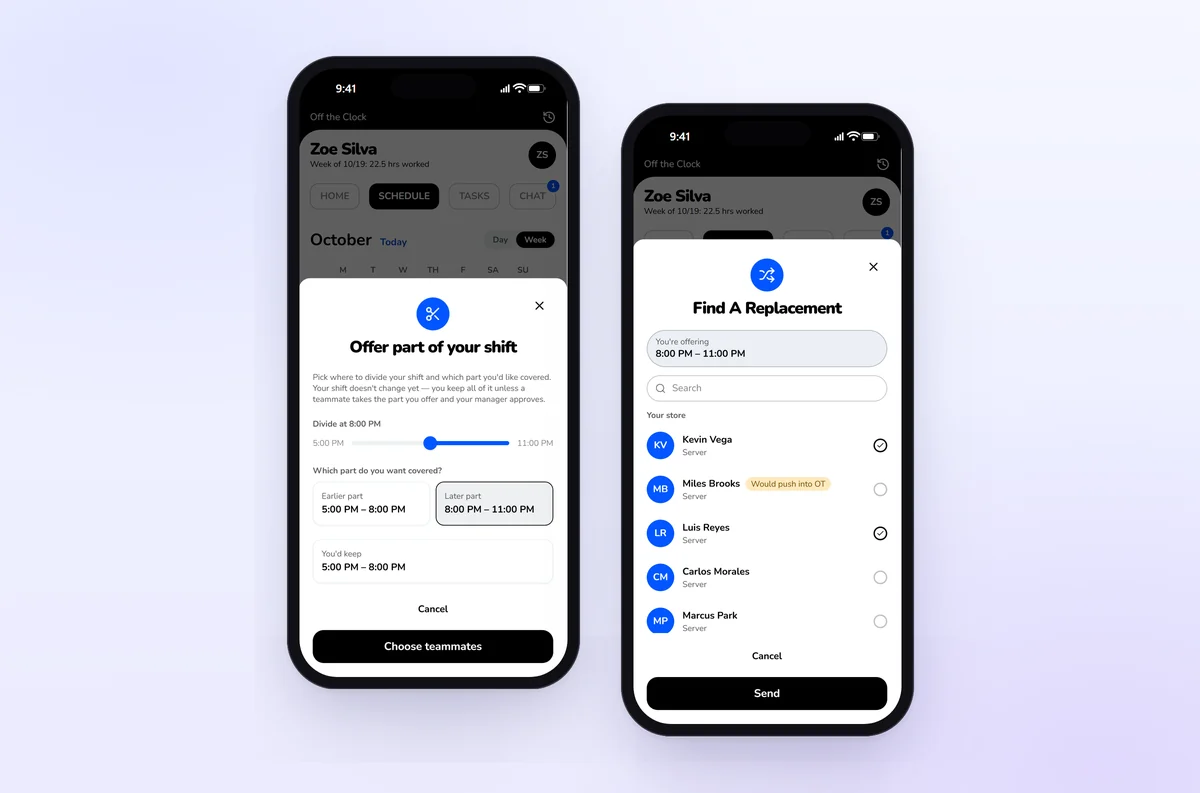
Find coverage
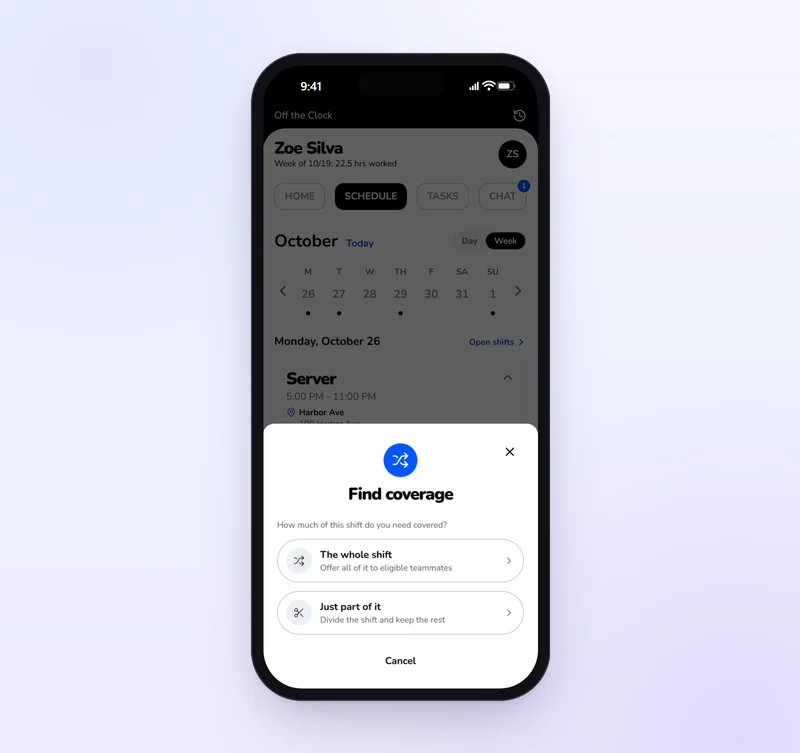
A server who can't make a shift opens it in the Kronto app and taps Find coverage. They pick who to ask, one teammate or a dozen. Each one gets a notification and a card on their home screen. Nobody scrolls a group chat to learn whether the shift is still open.
Who can cover
Kronto builds the list from your roles and the schedule. A host never gets asked to take a section, and nobody ends up double-booked.
Part of a shift
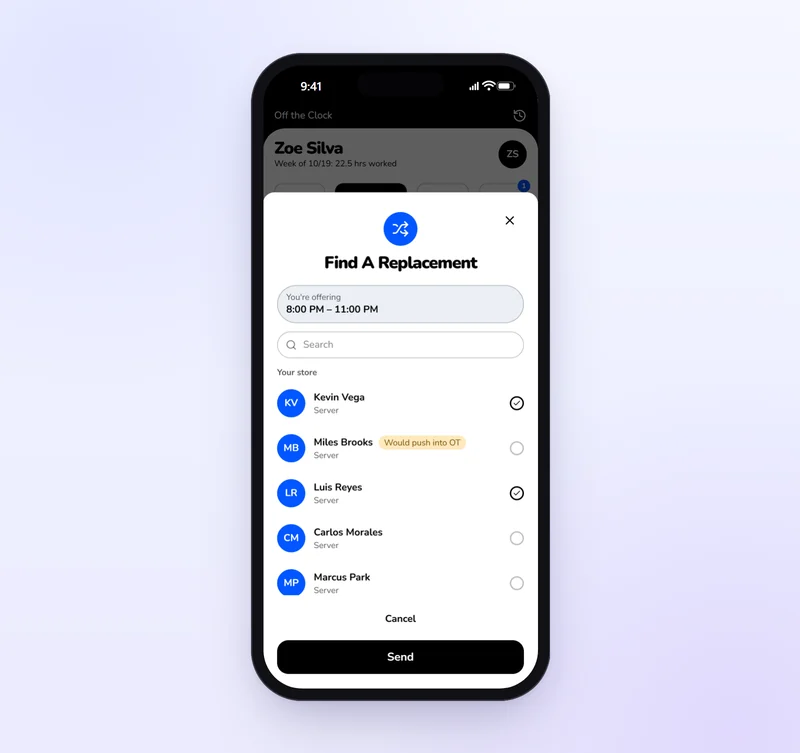
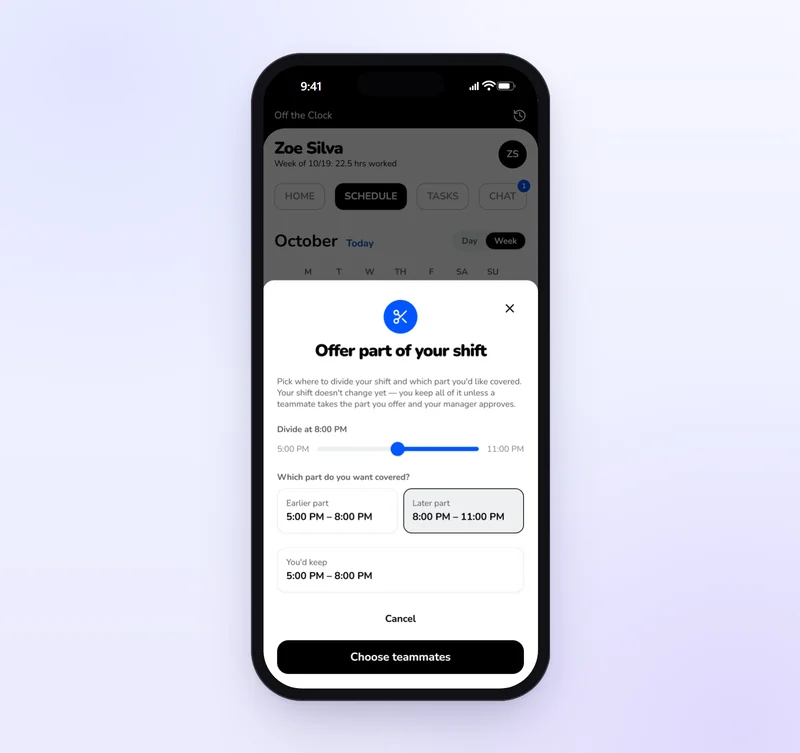
A server who can work the first half offers only the earlier or later part. They slide the divider, see the hours they'd keep and choose who to ask. Teammates are checked against just those hours, and someone busy until 8 can still take the close. When a manager approves, the shift splits and Kronto asks where each checklist goes. Closing side work lands with whoever's on at close.
A teammate says yes
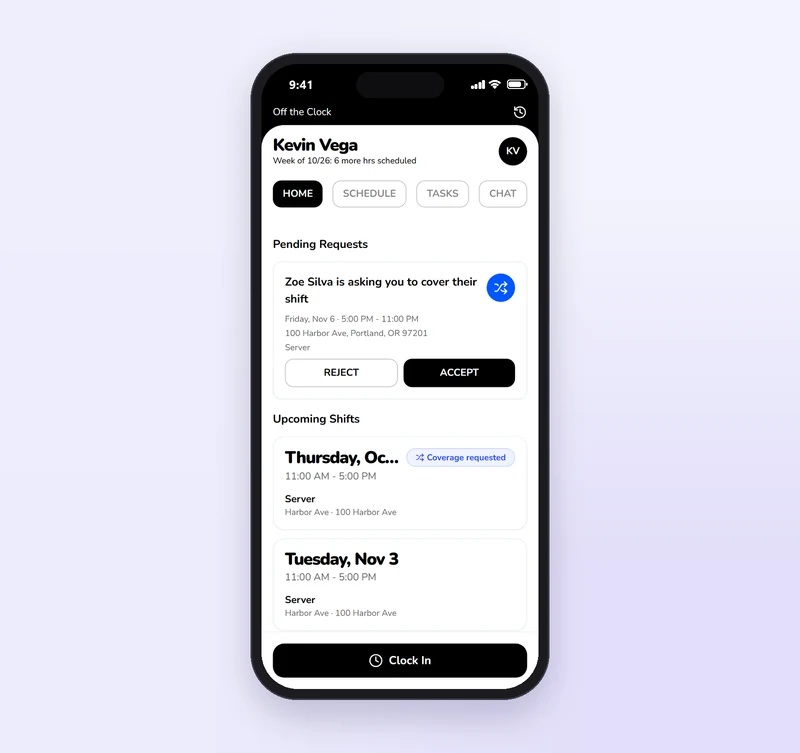
Each request shows the day, hours, address and role. A teammate accepts or rejects in one tap, with a warning if taking it means overtime. Kronto checks again that they're still free, the first yes wins, and every other request closes. Until then, the server sees who's answered and can nudge anyone once a day or message them from the card.
At risk
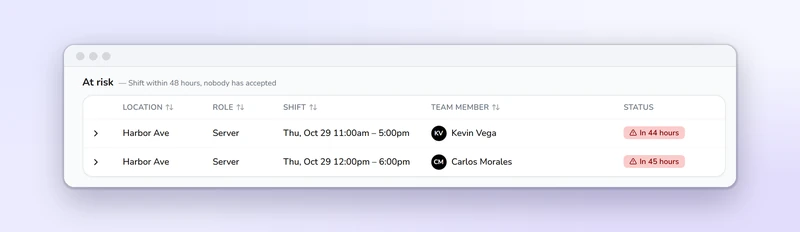
Any request with no taker and less than 48 hours to go jumps to the top of the coverage page under At risk, with the hours left on each. Open a row to see who was asked and nudge them yourself, before Thursday lunch is a server down.
Manager approval
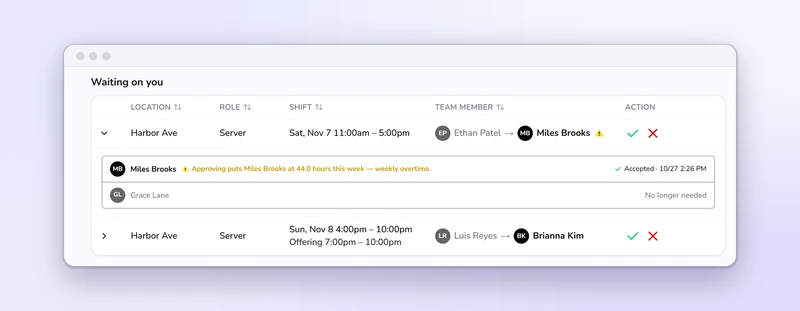
Accepted swaps wait under Waiting on you: who's giving up the shift, who's taking it and, for a partial swap, the hours on offer. Open a row to see the new person's hours for the week and whether this tips them into overtime. Overtime warns but never blocks. Approve and the schedule changes. Reject and the server keeps the shift and gets told.
Open shifts
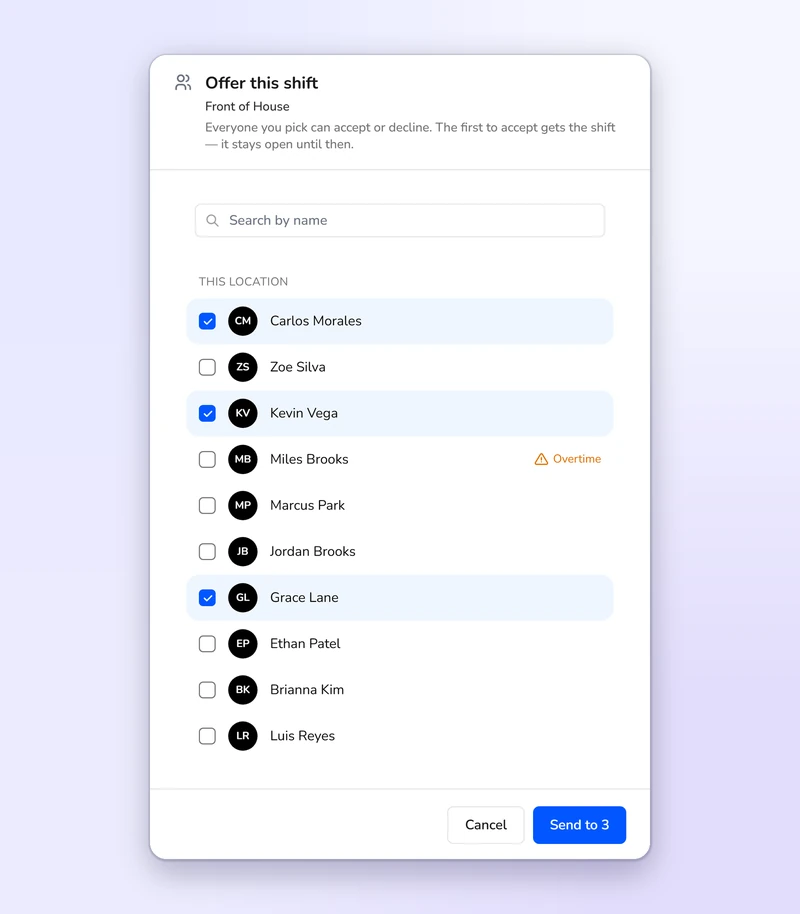
Right-click an open shift, choose who to offer it to and send. The first to accept gets it with no second approval, since you already chose them. The offer stays open until the shift ends or someone clocks in for it.
Time clock and time cards
Approve the week without opening every card, and send approved hours on to payroll.
See more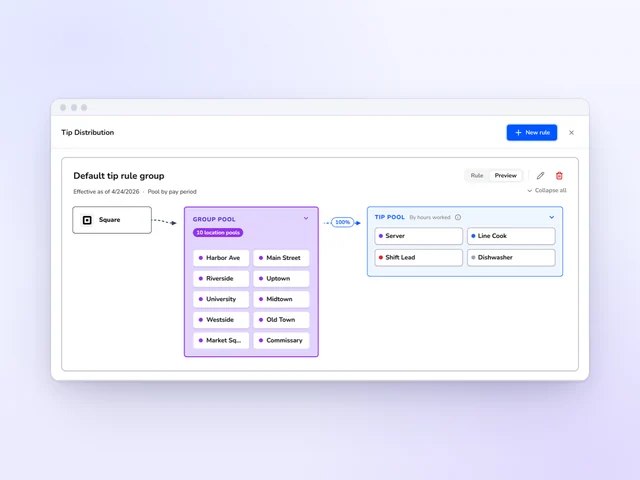
Tip distribution
Set tip pools and tip-outs by role, and Kronto does the math with card tips from Square or Toast.
See more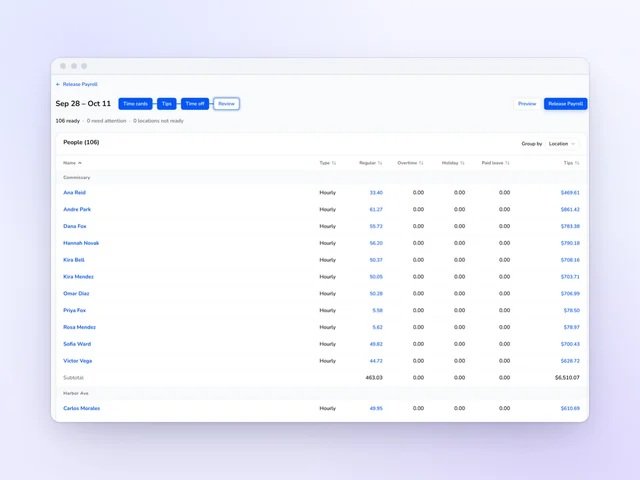
Payroll
Review hours and tips side by side, then release payroll from Kronto without retyping a time card.
See moreYes, for every swap a server or cook starts. A teammate accepts first, then a manager approves on the coverage page or in the Kronto app, and only then does the schedule change. An open shift a manager offers to chosen people works differently: the first to accept gets it, with no second step.
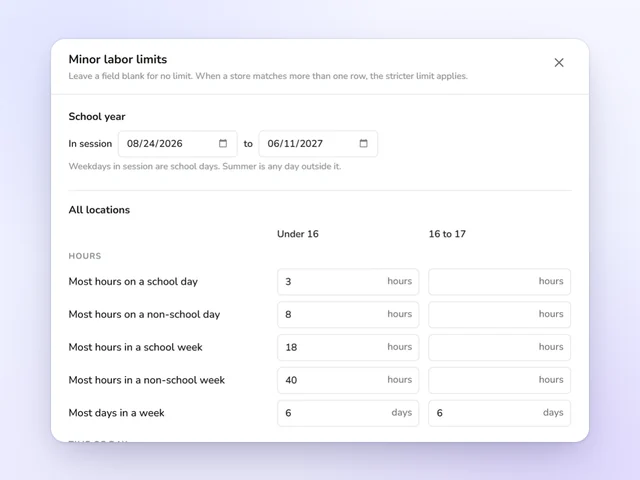
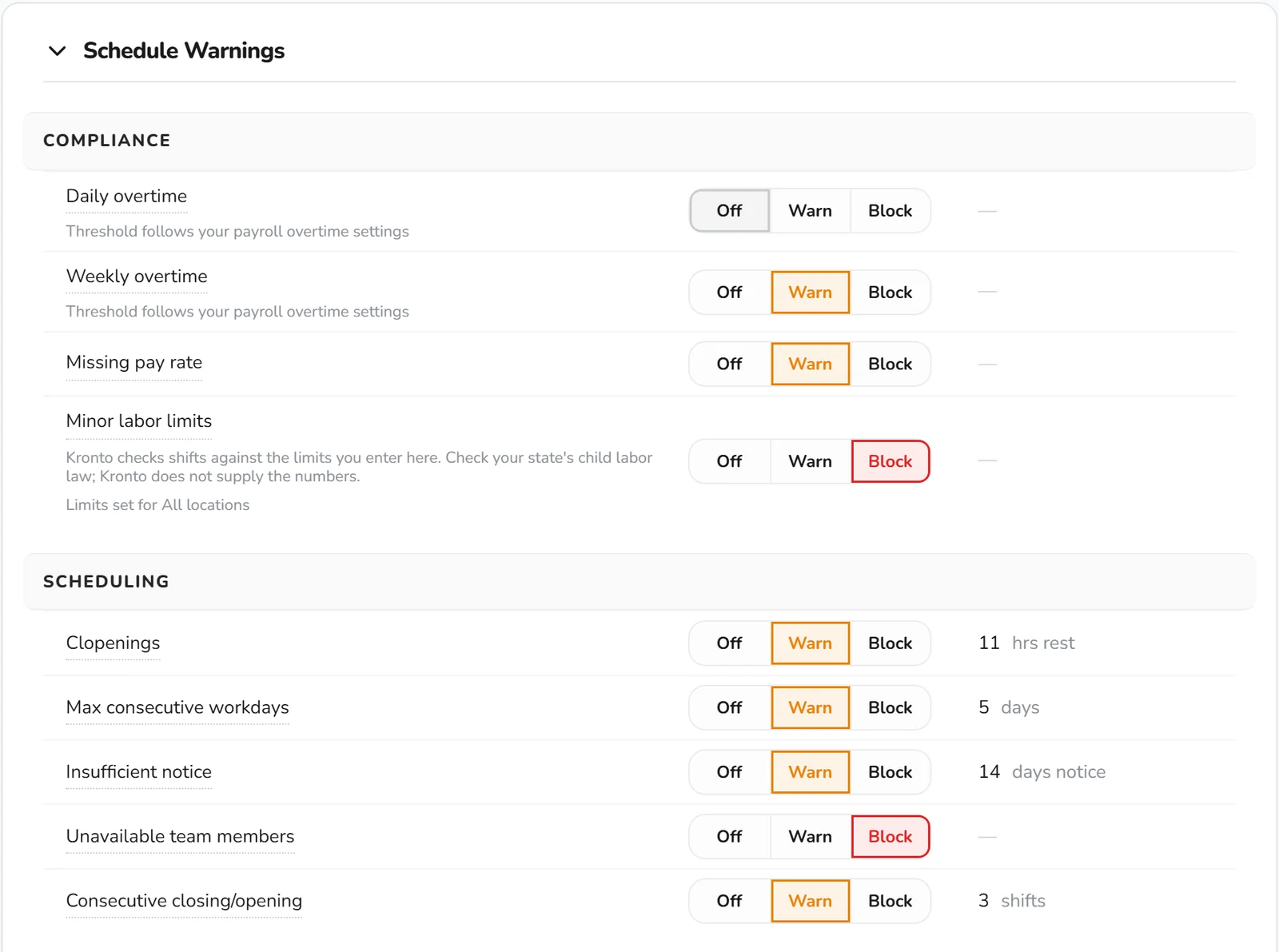
With minor labor limits set to Block, Kronto leaves out any teammate the swap would push past the hour or time-of-day limits your admin entered for under-18s. The server asking isn't told why. At Warn, the swap can still go through. Block is on Standard and Pro. Keep teen staff birthdays on file, since the check reads them.
Kronto. Team members request eligible open shifts from their phone, and a manager approves each pickup. If the manager gives the shift to someone else, the others who asked hear about it. A pickup fills a shift nobody holds. A swap moves a shift someone already has.
Only if your company allows it. Swap scope is a company setting: the same restaurant, the same district or the whole company. Whoever covers still needs the shift's role.
Kronto is free for teams of up to 10, shift swaps included. Standard is $5 + tax per user per month and Pro is $10 + tax, each with a 14-day trial, billed monthly with no contract.
Product details checked against Kronto's live shift swaps in October 2026. Last reviewed November 9, 2026.
Reviewed by Jonan Junwikul, Growth, Kronto, on November 9, 2026.
The right name on the time card
The teammate who takes the shift clocks in for it on Kronto's time clock. Time cards, tips and payroll all show who actually worked.
No credit card requiredFree for up to 10 people
 Jamie Rosenberg
 Michael Haft