


Team management
Onboard new hires and keep the good ones, from one roster
Invite a new hire from one form. They set their availability from their phone. You see turnover, 90-day retention and post-shift ratings for every location.
- Built for restaurants, coffee shops and bakeries
- Works with Square, Toast and Clover
No credit card requiredFree for up to 10 people
One roster, every location
Search, filter and message your whole team.
Availability from the phone
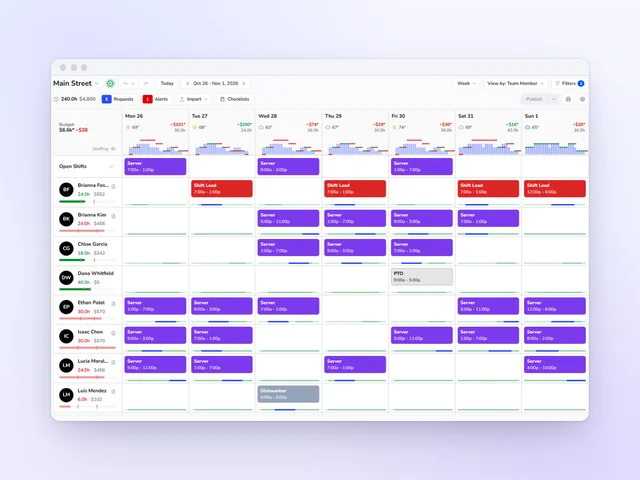
Team members set their hours, and the schedule flags conflicts.
Track retention
Turnover, 90-day retention and post-shift ratings by location.
Celebrate your team
Birthdays and work anniversaries, a month ahead.
Team roster
One team roster for every location
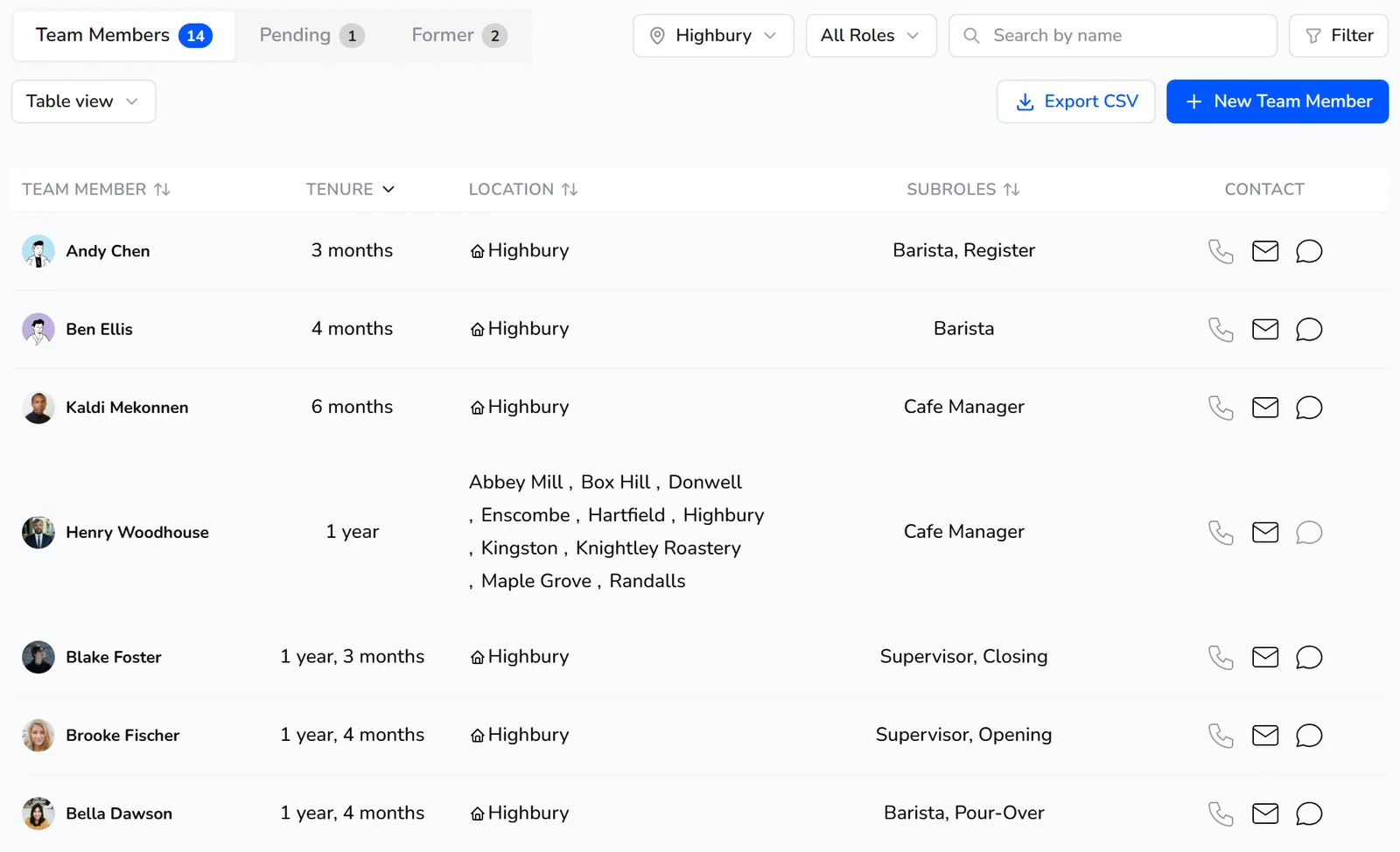
Kronto is team management software for restaurants and coffee shops, with one roster for every location. Search by name, filter by role, location or start date, and view it as cards, a list by role or a table. Each row shows tenure, subroles and primary location, with buttons to call, email or chat. New people wait on the Pending tab, and people who've left move to Former.
- Filter by role, subrole, location, district, employment type, skill or start date
- Export the roster to CSV
- Message one person, a group, or a channel that keeps its members in step with rules like role and location
Onboarding
One form, and the new hire is in
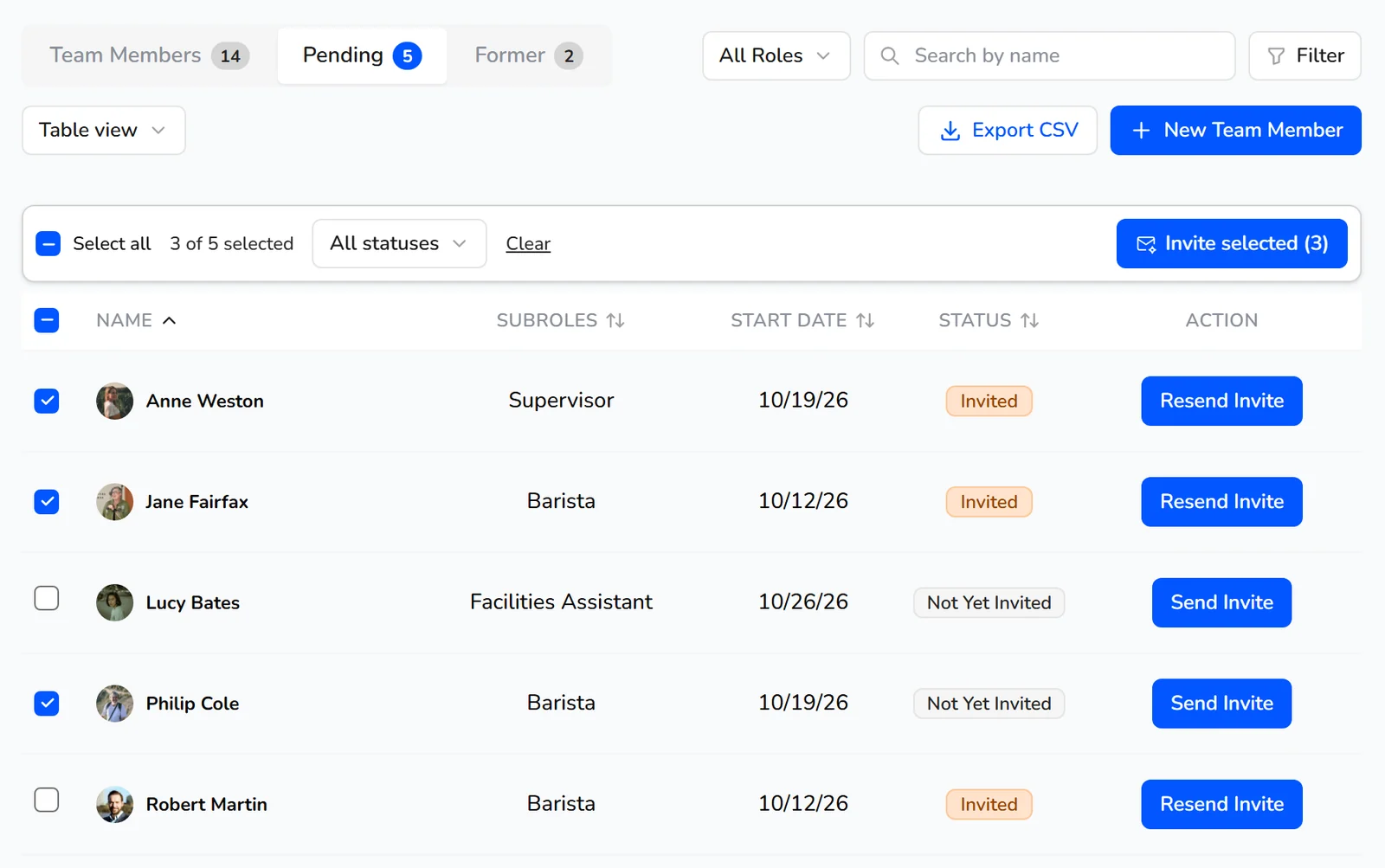
The new hire starts Saturday and still isn't in the app. Add them with one form: contact details, employment type, start date, manager, locations, roles and pay. You choose which optional fields it asks for, like birthday, preferred language, skills or desired weekly hours. Save, and Kronto offers to send the invite right away, with a sign-in code and link and reminders until they finish.
- Invited or not yet invited, for everyone pending
- Several invites sent at once
- Your roster uploaded from a CSV when you set up your account
Roles
Roles and subroles that match how your shop runs
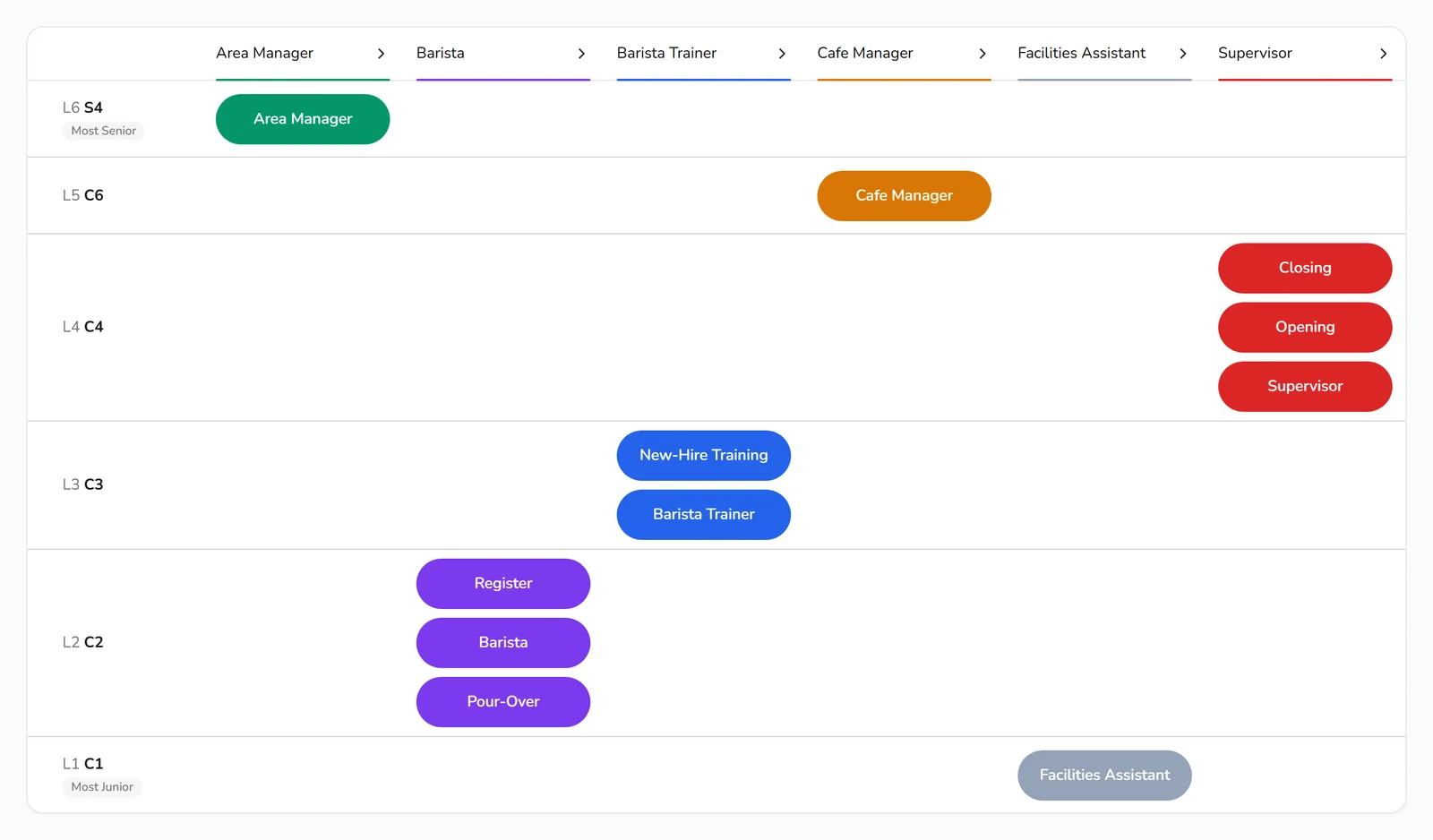
Set up roles the way your team really works, like Barista, Supervisor or Cafe Manager, each with its own color. Split a role into subroles such as Register or Pour-Over, rank them, and require one on every shift if you need to. Each role carries its pay range, break rules, skills and permission group, desktop access included. Nobody can pick up or swap into a shift for a subrole they don't hold.
- Skills that expire
Availability
Availability your team sets from their phone
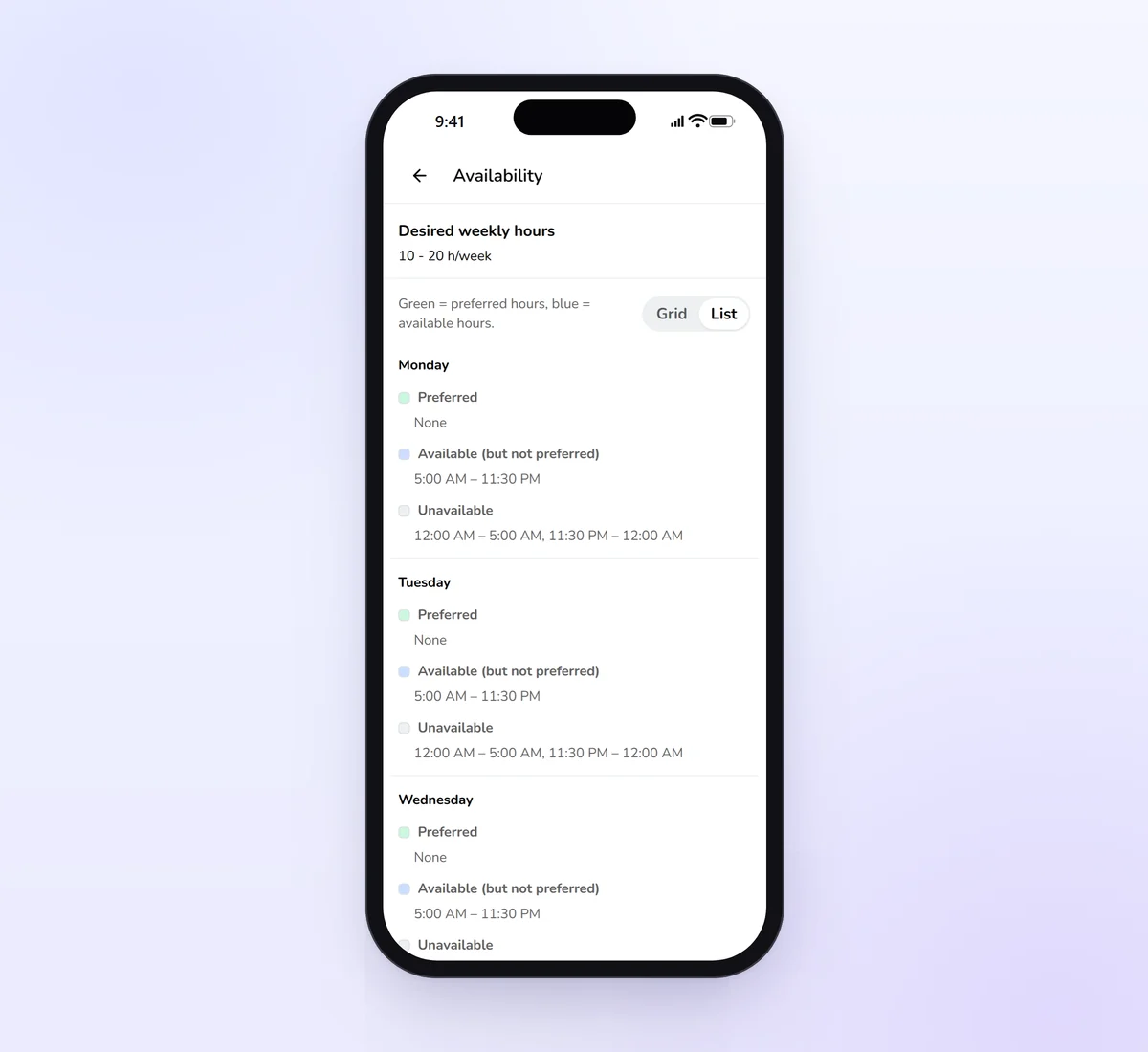
In the Kronto app, team members set each day's preferred hours, the extra hours they could also work and when they're unavailable, plus the hours a week they'd like. Turn on manager approval, and each change waits for a yes and takes effect on a date the team member picks. The schedule warns when a shift lands on someone who's unavailable.
- Desired weekly hours next to the hours each person works
- Grid and list views on phone and desktop
Profiles
Everything about a person, on one profile
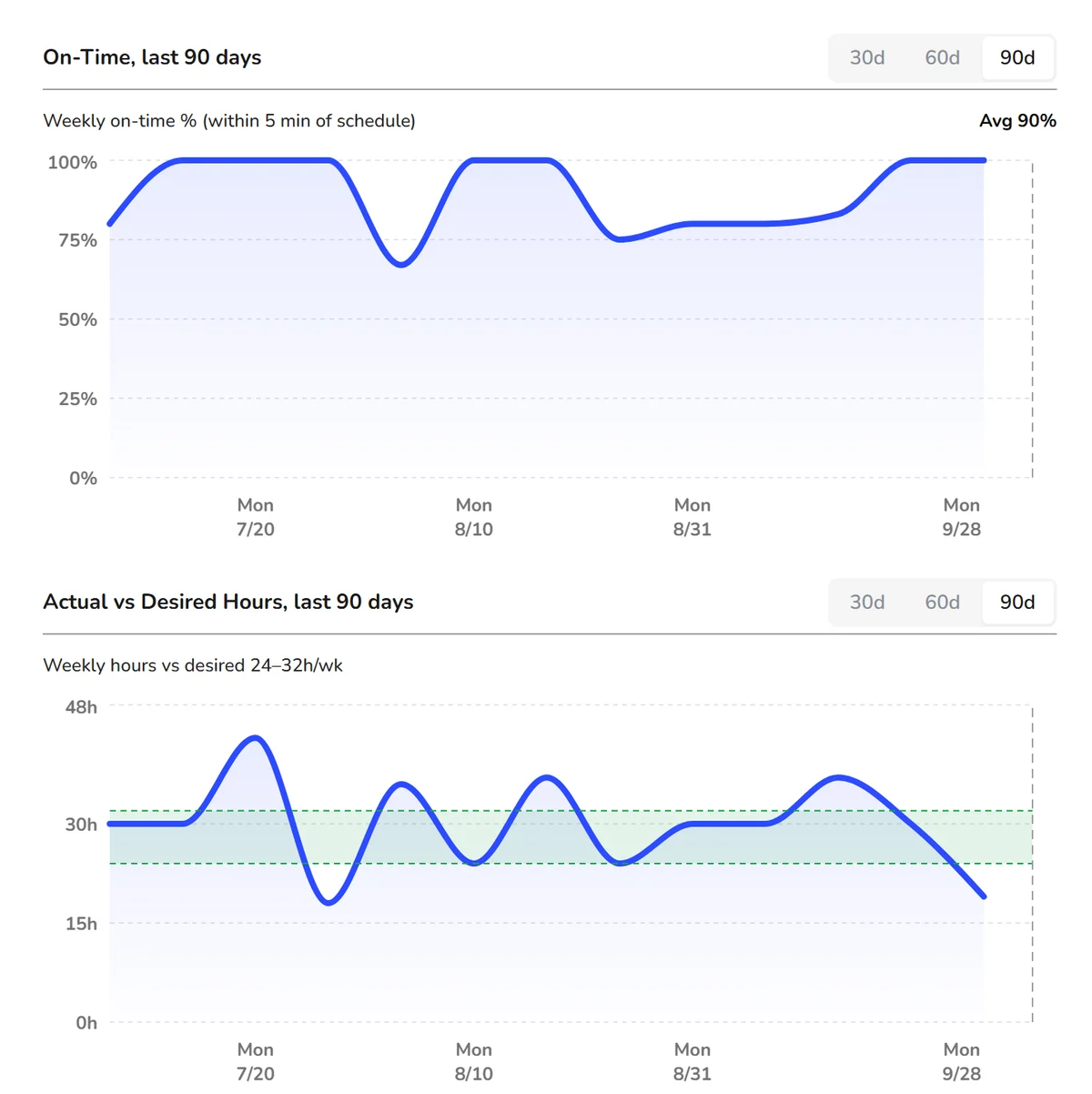
Personal details, role and pay, documents and availability live together. The Metrics tab shows tenure, attendance by quarter, on-time streak, the weekly on-time rate (within 5 minutes of the schedule) and hours worked against the range each person asked for. Documents sit in Company, Legal, Skills Related and Performance folders, with expiration dates and acknowledgments team members complete on their phone.
When you need to step in, write up an incident, mark someone unschedulable without taking them off payroll, or deactivate them and bring them back later.
Team Dashboard
Spot retention and morale trends at every location
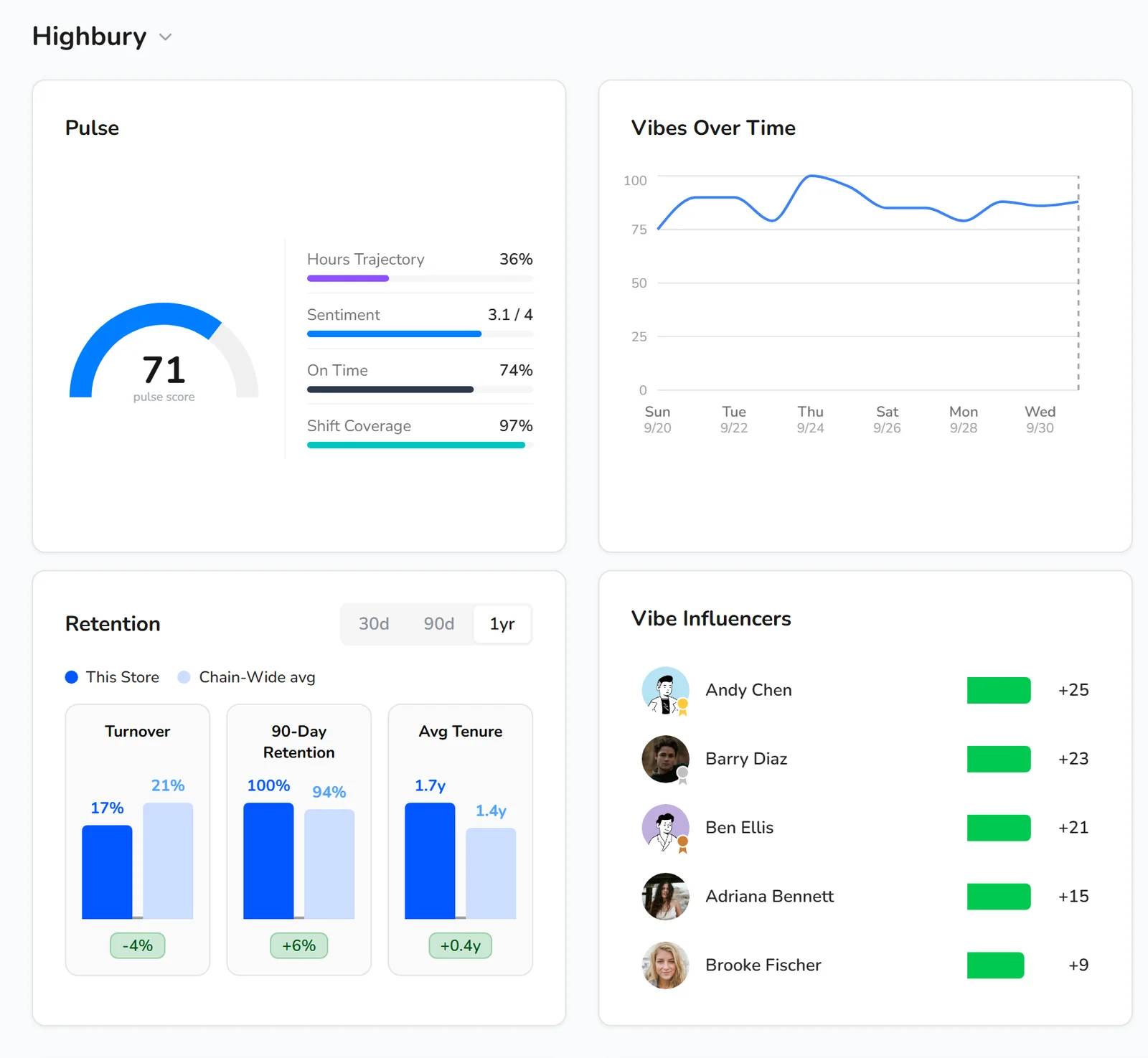
After each shift, team members can rate it in the Kronto app, from Bad to Great. The Team Dashboard turns those ratings and your time cards into a picture of each location: a Pulse score from hours, sentiment, on-time arrivals and shift coverage, vibes over time, and turnover, 90-day retention and average tenure next to all your locations.
Vibe Influencers shows whose shifts lift the team, based on how coworkers rate shifts with and without them.
- Turnover, retention and tenure over 30 days, 90 days or a year
- Birthdays and work anniversaries for the next 30 days
- Panels dragged into the order you want
Replacing an hourly team member costs about 16% of their annual pay.
Source: Center for American Progress, 2012
Frequently asked questions
Can team members update their own availability?
Yes. Team members set their preferred, available and unavailable hours for each day in the Kronto app, along with the weekly hours they'd like to work. If you turn on manager approval, each change goes to a manager and takes effect on the date the team member picks.
How do new hires get into Kronto?
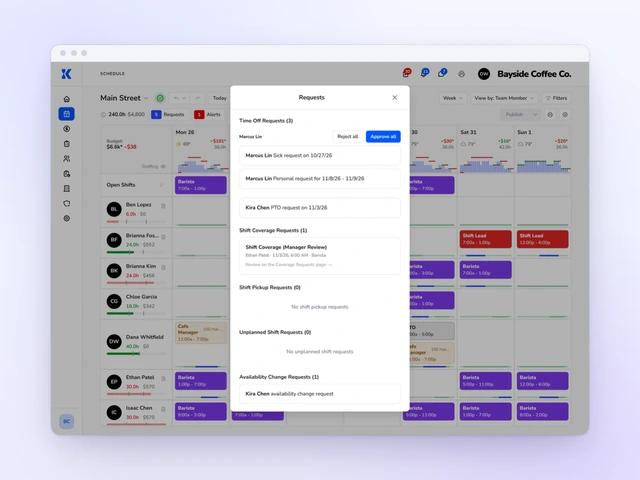
Add them from the Team page and send the invitation when you save. Kronto emails a sign-in code and link and reminds anyone who hasn't finished signing up. From the Pending tab you can see who has been invited and invite several people at once.
Can I manage team members across several locations?
Yes. Kronto keeps one roster for every location. Each team member has a primary location and can work at more than one, and you can filter the roster by location or district.
What happens when a team member leaves?
Deactivate them from their profile and they move to the Former tab and off the active roster. If they come back, you can reactivate them from the same profile.
See your whole team in one roster
We'll show you one roster for every location, availability your team sets from their phone, and how each location is keeping its people.
Get started
No credit card requiredFree for up to 10 people