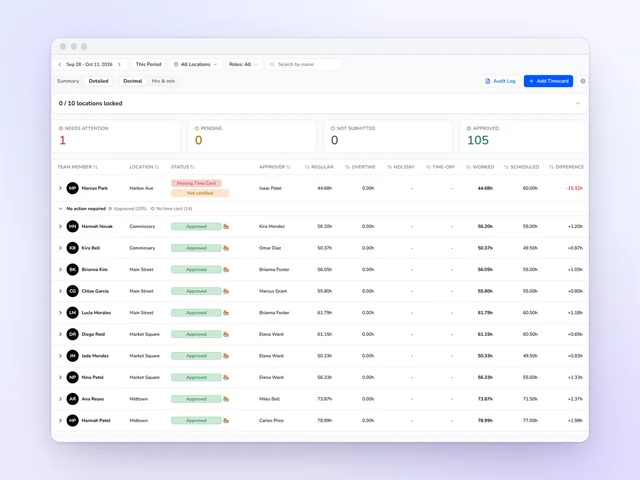
Time clock and time cards
Approve the week without opening every card, and send approved hours on to payroll.
See moreRestaurant scheduling software
Restaurant labor goes over budget one shift at a time. Kronto prices each shift as you add it, staffs the floor and the line to your own sales forecast, and flags overtime and clopenings before you publish. Servers and cooks get the week on their phones and cover their own call-outs there, with your OK.
No credit card requiredFree for up to 10 people
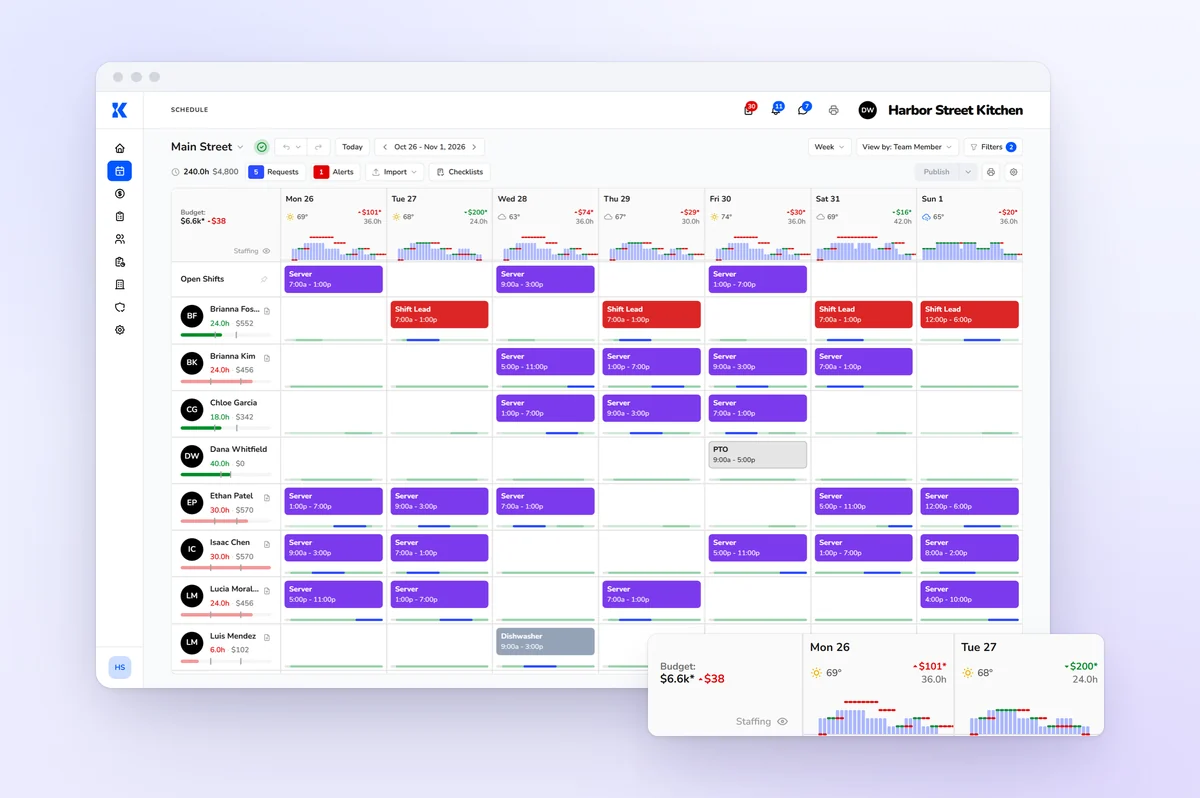
Labor cost
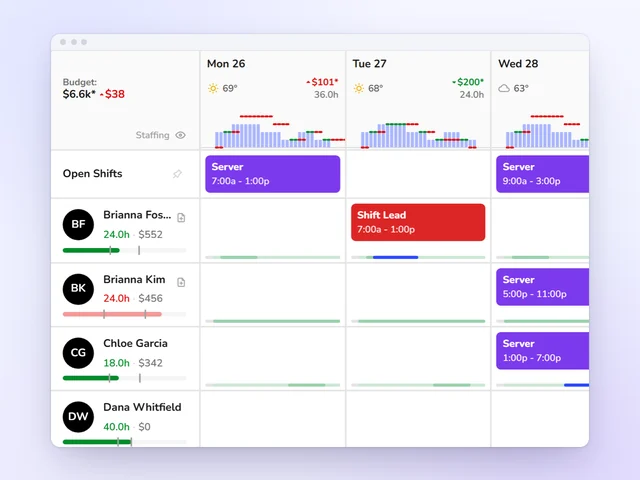
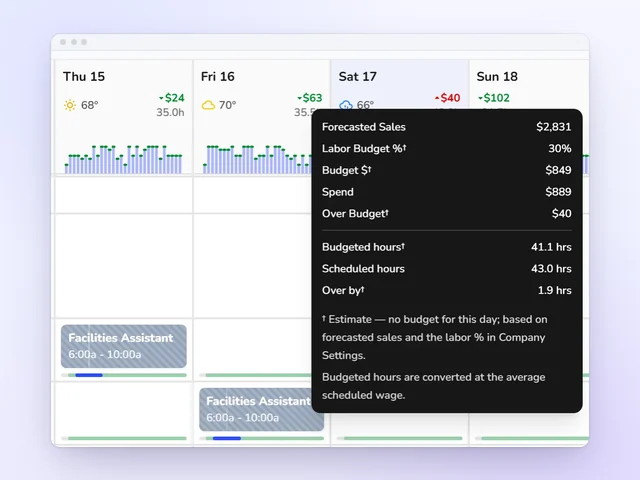
Most owners find out they blew the labor budget on payday. Kronto shows you while you're still building the schedule. Set a labor percentage once, and each day gets a target from its sales forecast. Move a shift and the cost updates on the spot, day by day and for the week, with how far over or under you are.
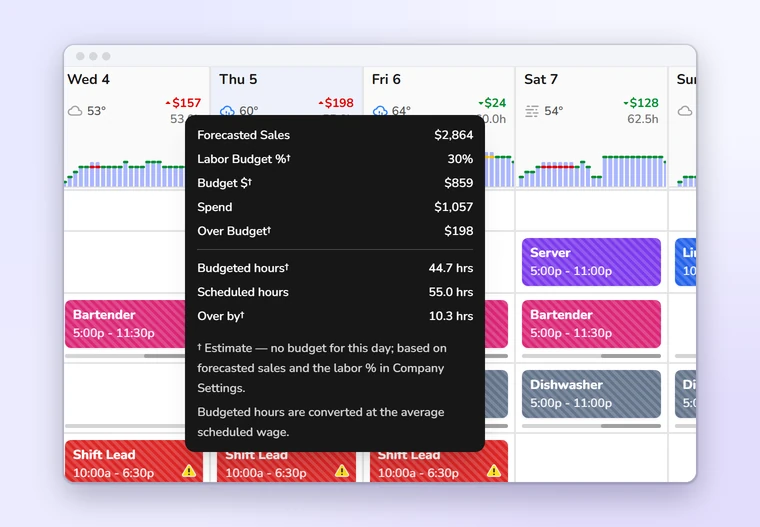
Staffing by the half hour
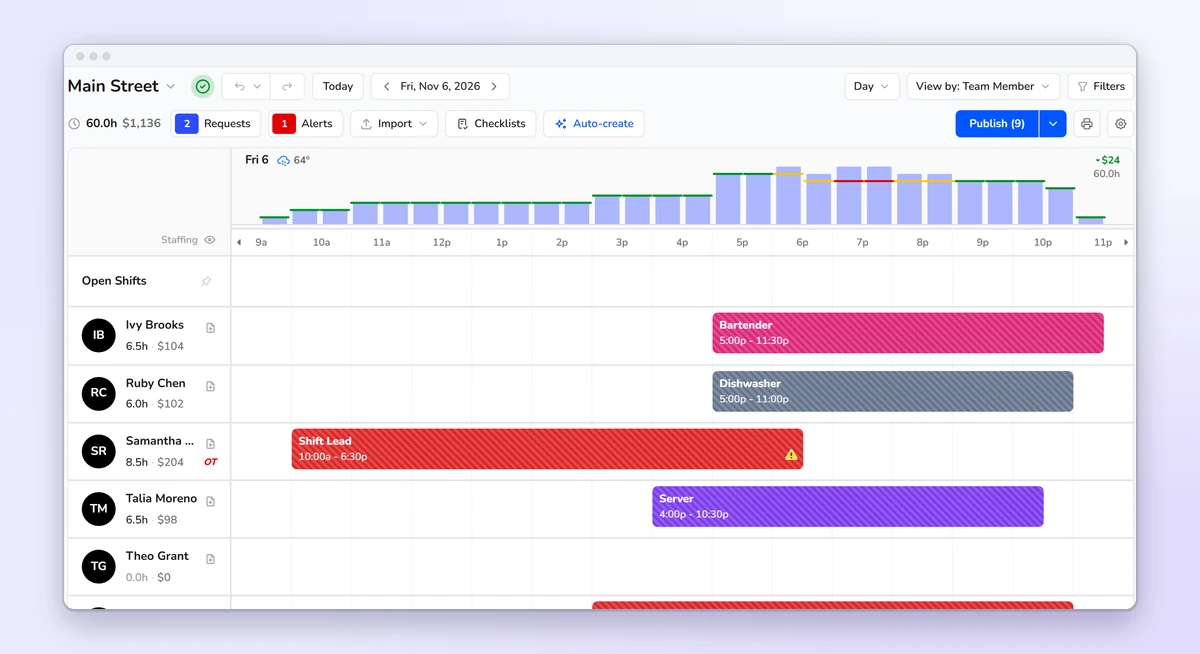
Your forecast starts from your own Square, Toast or Clover sales. Not last year's guess. Kronto turns it and your staffing requirements into the staff every 30-minute slot needs, and the day view sets that need right above your shifts. Green is on target, yellow is close, red is off. A short Friday dinner shows up before Friday.
Front and back of house
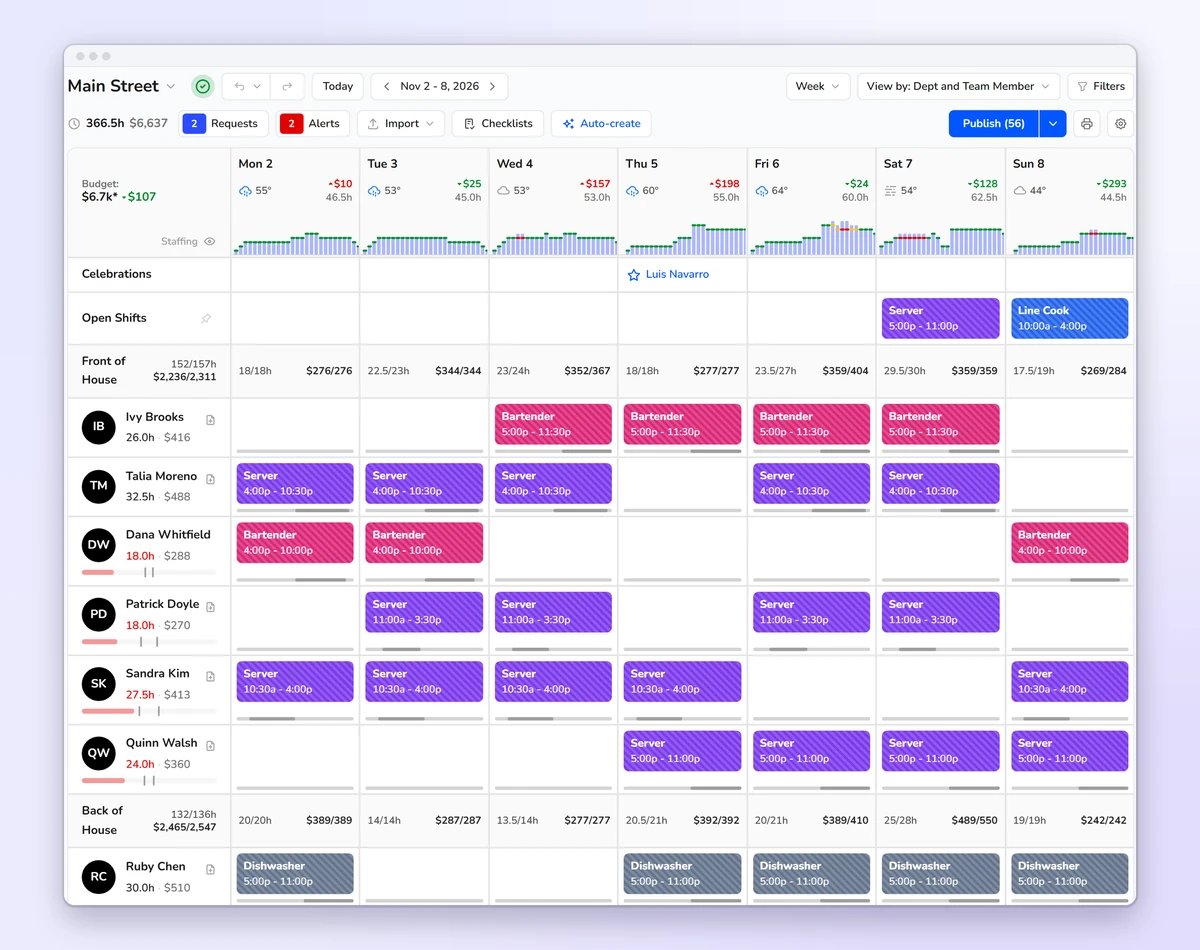
View the week by department and servers and bartenders group under front of house, cooks and dishwashers under back of house. Each department gets a row of scheduled hours and cost against the forecast, for every day and the week. One screen instead of two spreadsheets.
Schedule builder
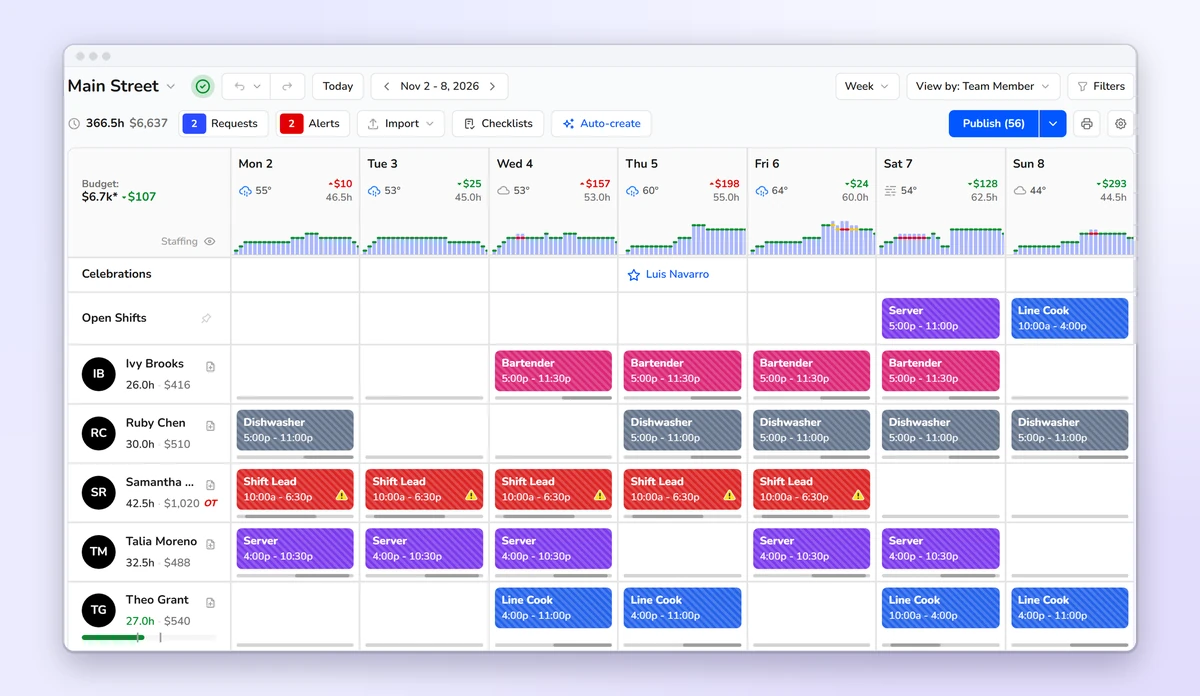
Copy last week, any earlier week or a saved template, then drag shifts where service needs them. Servers, bartenders, line cooks and dishwashers share one grid, with hours and cost beside each name. Nothing reaches the team until you publish. Try a version of Friday dinner, undo it, or go back to the last published week.
Auto-create
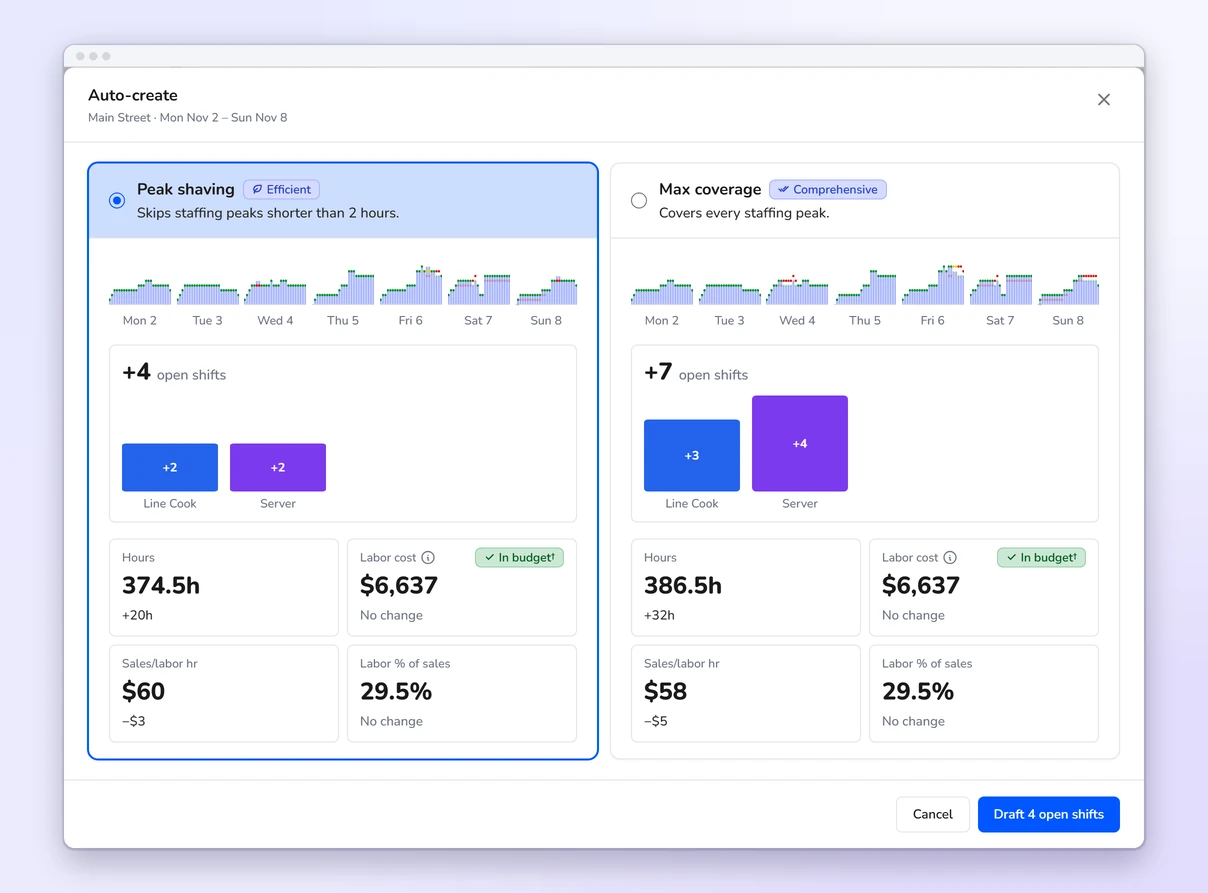
Auto-create compares the staff each role needs with the shifts already on the week and drafts the difference as open shifts. It never assigns anyone. Two versions sit side by side: Max coverage staffs every peak, and Peak shaving skips peaks shorter than two hours. Each shows the shifts it adds by role and what they do to hours, sales per labor hour and labor percent.
Schedule checks
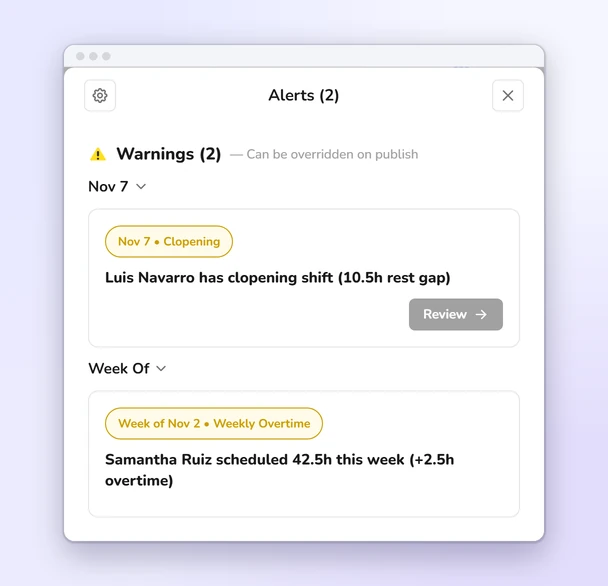
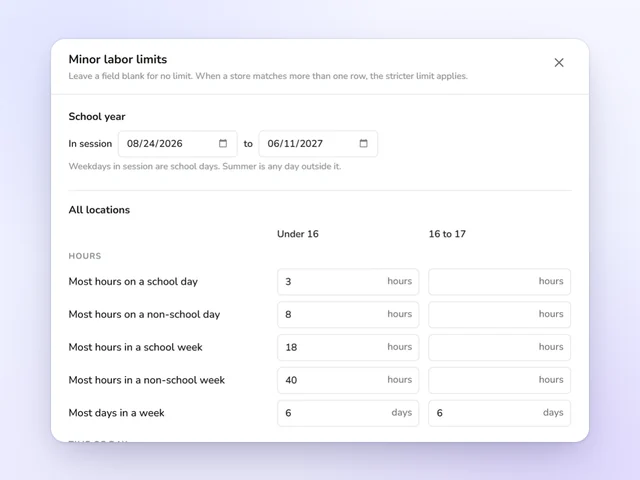
Kronto checks as you build: daily and weekly overtime, clopenings, overlapping shifts, too many days in a row, people scheduled when they're unavailable, short notice and the limits you set for team members under 18. Each check can be off, a warning, or a block that keeps the schedule from going out.
Publishing
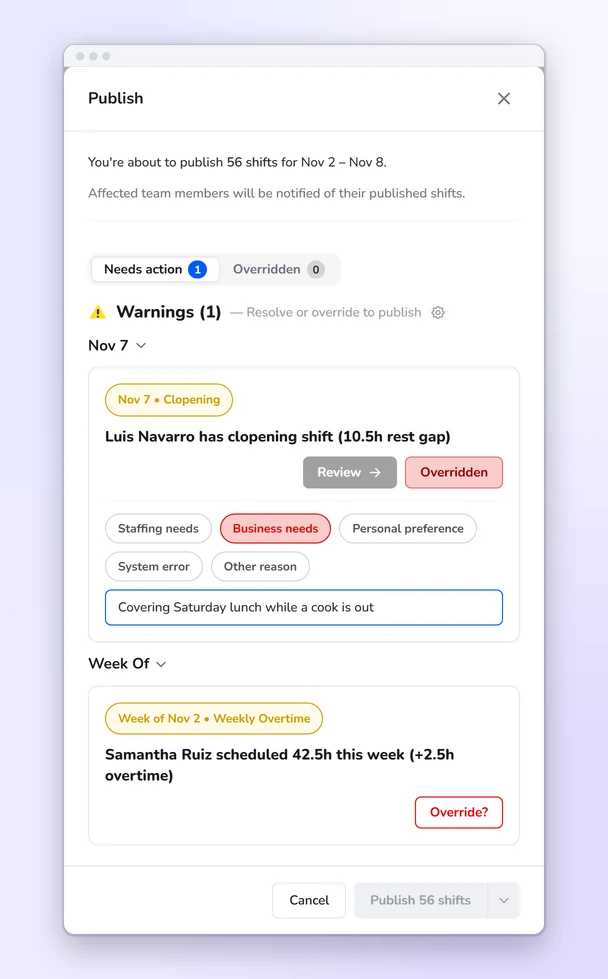
Send the whole week, one day or only the shifts you select. Team members hear about new, changed and canceled shifts, or you publish quietly. Keeping a warning takes a reason, like staffing or business needs, plus an optional note. Both are saved with who overrode it and when.
On the phone
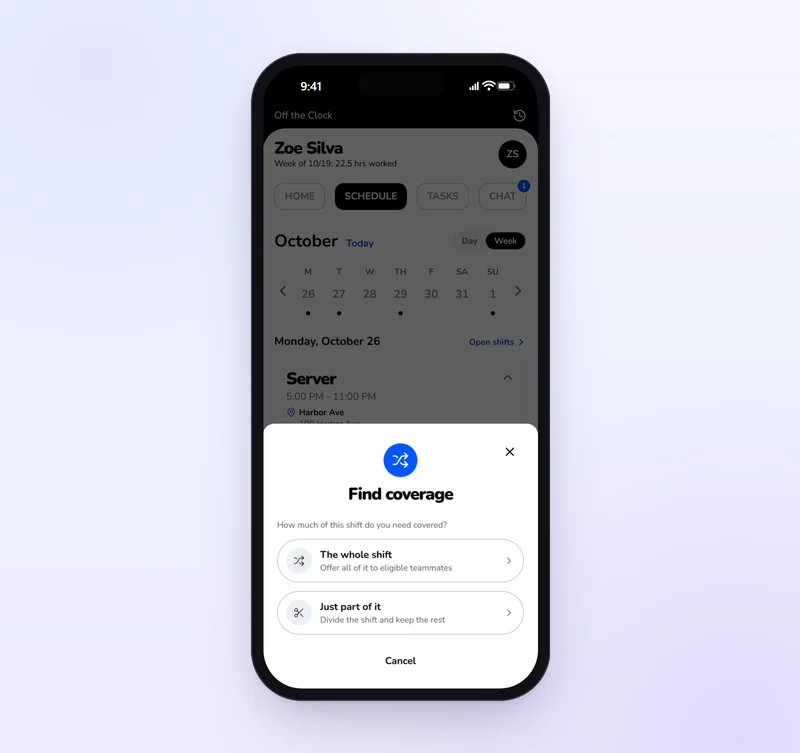
They tap Find coverage and offer the whole shift or part of it to teammates who can work it. Anyone the trade would push into overtime is flagged before it goes out. The teammate accepts, you approve, and the schedule updates. You can also send an open shift straight to the people you pick.
Time clock and time cards
Approve the week without opening every card, and send approved hours on to payroll.
See more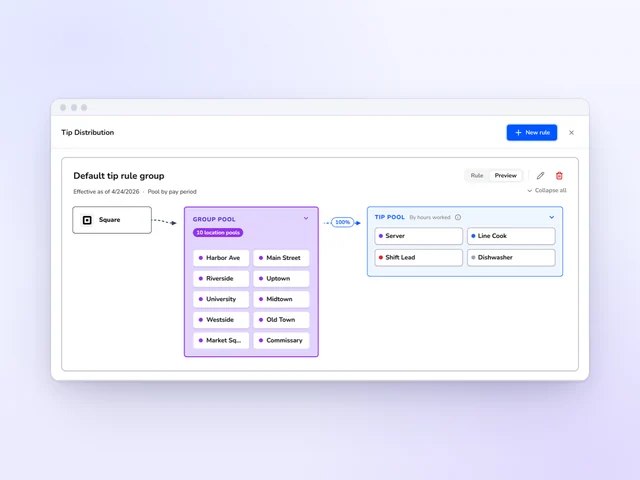
Tip distribution
Set tip pools and tip-outs by role, and Kronto does the math with card tips from Square or Toast.
See more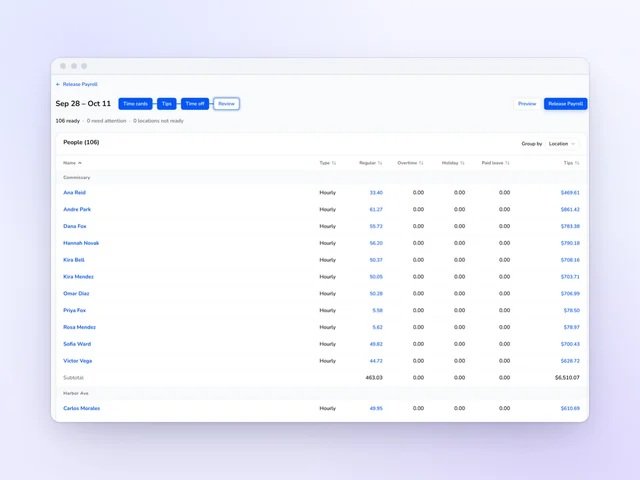
Payroll
Review hours and tips side by side, then release payroll from Kronto without retyping a time card.
See moreThe best restaurant scheduling app shows what the week costs while you build it, catches overtime and clopenings before you publish and lets servers and cooks cover call-outs from their phones. Kronto does all three and staffs each half hour to your own sales forecast. It's free for teams of up to 10, then $5 + tax per user per month.
Yes. Before a schedule goes out, Kronto checks daily and weekly overtime, clopenings, overlapping shifts, too many days in a row, short notice, unavailable team members and the limits you set for minors. Each check is off, a warning or a block. Publishing past a warning takes a reason, and Kronto records who gave it.
Yes. Team members see the published schedule on their phones, request open shifts they're eligible for and ask eligible teammates to cover a shift or part of one. A teammate accepts, then a manager approves, with any overtime the trade would cause shown up front.
Teams of up to 10 use Kronto free. Standard is $5 + tax per user per month, and Pro, which adds running payroll in early access, is $10 + tax. Both paid plans start with a 14-day trial and bill monthly, with no contract.
Square, Toast and Clover. Kronto reads your sales history to build its forecasts and never writes anything back to the POS.
Yes. Kronto places the breaks your break rules call for and staggers them, keeping the floor covered while people take them.
Product details checked against Kronto's live scheduling features in October 2026. Last reviewed October 30, 2026.
Reviewed by Jonan Junwikul, Growth, Kronto, on October 30, 2026.
The hours they work and the tips they earn, in one paycheck
Schedule, time clock, tip pools and payroll all live in Kronto. What a server works and what they earn land together, with no spreadsheet in between.
No credit card requiredFree for up to 10 people
 Jonan Junwikul
 Jim McKelvey