

Compliance
Catch break and clopening violations before they become penalties
Clopenings get flagged before you publish. Every missed break gets a signed reason at clock-out. If anyone asks, it's on the record.
- Built for restaurants, coffee shops and bakeries
- Works with Square, Toast and Clover
No credit card requiredFree for up to 10 people
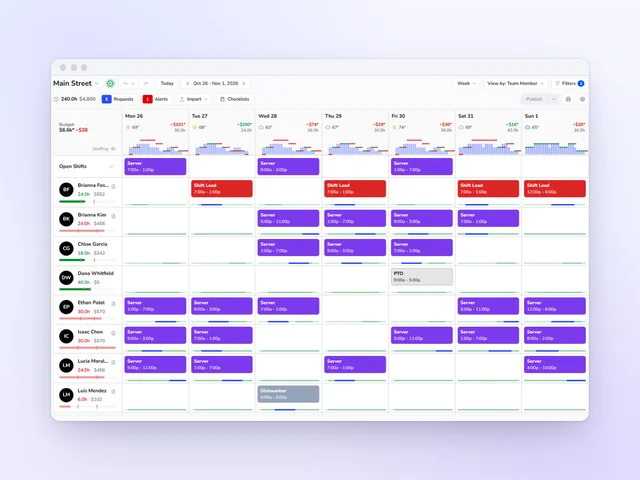
Review every shift before it posts
Problems show up while you build, before your team sees them.
Flag what breaks your rules
Overtime, clopenings, consecutive days and minor limits. Missed breaks on time cards.
Require approvals to override
Each override needs an authorized approval, and Kronto logs it.
Labor compliance
Catch labor compliance problems before the schedule goes out
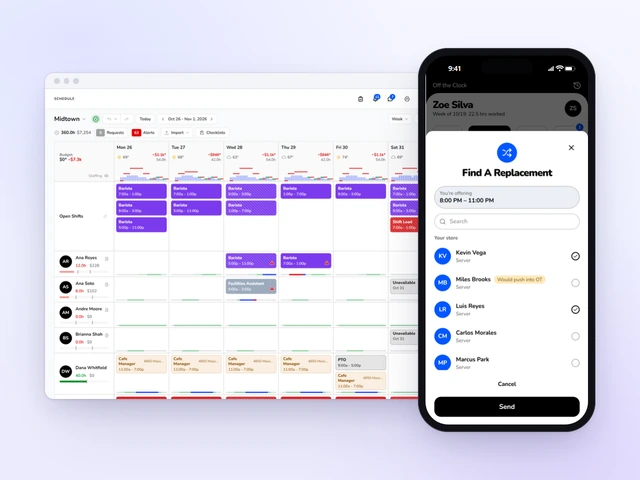
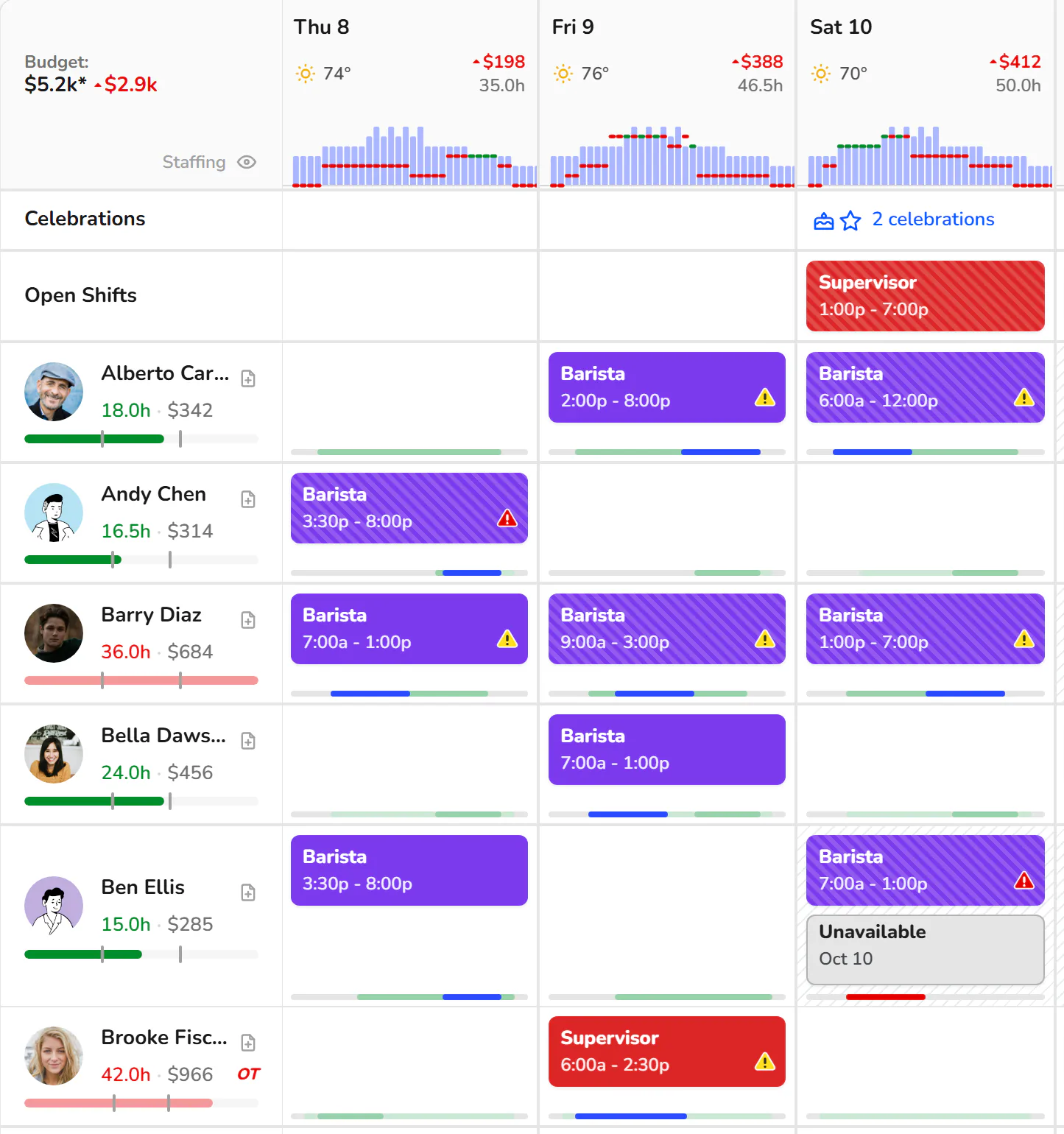
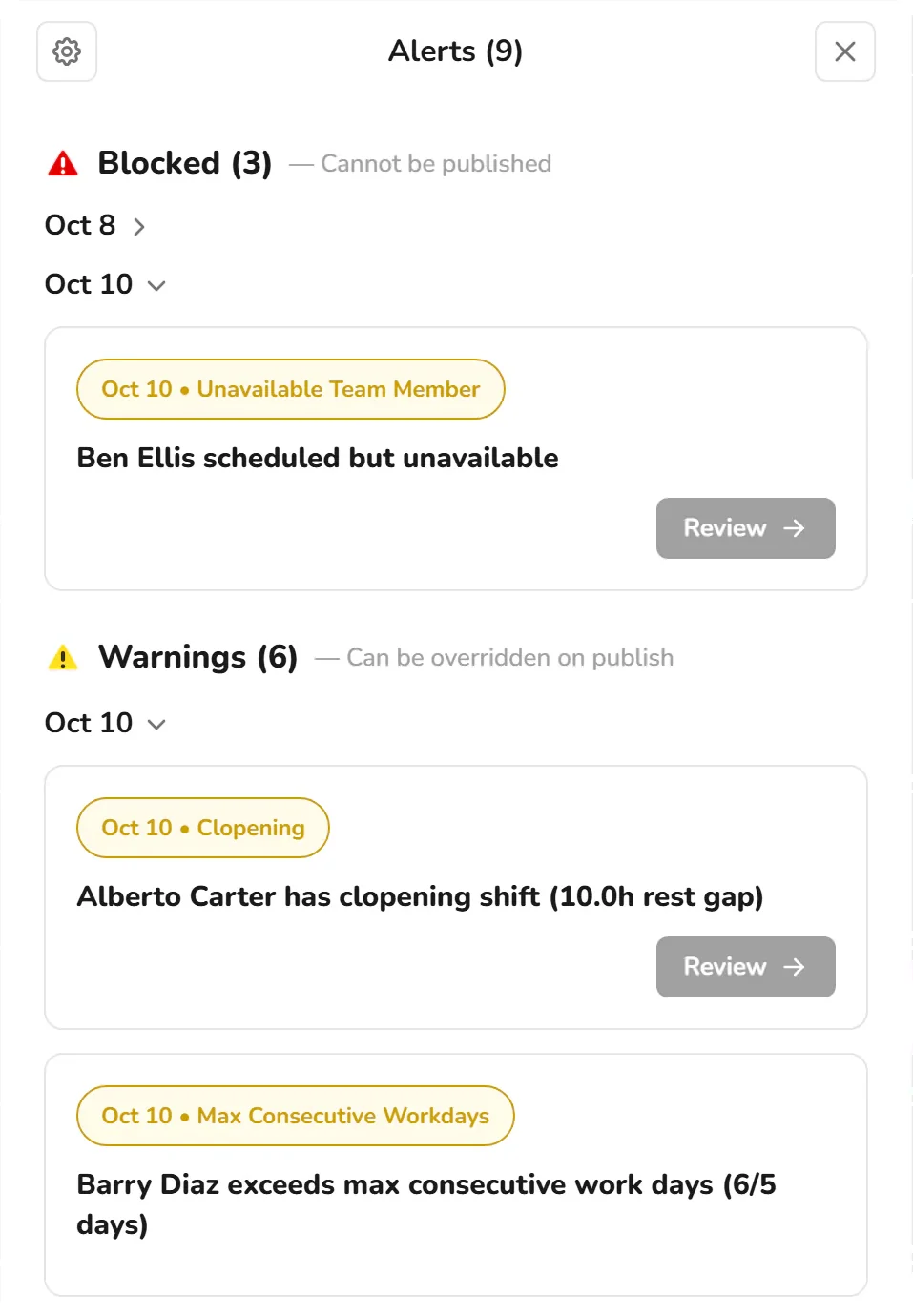
Kronto checks every shift against the labor rules you set while you build the week: overtime, clopenings, rest between shifts, consecutive workdays, advance notice, unavailability and limits for team members under 18. Each problem gets a flag on the shift before the team sees anything.
- Red for Block, yellow for Warn, in one Alerts list grouped into Blocked and Warnings
- Review jumps straight to the shift that needs fixing
Your rules
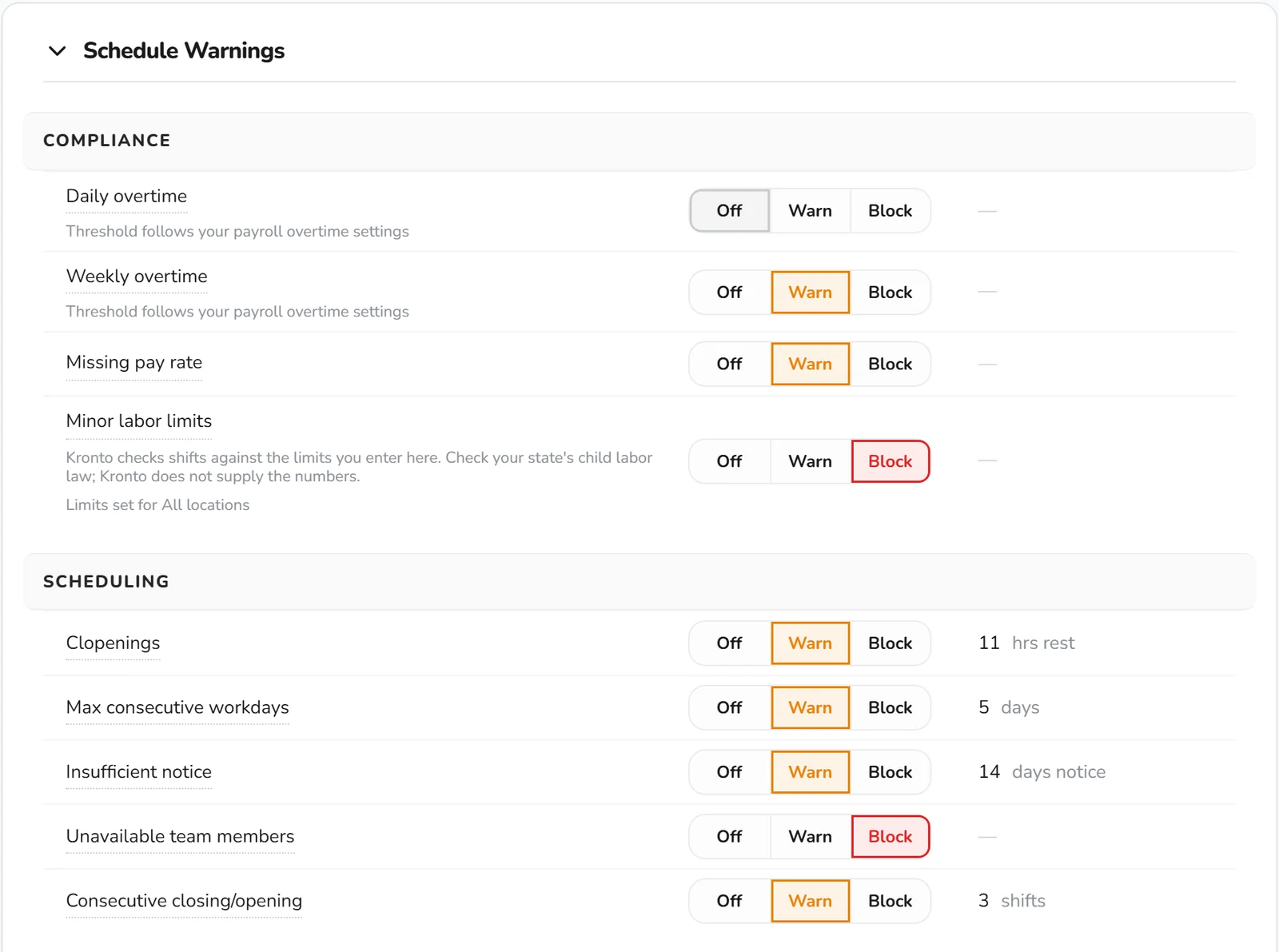
Decide which rules warn and which stop a publish
Settings keeps one Schedule Warnings list, grouped into Staffing, Compliance, Scheduling and Distribution. Off ignores a rule. Warn asks for a fix or an override before publishing. Block holds the schedule until the problem is fixed.
You set the thresholds. Overtime follows the daily and weekly thresholds in your payroll overtime settings.
- Clopenings. A closing shift followed by an opening shift with less than 11 hours of rest, by default.
- Overtime. Daily and weekly overtime at your payroll overtime thresholds. Weekly starts at 40 hours.
- Consecutive days. Max consecutive workdays (5 by default) and back-to-back closes or opens (3 by default).
- Advance notice. Flags shifts published less than 14 days ahead, by default.
- Conflicts. Overlapping shifts and shifts during a team member's marked unavailability are blocked by default.
- Distribution. Max weekend hours, and split shifts with a gap large enough to trigger split-shift premium pay.
Overrides
Overrides need a reason, and Kronto keeps the record
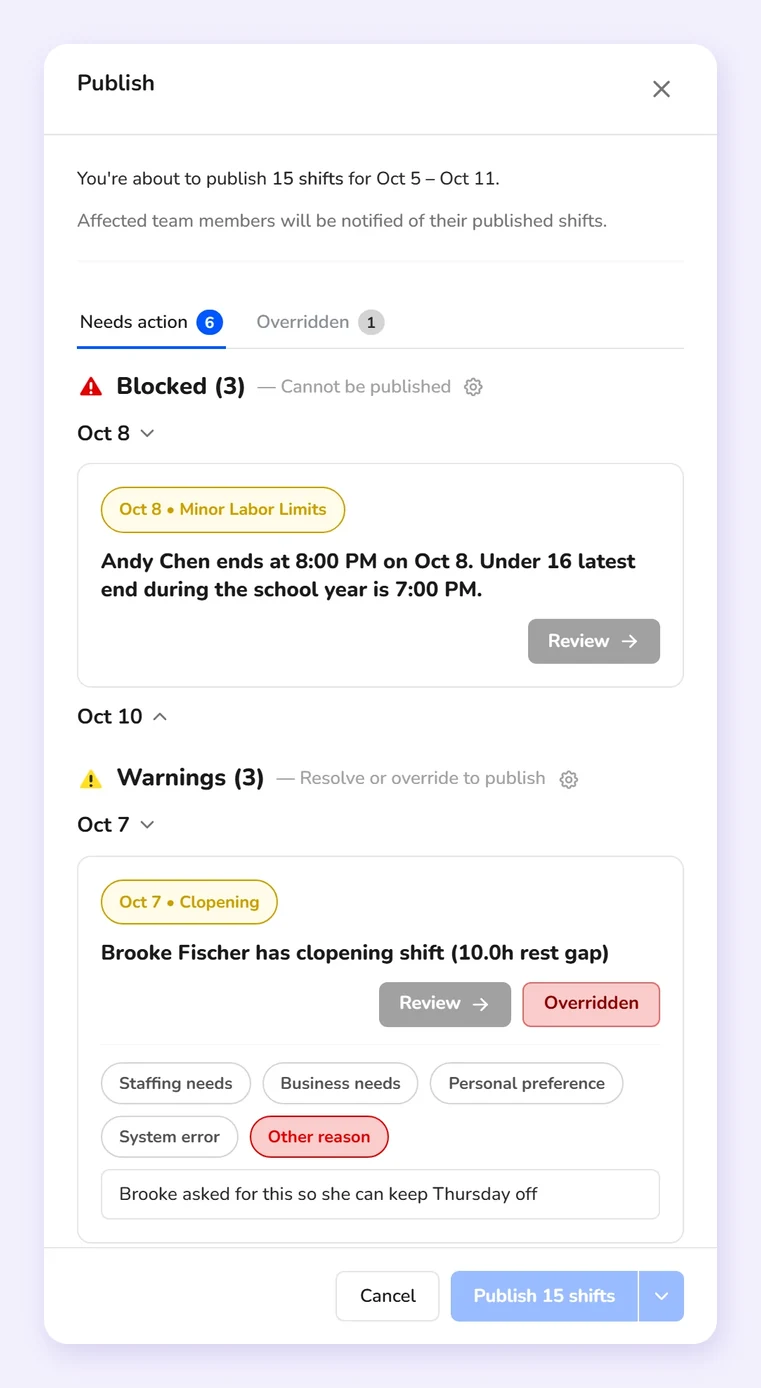
Your only free opener closed last night. When a manager clicks Publish, Kronto lists every problem in the shifts going out, that clopening included. Blocked items stay blocked. Each warning needs a decision: fix the shift, or override it and pick a reason, with a written note for Other reason. Only someone with the override permission for that location can approve. The call stays with them, and the record shows who made it and when.
- Reasons: Staffing needs, Business needs, Personal preference, System error, or Other reason with a note
- Needs action and Overridden tabs, plus a record of warnings and overrides at every publish
How it works
How Kronto checks your schedules, week after week
Kronto does the checking. Your managers make the calls.
Set your rules
Off, Warn or Block for each rule, your thresholds, and minor limits if you employ team members under 18.
Build and review
Flags on shifts as you schedule, and the whole week in the Alerts list.
Publish with a paper trail
Fix what's blocked and give a reason for every override.
NYC Fair Workweek
Running fast food in NYC? The law's steps are built in
Turn on NYC Fair Workweek for your New York City fast food locations. Kronto counts down to the 14-day publish deadline, works out the premium for a change before a manager saves it and keeps the record the city asks for. Premiums land in the payroll export as their own lines.
You confirm which locations the law covers. It doesn't cover NYC retail or other cities' scheduling laws, and it isn't legal advice.
- A written yes for clopenings, and the $100 premium recorded when one is worked
- Yes or No on the team member's phone, in English or Spanish
- Expected schedules, with the city's 15% check at publish
- The record by location, person and day, exported to CSV
Team members under 18
Minor labor limits for team members under 18
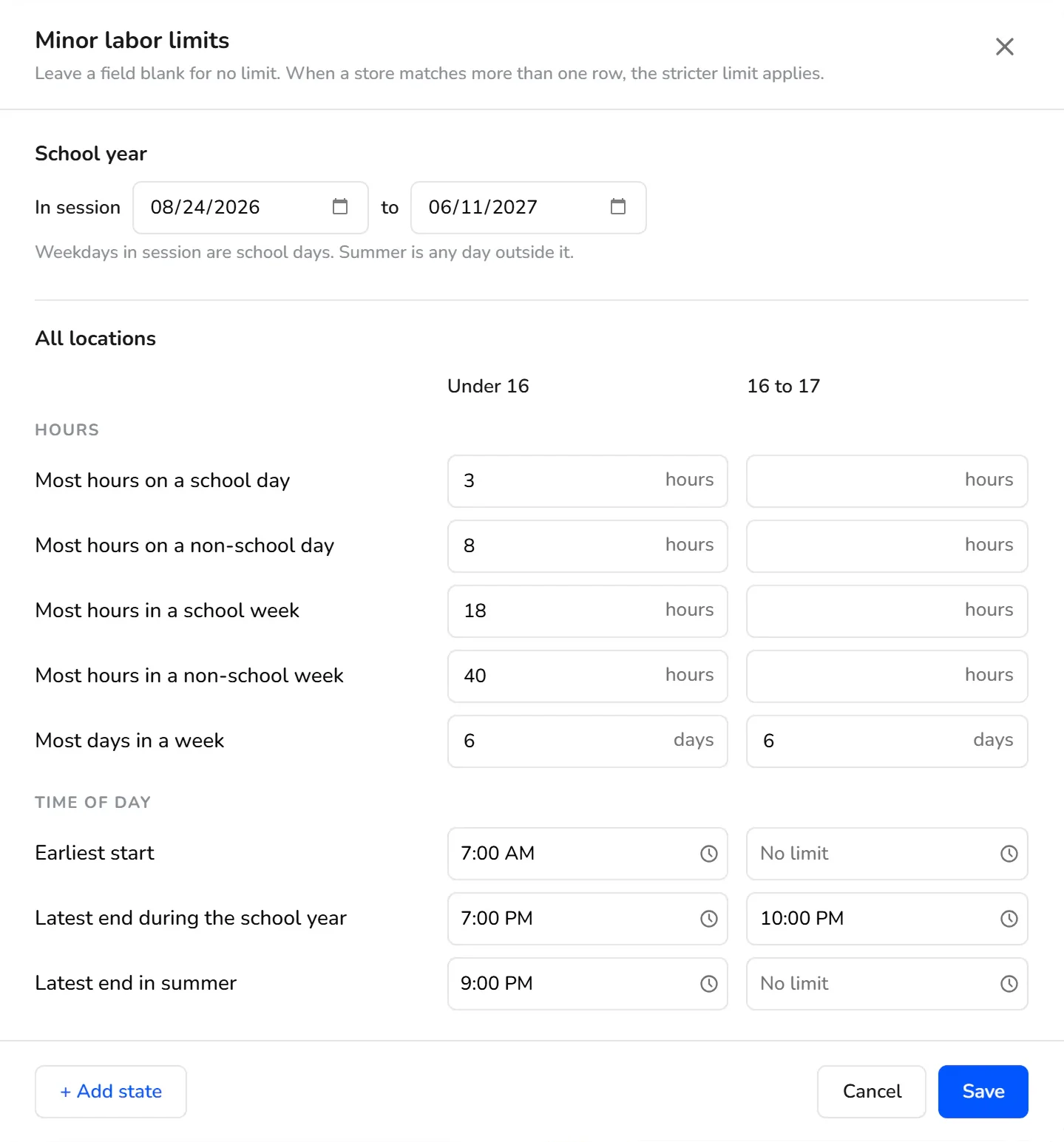
Enter the limits that apply to your team members under 16 and to those 16 to 17: hours on school and non-school days, hours in school and non-school weeks, days per week, earliest start, and latest end for the school year and summer.
Set your school-year dates once and add a row for any state with different rules. When more than one row matches a location, Kronto applies the stricter limit. Each shift is checked against the team member's age on the shift date, and team members under 14 can't be scheduled. Kronto doesn't supply the legal numbers. You enter the ones that apply to you.
- Set to Block, Kronto refuses a publish, pickup or swap that would go past a limit, and says which limit
- A minor who clocks in on the phone before the earliest start gets a notice
- 15 minutes before a clocked-in minor reaches a limit, the minor and the location's managers get a push notification, and managers get another at the limit
- Warnings show the age band, never a birthday
Breaks
Break rules your team can follow, and a record when they can't
Set break rules for each role by shift length: how long each break is, whether it's paid and when it starts. New shifts get them automatically, and one role's rules can be copied to others.
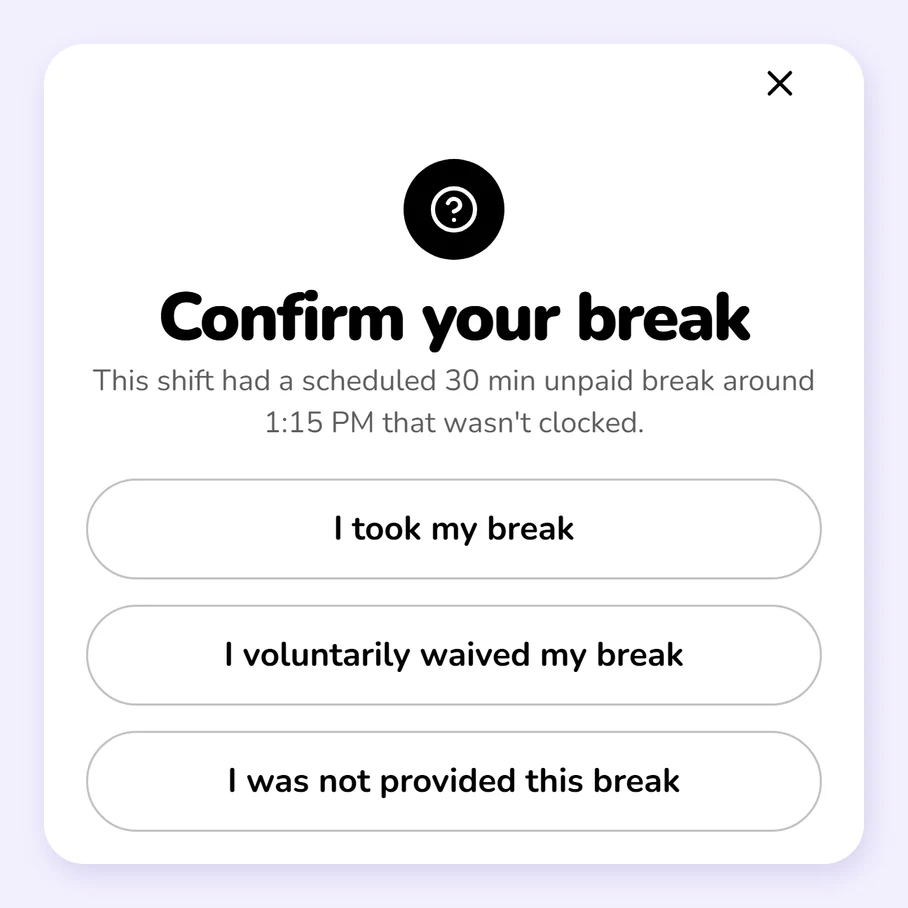
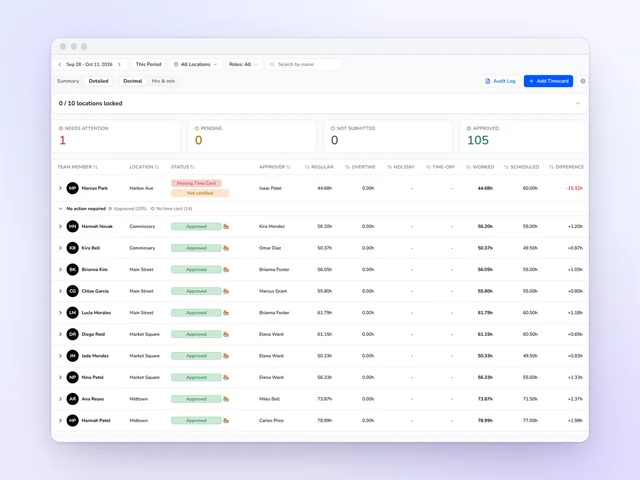
With minimum break time on, a team member can't end a scheduled break early on the phone or tablet. At clock-out, Kronto asks about any scheduled break with no clock record, and the team member certifies they took it, waived it or weren't provided it. Time cards flag missed and unplanned breaks.
- Minimum break time holds a break until its full length or the scheduled shift end, whichever comes first
- Choosing "I was not provided this break" asks the team member why
Frequently asked questions
Does Kronto know the labor laws in my state?
For NYC fast food, yes: NYC Fair Workweek is built in, from the 14-day notice to the premiums for late changes and clopenings, and you confirm which locations the law covers. Everywhere else, Kronto checks your schedules against the rules and thresholds you set, such as clopening rest hours, overtime thresholds, advance notice and minor labor limits.
What is a clopening, and how does Kronto flag it?
A clopening is a closing shift followed by an opening shift the next morning with little rest in between. Kronto flags one when the rest between a close and the next open is less than your threshold, 11 hours by default.
Can a manager publish a schedule that breaks a rule?
It depends on the level you choose. A rule set to Warn can be overridden at publish with a reason, by someone with the override permission for that location. A rule set to Block keeps the schedule from being published until the shift is fixed.
How does Kronto flag overtime on the schedule?
The daily and weekly overtime rules read the same thresholds as your payroll overtime settings. When a team member's scheduled hours go past them, Kronto flags the shifts and shows the overtime hours.
What happens when a team member misses a scheduled break?
At clock-out, Kronto asks about any scheduled break with no clock record, and the team member certifies whether they took it, waived it, or weren't provided it. The answer is saved in the time card's history, and time cards flag missed breaks.
Your rules, checked on every shift
We'll show you overtime, clopenings and minor limits flagged as you build the schedule, and the reason on record for every override.
Get started
No credit card requiredFree for up to 10 people