Free tip calculators

Split tips to the cent, with any leftover pennies going to the lowest earner first, so the shares add up to the exact pot. Free to use, with nothing to sign up for, and nothing you enter leaves your browser.

Which one do I need?

Everyone shares one pot

The tips from the whole shift go into one pot, and everyone eligible takes a share.

Tip Pool Calculator

Servers pay out to support staff

Servers keep their tips and give a set percent to the bussers, the bar and the host.

Tip-Out Calculator

See what each one gives you

Both calculators open empty, or fill in an example so you can see the results below before you type a number.

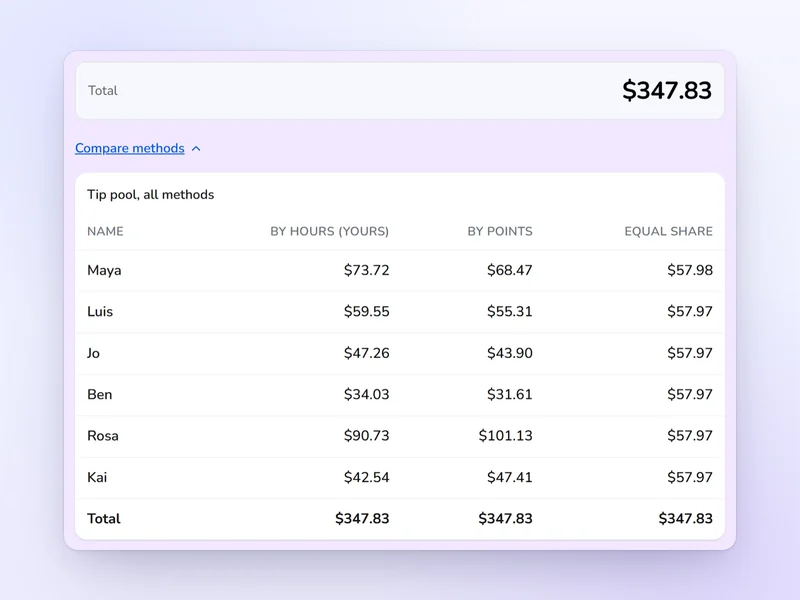
The tip pool calculator's results for a coffee shop shift: each person's share of the pool by hours, by points and in equal shares, side by side.

One shared pot

Tip Pool Calculator

Split a pool by hours worked, by role points or in equal shares, and see all three side by side.

Who it's for
Coffee shops, bakeries and any team that shares one jar or card total
How it splits
The whole pot, by hours, role points or equal shares
What you get
Every person's share under all three methods, side by side
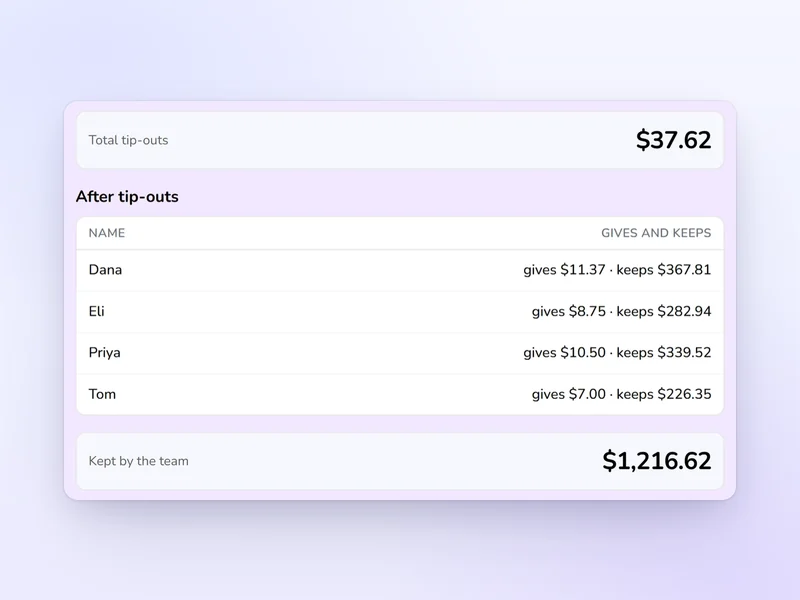
The tip-out calculator's results for a restaurant dinner shift: the total tip-outs, what each server gives and keeps, and what the team keeps.

Servers tip out

Tip-Out Calculator

Work out what each server gives the bussers, the bar and the host, and what everyone takes home.

Who it's for
Restaurants where servers tip out the bussers, the bar and the host
How it splits
A percent of each server's tips, shared among the support roles
What you get
What each server gives and keeps, and what each support role takes home

Kronto does this every pay period

Set your tip rules once. Kronto splits each pool, collects every person's tips and puts them into payroll, so you stop doing the math by hand.

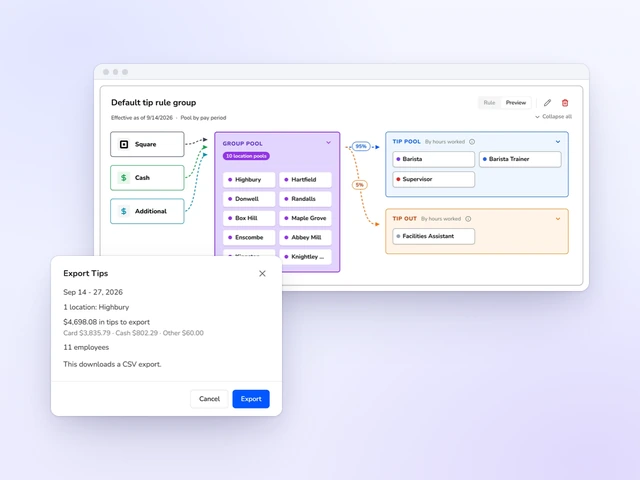
Kronto's tip rule: Square, cash and additional tips flow into a group pool, then into a tip pool split by hours worked and a tip out, with the tips export for the pay period open in front.

Your rules split every pool

Set who shares and how, by hours or points, once. Kronto splits every pool the same way each pay period.

Explore tip distribution
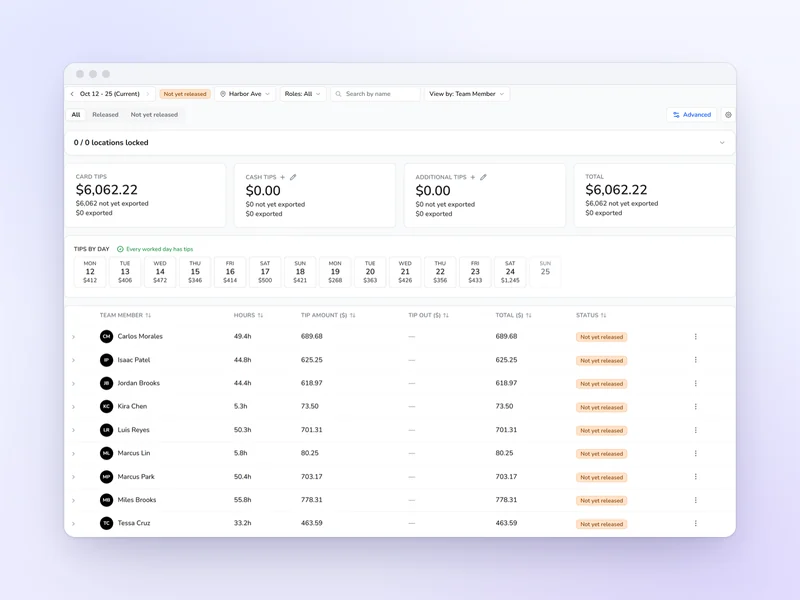
Kronto's tips page for a pay period: card, cash and additional tips, tips for each day, and every team member's hours and tip amount.

Everyone's tips, ready at pay period close

Card tips come in from your POS and cash tips are declared on the tablet, so each person's total is waiting for you.

Explore POS integrations
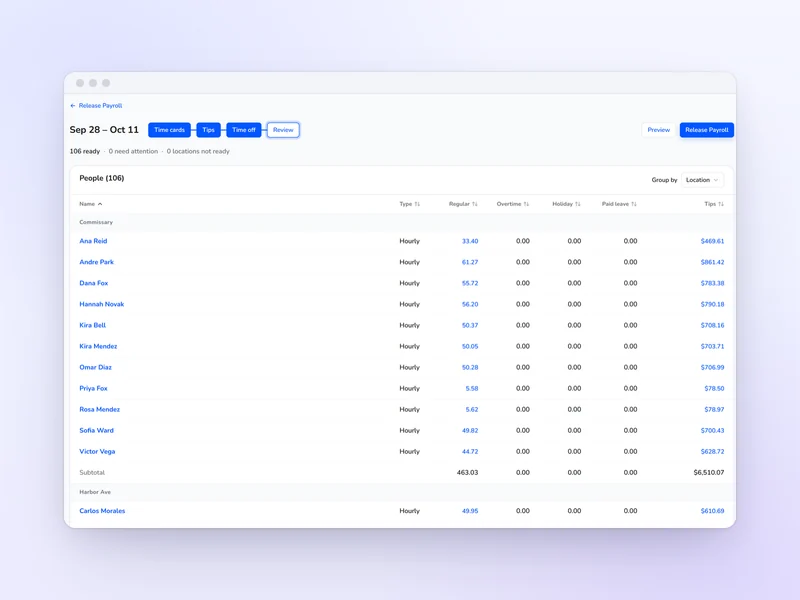
Kronto's payroll review for a pay period: each person's regular, overtime and holiday hours with their tips beside them, ready to release.

Tips go straight into payroll

Tips sit beside hours in the payroll run, so nobody retypes a number.

See Kronto split your tips

We'll walk through your tip rules, your POS tips and a pay period's payroll in one app, so you can compare it with what you do by hand today.

Book a Demo

Book a demo to get 2 months free