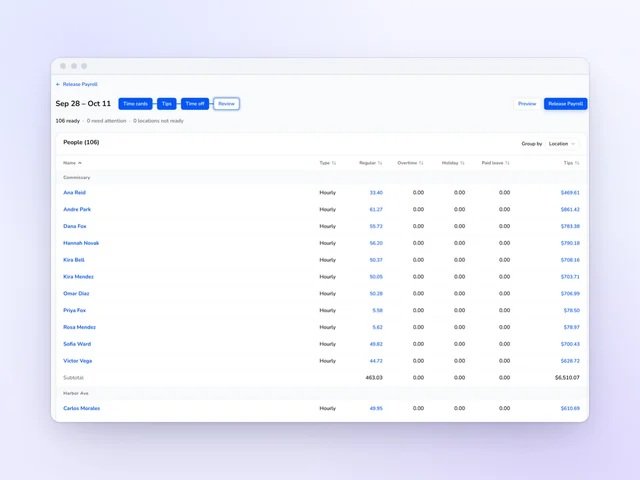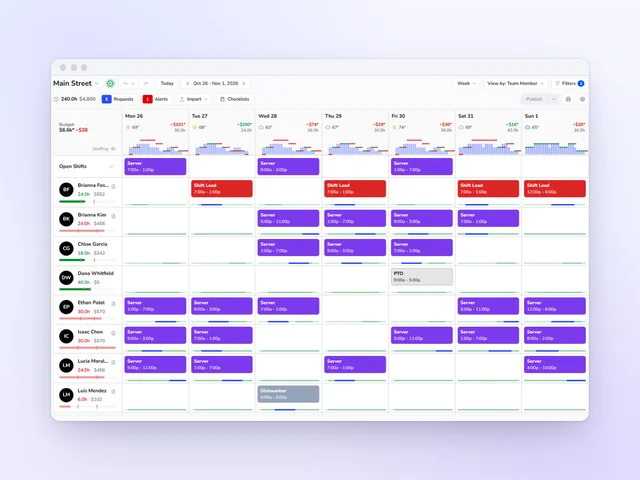


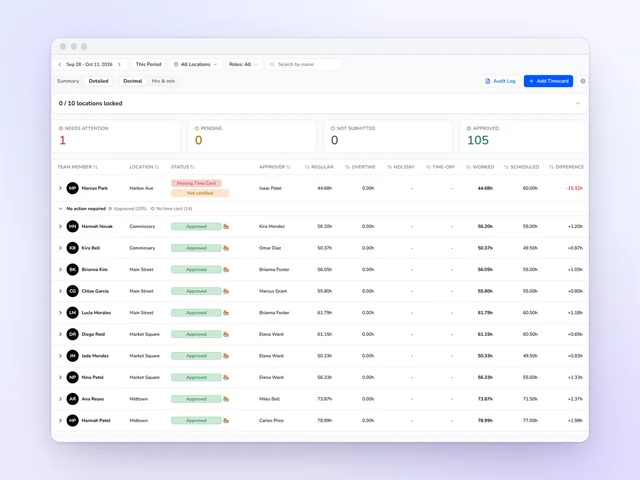
Time clock and time cards
Approve the week without opening every card, and send approved hours on to payroll.
See moreTip distribution
Card tips from Square and Toast, plus the cash your team declares, pooled by your rules and split by hours, points or evenly. Everyone sees their share before payroll does.
Under 3 minutes a week on tips for a typical Kronto manager
Source: Kronto customer data, time per manager per week, as of October 2026
No credit card requiredFree for up to 10 people
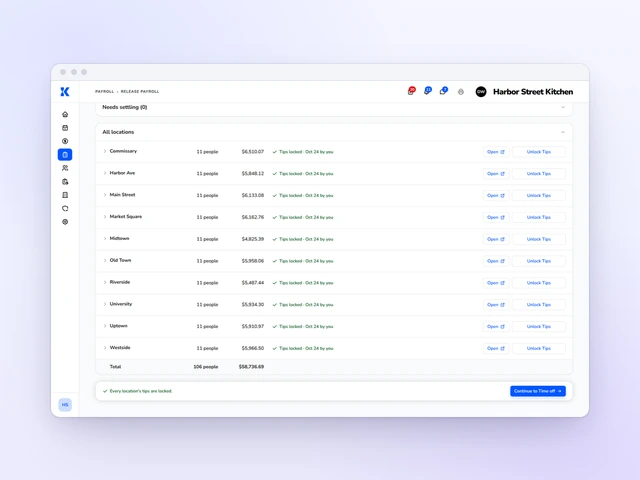
Every tip on one page
Card, cash and anything you add by hand, side by side.
Pools that fit your floor
By role and location, by day part, day, week or pay period, with tip-outs.
A finished file for payroll
Each person's hours and tips in one export for your provider.
Tip management
The pay period just closed, and the jar is full of cash nobody has split yet. Tip pools split the card tips from Square or Toast and the cash your team declared, by the hours on each approved time card or evenly above a minimum you set. Lunch and dinner can pool on their own, and a tip-out sends a set share to bussers and runners. A typical Kronto manager spends under 3 minutes a week on tips.
Tip pools
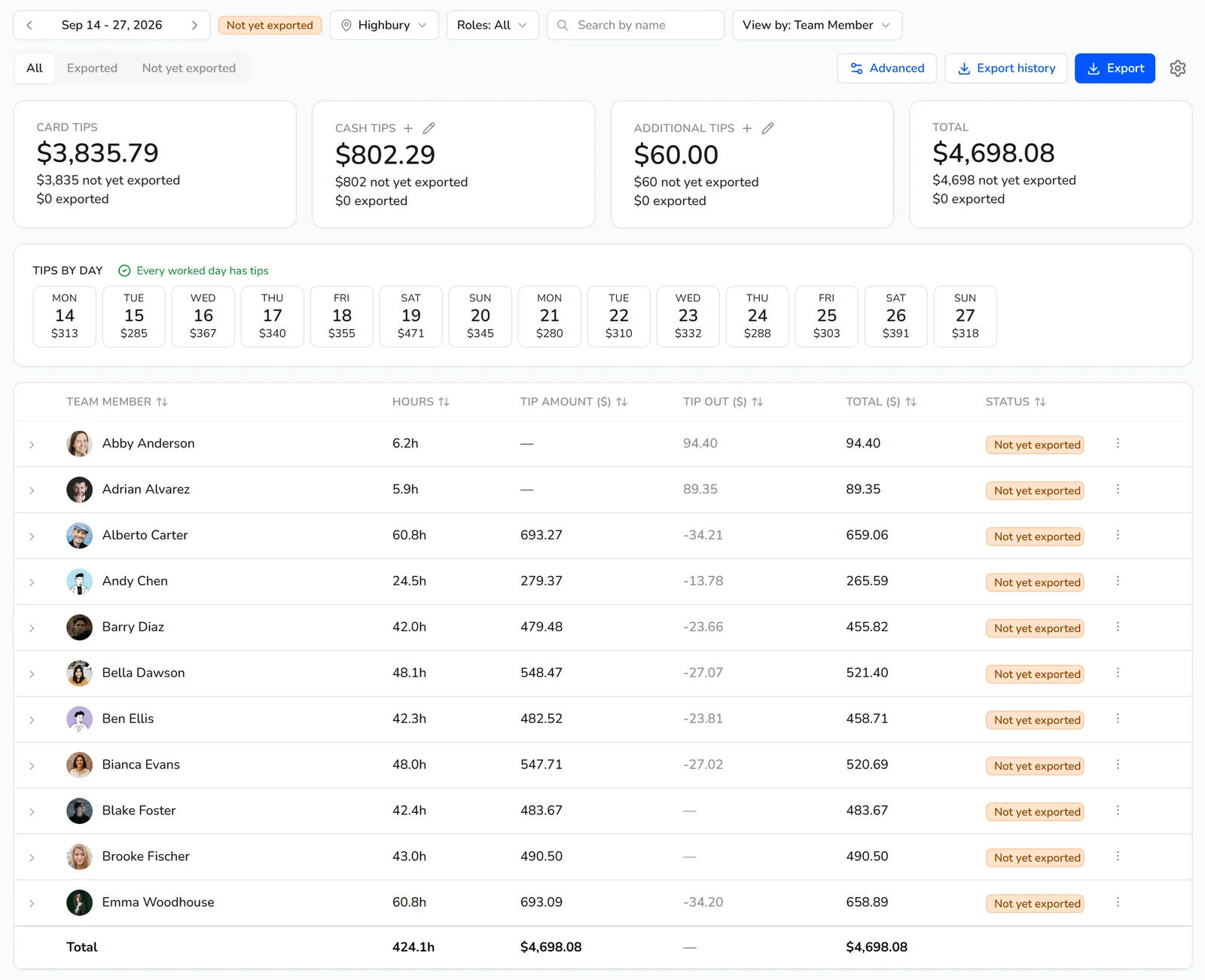
Pick the roles in each pool and how often it pools: by day part, day, week, two weeks or pay period. Split by hours, by points you give each role, or evenly among everyone over a minimum. Each rule starts on a date you choose, and one rule can cover several locations.
Tip sources
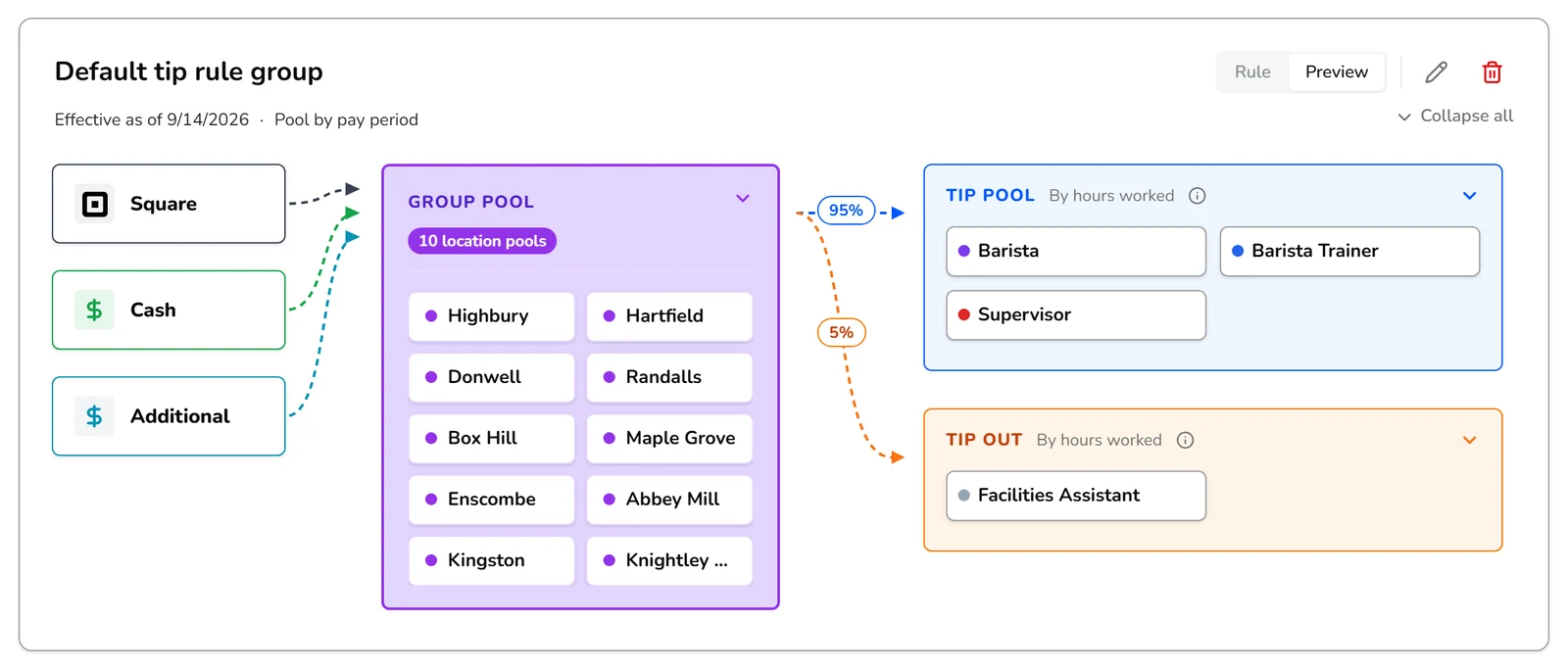
Card tips sync from Square or Toast, with refunds shown against them. A manager records cash in the Kronto app, or a team member declares it on the location's tablet with their PIN, and Kronto saves who did. Other tips come in by hand or from a CSV, with a review step before anything saves.
Tip accuracy
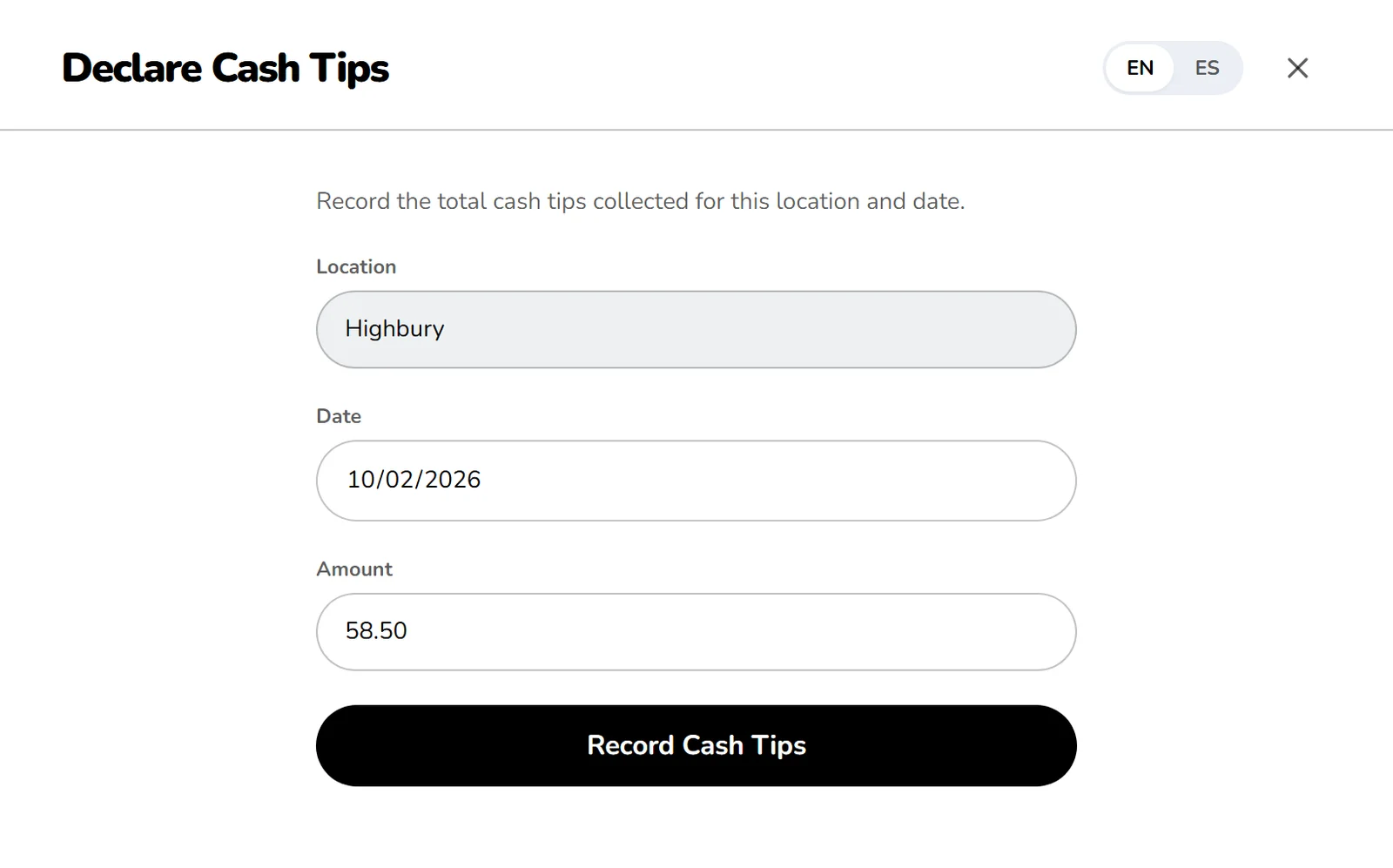
The Tips by day strip flags that day and names the tip source that reported nothing. Anyone who got no share is listed with their hours and a plain reason, such as a role that isn't in any pool. You can leave one shift out of tips, or hold its tips until its time card is fixed and pay them in a later period.
For your team
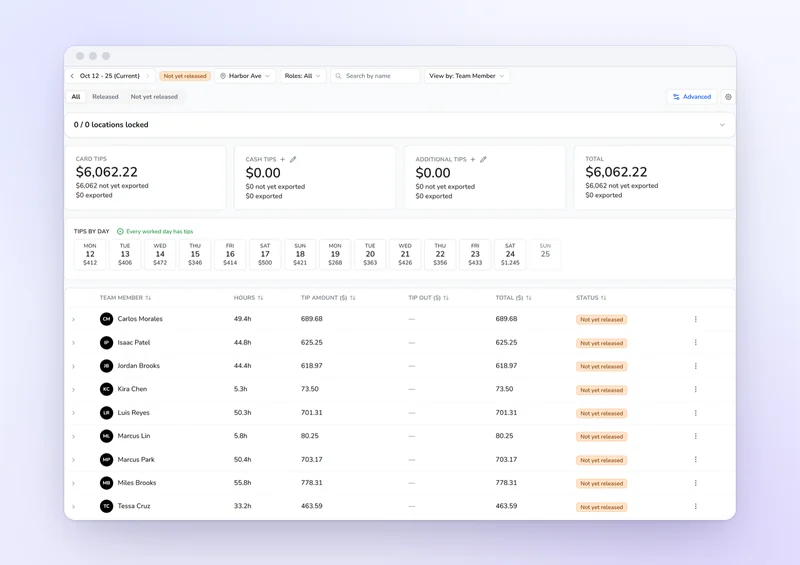
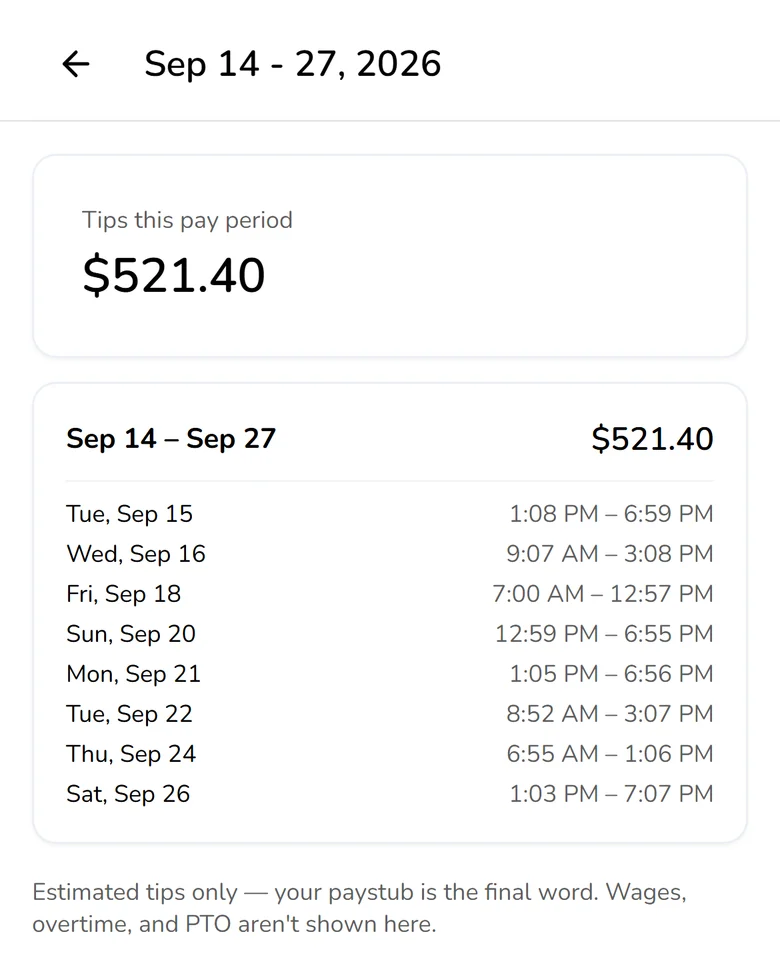
Team members open any closed pay period in the Kronto app and see their tips next to the shifts that earned them, broken out the way the pool runs. If you're holding money while a time card gets fixed, the app shows how much and why. It calls every figure an estimate, and the paystub has the final word.
Payroll export
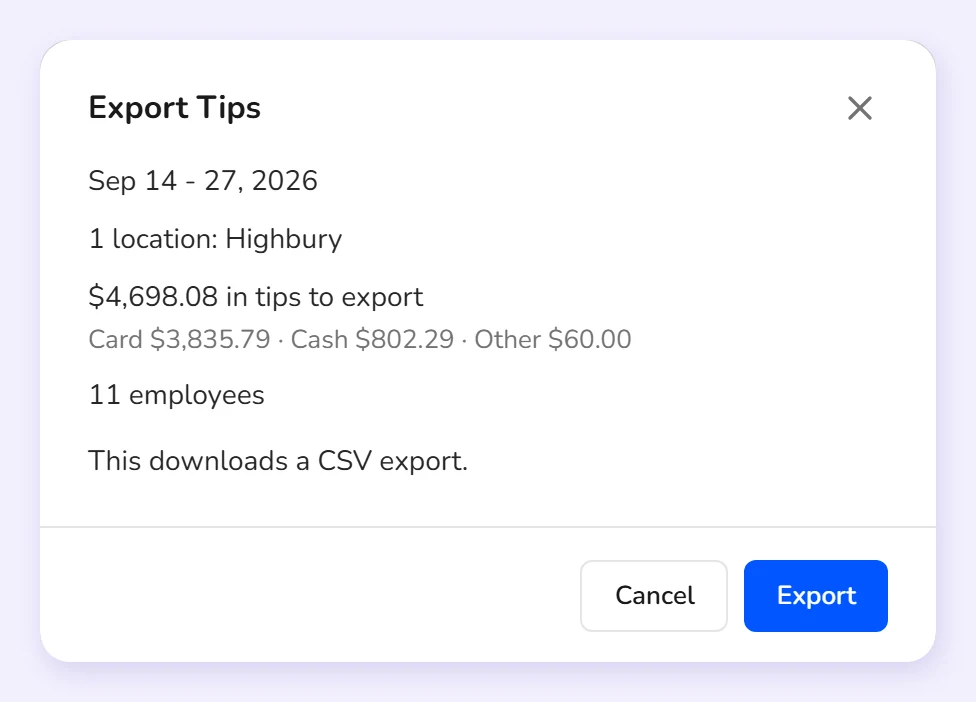
Export locks the split, shows a summary of the period, locations and totals, then downloads the file for your payroll provider. The standard file lists each person's payroll ID, location, roles, hours and tips, or it can follow Rippling's or Justworks' layout. Or skip the file and run payroll in Kronto, with the tips already in it.
Kronto managers typically spend under 3 minutes a week on tips. Card tips sync from Square or Toast, the pools and tip-outs split by your rules, and the payroll export is one step. Source: Kronto customer data, time per manager per week, as of October 2026.
Yes, on the Pro plan, in early access. You run payroll in Kronto with tips and approved hours already in it. If you keep your current payroll provider, Kronto exports each person's tips and hours as a file for it at the end of the pay period, on every plan.
Kronto syncs card tips from your Square or Toast account. Cash tips are recorded in the Kronto app or on the location's tablet, and other tips can be added by hand or from a CSV file.
You choose the roles in each pool and how often it pools: by day, week, two weeks, pay period or day part. The pool is split by the hours on each person's time card, by points you set for each role, or equally among everyone who worked a minimum number of hours.
Yes. A tip-out takes a set percentage of the contributing roles' pooled tips and splits it among the receiving roles the same way the pool splits: by the hours they worked, by points, or equally.
Yes. In the Kronto mobile app, each team member sees their tips for every closed pay period next to the shifts they worked, plus any amount a manager is holding and why.
See last period's tips split your way
We'll show you a pay period's tips pooled by your rules, with every team member's share before payroll.
No credit card requiredFree for up to 10 people