What we do
Keep labor on budget and every shift covered
Scheduling, time cards, tips, dashboards and labor rules live in one app. The schedule you build is the one your team clocks in against, and the hours they work are the hours the tips split on.
- Built for restaurants, coffee shops and bakeries
- Works with Square, Toast and Clover
No credit card requiredFree for up to 10 people
Works with your POS
Sales come in from Square, Toast or Clover. Kronto reads them and leaves your POS alone.
 Square
 Toast
 Clover
Scheduling
Explore schedulingBuild the week in minutes, not hours
Know what next week costs before anyone sees it. Each shift is priced against your labor budget as you drag it in. Overtime and clopenings get flagged, and the published schedule lands on every phone.
See the cost while you build
The week's total moves against your budget with every shift you add, not after payroll.
Keep overtime and clopenings off the schedule
Set each check to warn or to block. Nothing publishes past a block.
Side work, assigned
Opening and closing checklists go out with each shift when you publish.
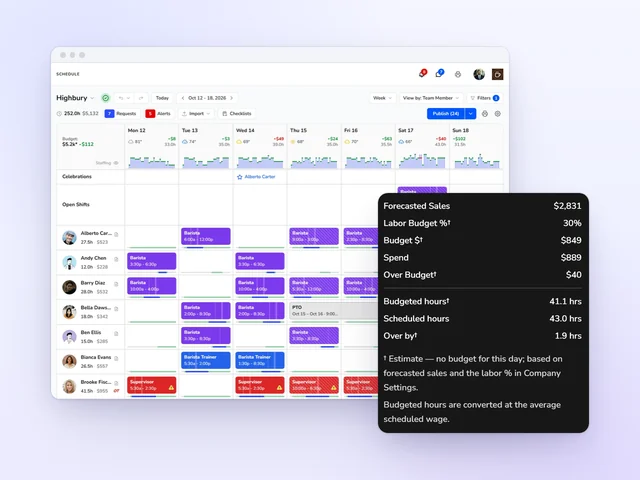
Labor cost shows up while you schedule, not on the payroll report.
Team management
Explore team managementOnboard new hires and keep the good ones, from one roster
Send the invite from one form, and new hires set their own availability from their phone. Every location's team sits on one roster.
One roster, every location
Search, filter and message your whole team, wherever they work.
Availability from the phone
Team members set the hours they can work. The schedule flags a conflict.
Track retention
Turnover, 90-day retention and post-shift ratings, location by location.
Celebrate your team
Birthdays and work anniversaries show up ahead of time, and nobody's milestone slips by.
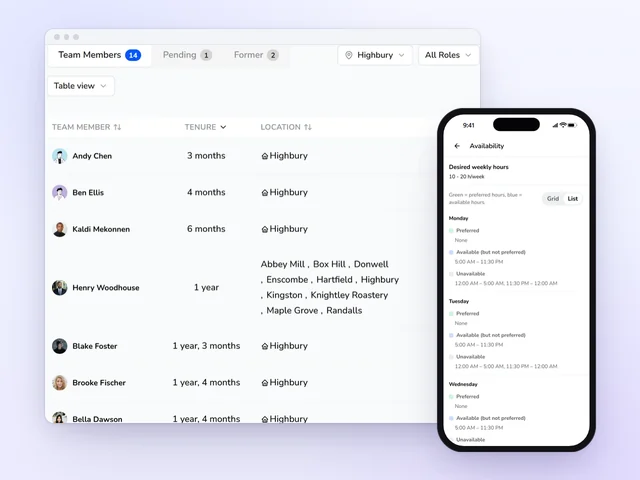
Replacing an hourly team member costs about 16% of their annual pay.
Source: Center for American Progress, 2012
Time and attendance
Explore time and attendanceApprove hours in minutes and stop chasing missed punches
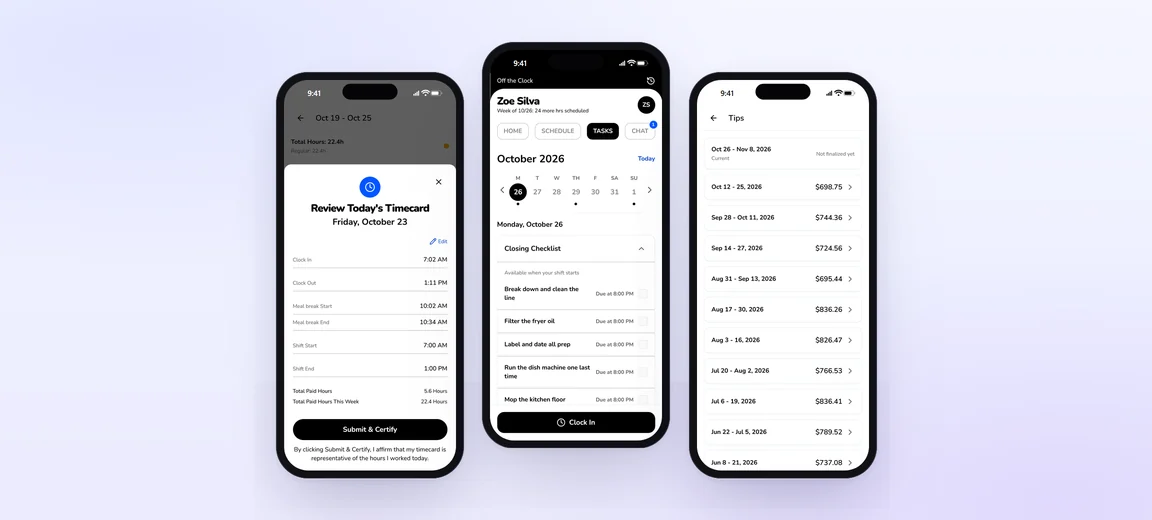
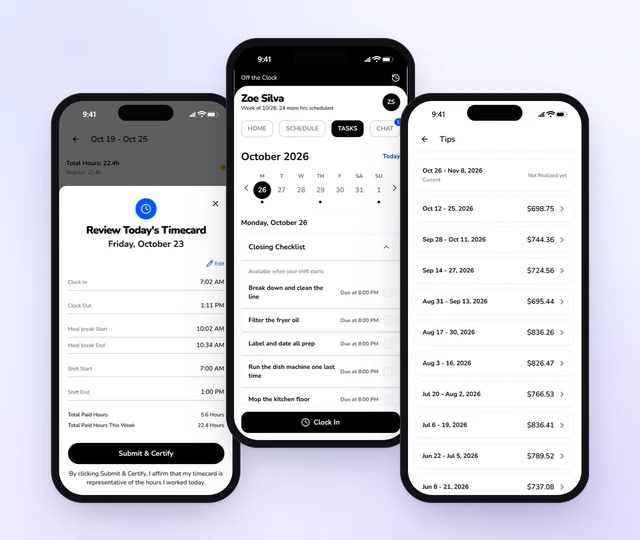
Time cards are done when the shift is. Team members clock in and out on a shared tablet or their phone, then certify their hours at clock-out. You see each day next to the schedule and approve it with a tap, before anything reaches payroll.
Stop chasing time cards
Each person submits and certifies their hours on the way out the door.
Catch the missed punch
Worked hours sit beside scheduled hours for every person, and the gap is plain to see.
Approve the week in one pass
Approve or return each day, or approve everything submitted at once.
Skip the retyping
Approved hours go to payroll in Kronto or export for your provider.
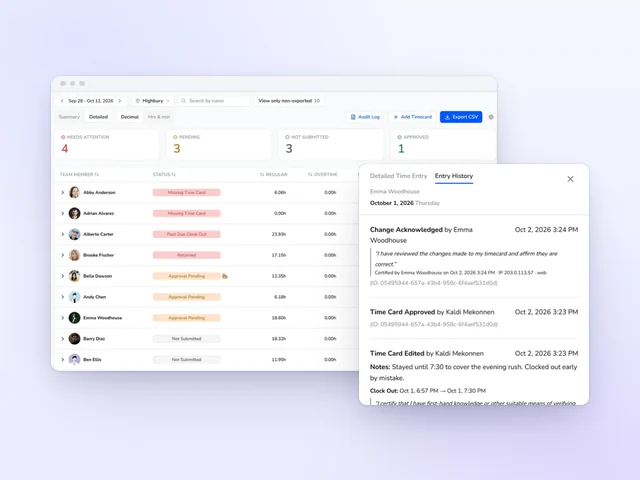
Kronto managers typically spend under 5 minutes a week on time cards.
Source: Kronto customer data, time per manager per week, as of October 2026
Your team's half of the job, in their pocket
Schedule, shift swaps, clock-out, tasks and tips, all in the Kronto app, in English or Spanish.
Task management
Explore task managementOpen and close the same way at every location, even on your day off
Opening, closing and side-work lists land on the right shift when you publish. Your team checks them off on a phone or the shared tablet. You see what's done and what's late without walking the floor.
No more asking whose job it is
Each list goes to the right person's shift the moment the schedule publishes.
A name on every check
One list for everyone on shift, checked off on the shared tablet with a PIN.
Proof, not promises
Require a photo for any task, then approve it or send it back.
Late tasks get flagged
Give any task a due time, and Kronto flags it in the app when it slips.
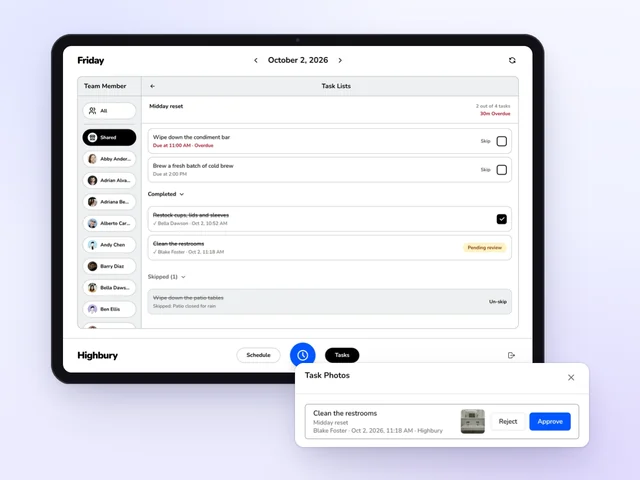
See who checked off each task, and when.
Tip distribution
Explore tip distributionClose out tips without the spreadsheet or the argument
Card tips from Square and Toast and cash declared in the app pool by your rules. Split them by hours worked, by points or evenly.
Hours and tips in one file
Each person's hours and tips export together for your payroll provider.
Pools and tip-outs your way
Pool by role and location, by day, week or pay period, and set the tip-out rules.
Account for every tip
Card tips, cash and anything you add by hand, all in one place.
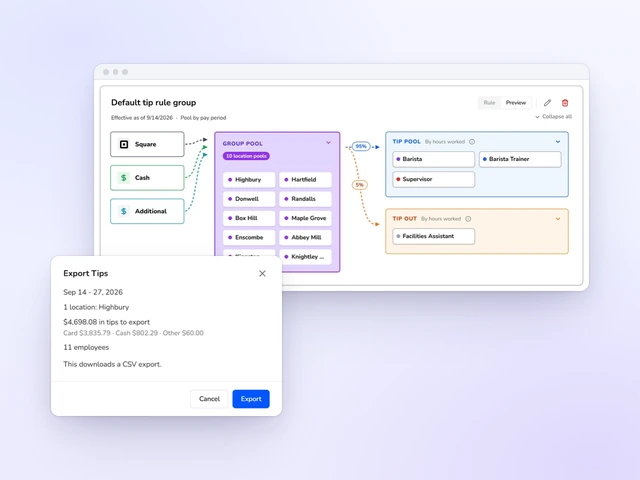
Kronto managers typically spend under 3 minutes a week on tips.
Source: Kronto customer data, time per manager per week, as of October 2026
Business intelligence
Explore business intelligenceKnow which location needs you before you make the first call
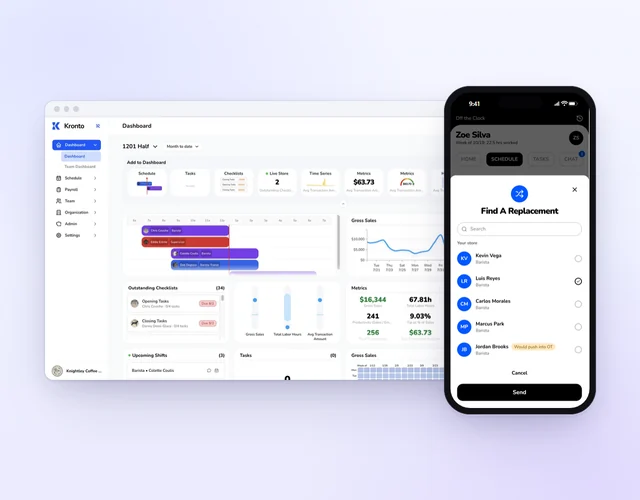
Every location on one screen while the day is still happening. Kronto alerts you when a location's labor percent leaves your range.
Fix it while the shift is on
Who's clocked in, who's late and how sales are tracking, location by location.
Plan from what really happened
Each day next to its forecast, the same day last week and the same day last year.
Weigh sales against labor
Sales from your POS beside labor cost and hours from your time cards.
Bring it all together
The schedule, approvals, sales and the local weather forecast in one view.
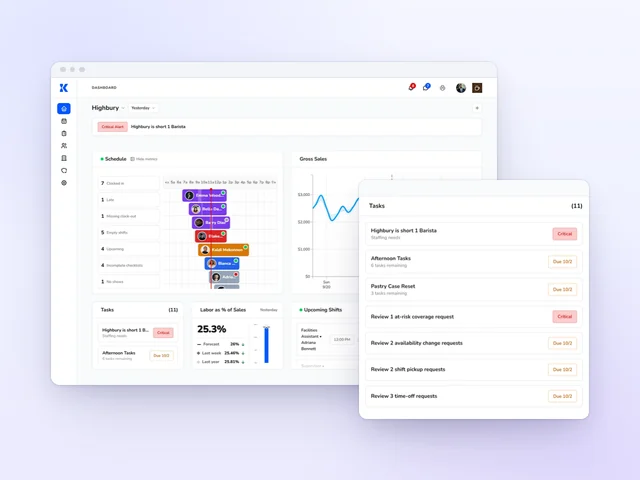
No more stitching three reports together on Monday morning.
Compliance
Explore complianceCatch clopenings before you publish and missed breaks at clock-out
You set the labor rules and decide which ones warn and which ones block. Every missed break gets a signed reason, on the record if anyone asks.
Review every shift before it posts
Problems show up on the schedule as you build it, and get fixed before your team sees a thing.
Every rule you set, checked
Overtime, clopenings, consecutive days and minor work limits on the schedule. Missed breaks on time cards.
Require approvals to override
Overriding a warning takes an authorized approval, and Kronto keeps the log.
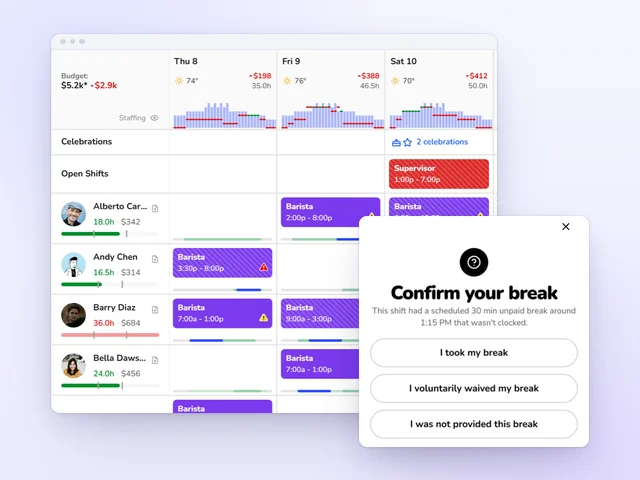
Set a rule to block, and a schedule that breaks it won't publish.
Written for your business
Kronto for restaurants, coffee shops and bakeries, one topic at a time.
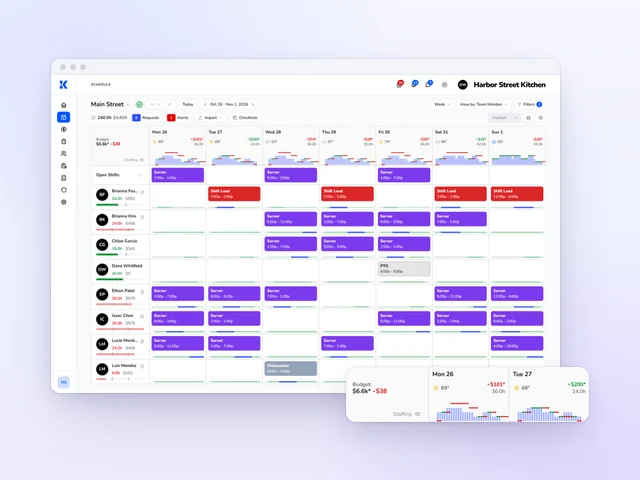
Scheduling
- Scheduling for restaurants
Kronto is the restaurant scheduling app that builds the week from last week, prices it against your labor budget, and catches overtime before you publish.
- Scheduling for coffee shops
Coffee shop scheduling that puts baristas on bar for the rush, not the lull: staff each half hour from your sales, catch clopenings and trade shifts by phone.
- Scheduling for bakeries
Bakery employee scheduling software that gets bakers in before dawn and the counter covered all day, on one grid by role, with the week's cost as you build.
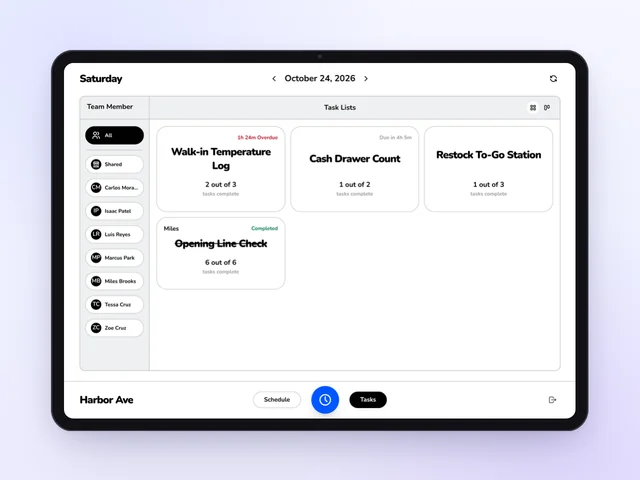
Checklists
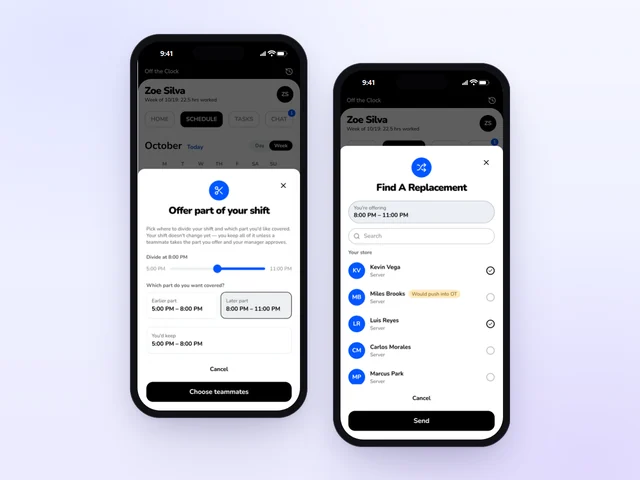
Shift swap
- Shift swap for restaurants
Kronto's shift swap app for restaurants gets call-outs covered from the phone: a teammate accepts, a manager approves, and overtime shows before you say yes.
- Shift swap for coffee shops
Kronto's shift swap app for coffee shops gets the 5:30 open covered without the group text: baristas trade by phone, and a manager approves every swap.
- Shift swap for bakeries
Kronto's shift swap app for bakeries keeps bake shifts with bakers and counter shifts with counter staff, so a call-out gets covered and a manager approves.
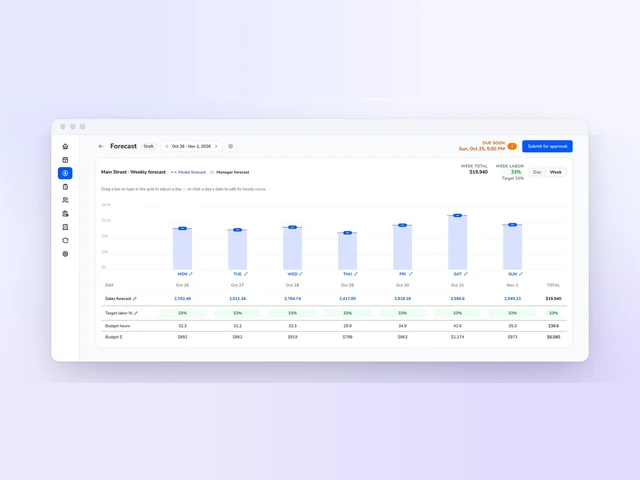
Labor budget
- Labor budget for restaurants
Restaurant labor budget software: Kronto turns each day's sales forecast into a labor budget and shows over or under while you schedule, before you publish.
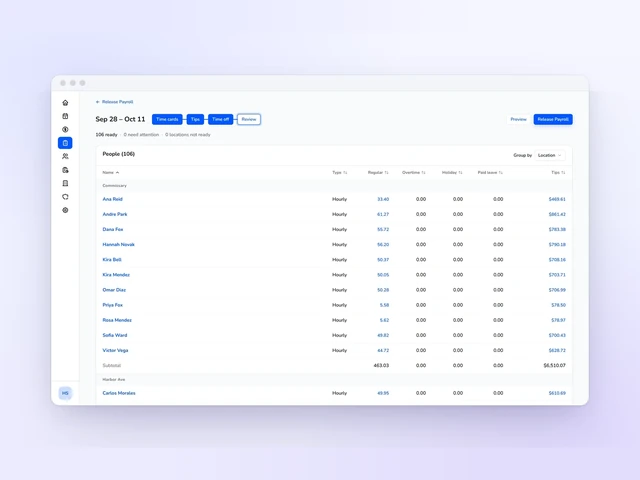
Payroll
- Payroll for restaurants
Restaurant payroll in Kronto with approved hours and tip pool shares already in it, so nobody retypes a time card. Or export them to your current provider.
- Payroll for coffee shops
Coffee shop payroll software that pools tip jar cash and card tips by hours or day part, then pays each barista's share with their approved hours.
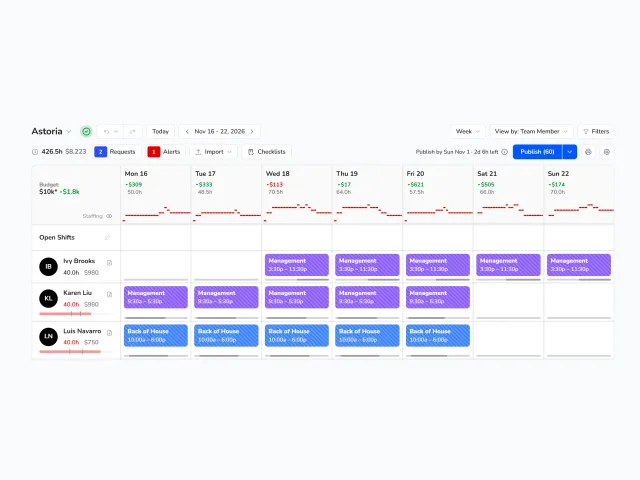
NYC Fair Workweek
- NYC Fair Workweek for restaurants
Kronto runs NYC Fair Workweek for fast food: a countdown to the 14-day deadline, premiums worked out before you save, and the record the city asks for.
Get started
No credit card requiredFree for up to 10 people