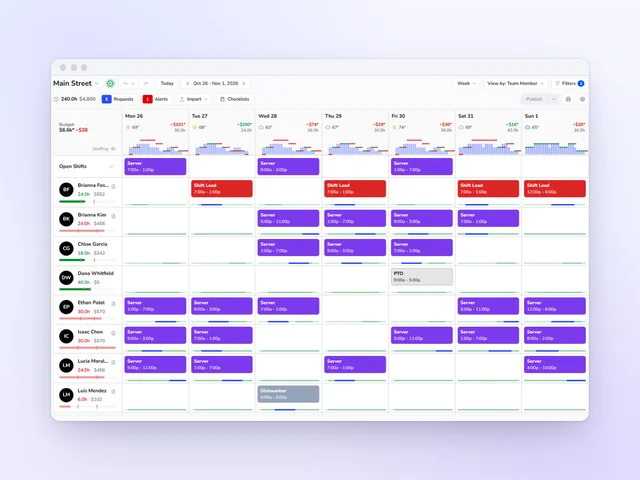
POS integrations
Schedule and split tips from the sales you already ring up
Kronto reads sales from Square, Toast or Clover, and your forecast and labor budget start from your own register. Square and Toast card tips flow into your tip pools.
- Built for restaurants, coffee shops and bakeries
- Works with Square, Toast and Clover
No credit card requiredFree for up to 10 people
Works with Square, Toast and Clover

Square
Square sales set your forecast and labor budget. Square card tips go straight into your tip pools.
See more
Toast
Toast sales drive the forecast and the labor budget, and Toast card tips join your pools.

Clover
Clover brings in your sales, locations and team members. Forecasts and labor budgets match what you ring up.
Forecasting
A forecast built from your own sales
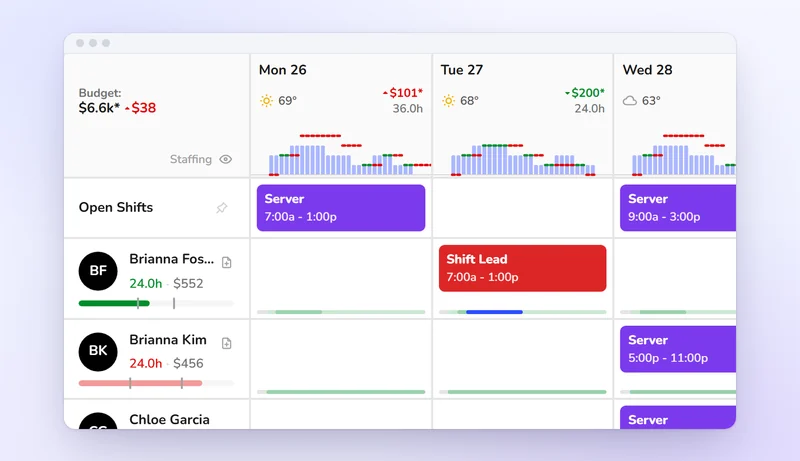
Each location's forecast comes from its own POS history. Your staffing ratios turn it into required staff for every 30-minute slot. The schedule starts from what next week should look like, not a guess.
Labor budget
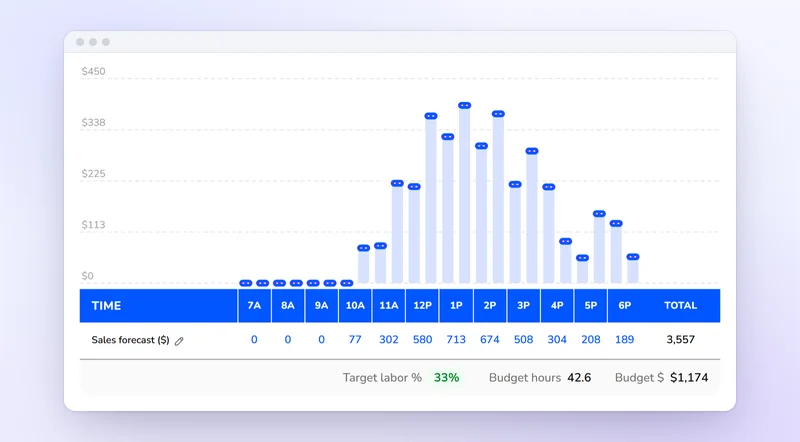
A labor budget set by your own sales
Pick a labor percentage. Each day's budget comes from its forecasted sales, and Kronto prices the schedule against it as you build.
Tips
Card tips skip the tip sheet
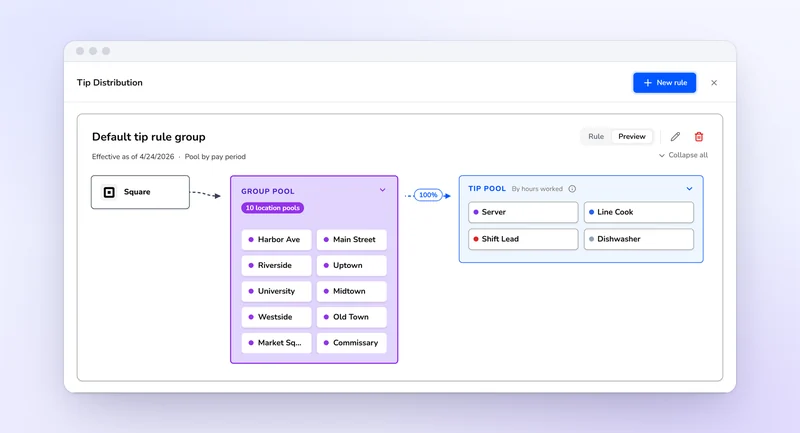
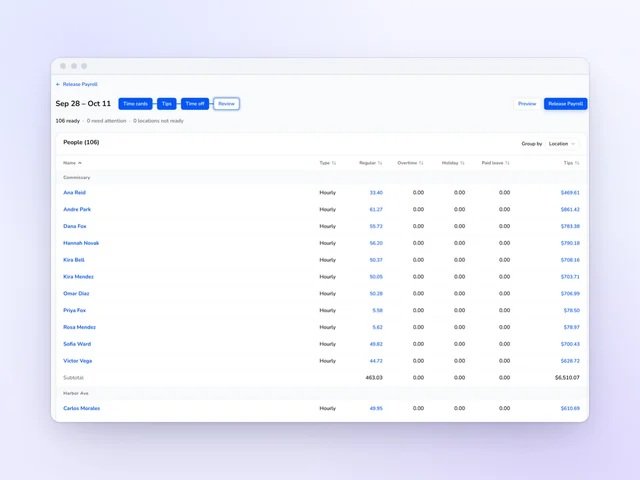
Square and Toast card tips come into Kronto on their own and pool by your rules, split by hours worked or evenly.
How it works
Connect your POS
Connect Square, Toast or Clover and your sales come into Kronto. Nothing goes back the other way.
Forecast from your sales
The forecast and the labor budget start from your own register.
Pool card tips
Square and Toast card tips land in your tip pools.
Dashboard
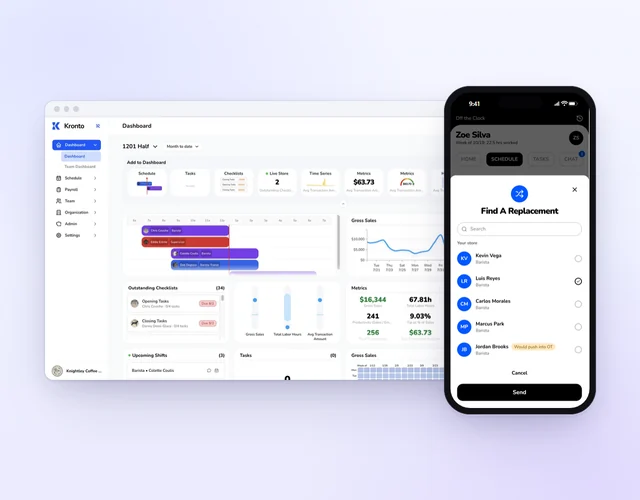
Labor as a percent of sales, worked out for you
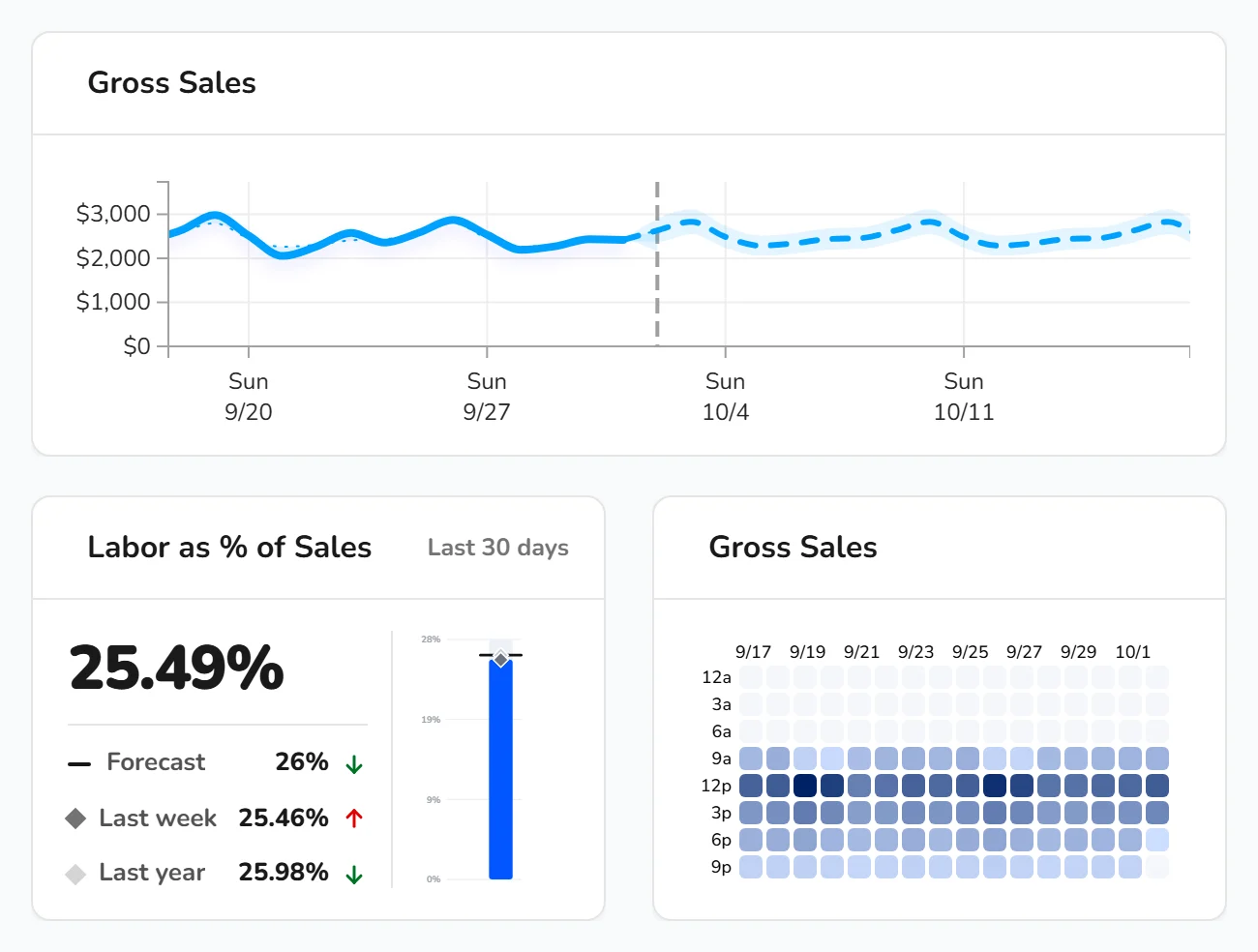
Sales and transactions come from your POS. Labor hours and cost come from Kronto's own time cards. The dashboard puts them side by side.
Don't see your POS?
Tell us what you use. We pick new integrations based on what customers need.
Start from the sales you already have
Connect Square, Toast or Clover and build next week from it.
Get started
No credit card requiredFree for up to 10 people