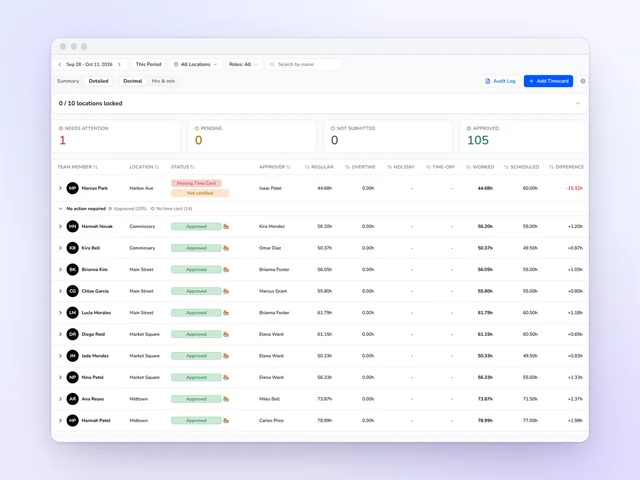
Time clock and time cards
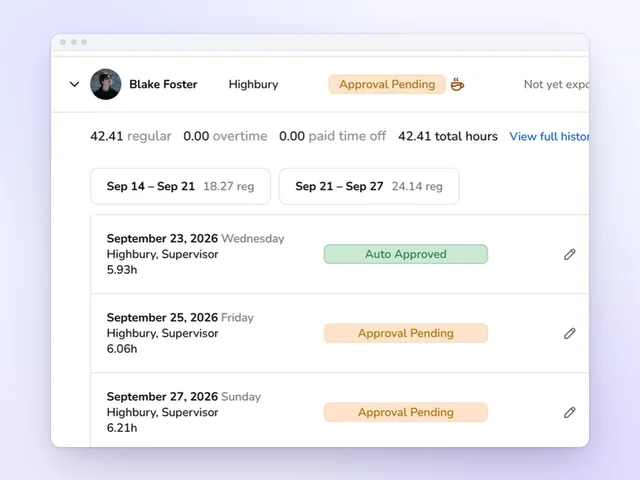
Approve the week without opening every card, and send approved hours on to payroll.
See moreCoffee shop payroll software
The tip jar is where coffee shop payroll gets messy. Kronto counts it once, adds every card tip from Square or Toast and splits the pool by the hours each barista actually worked. When the pay period closes, it's all in payroll, waiting for your OK.
No credit card requiredFree for up to 10 people
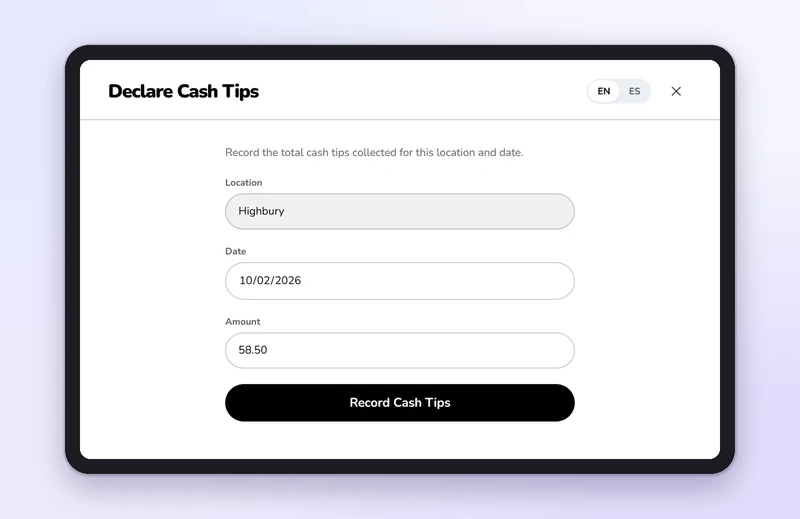
Tip jar and card tips
At close, a barista declares the jar on the shop's tablet with their PIN, or a manager enters it in the app. Every count has a name on it. Card tips show up on their own, refunds included.
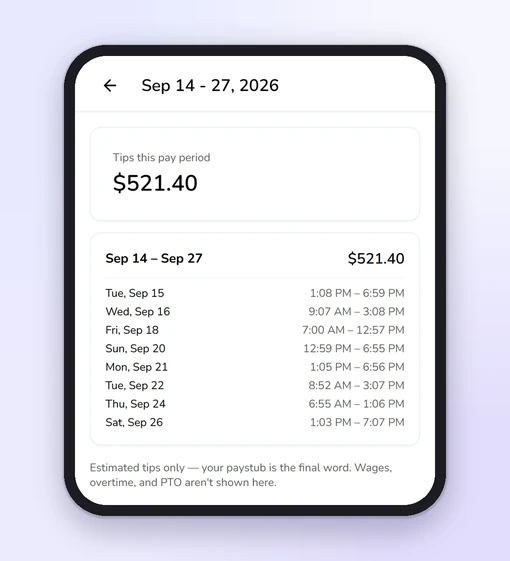
The Tips page lines up card, cash and everything else for the pay period. Any day the crew worked and nothing came in gets flagged.
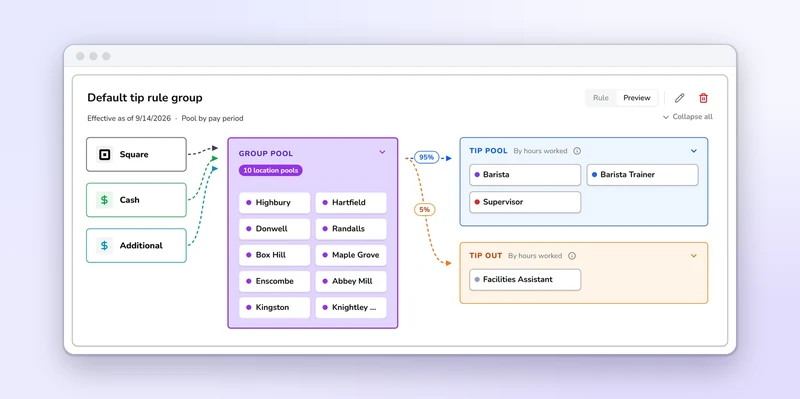
Tip pools
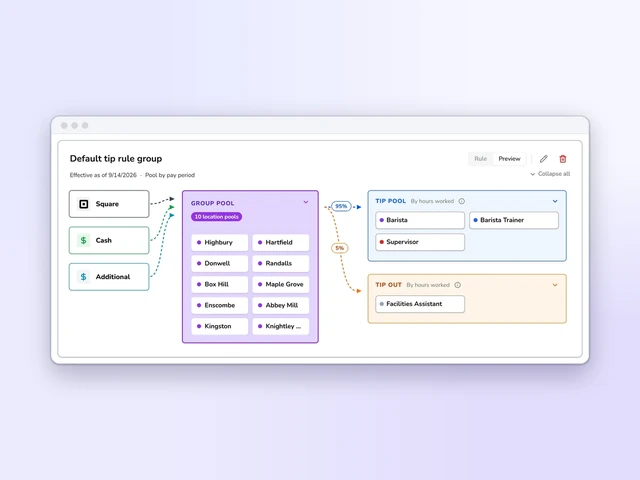
Pool by day part, and the rush keeps what it earned. Split by hours worked, or evenly among everyone who hit a minimum.
Every share comes straight from approved time cards. Nobody's doing math at close.
Time clock
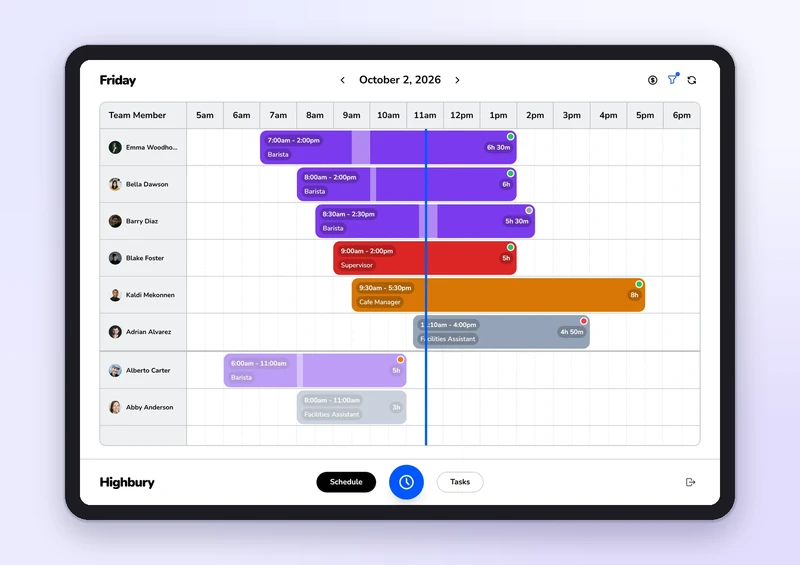
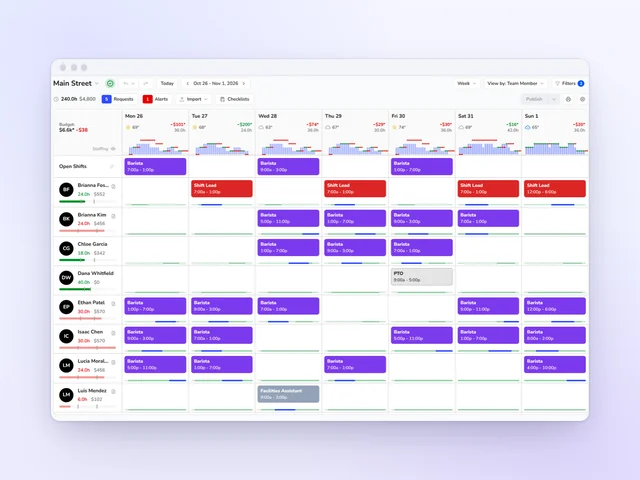
Baristas tap their name on the tablet, enter a 4-digit PIN and they're in. Or they clock in from their phone. The clock opens a set number of minutes before each shift, and not an hour early. Your shift lead sees who's in, on break or running late at a glance.
Breaks follow your rules for each role, paid or unpaid. At clock-out, Kronto asks about any break that got skipped, and the barista signs off on the day's punches. Wrong time? They fix it with a reason, and a manager says yes or no.
Release Payroll
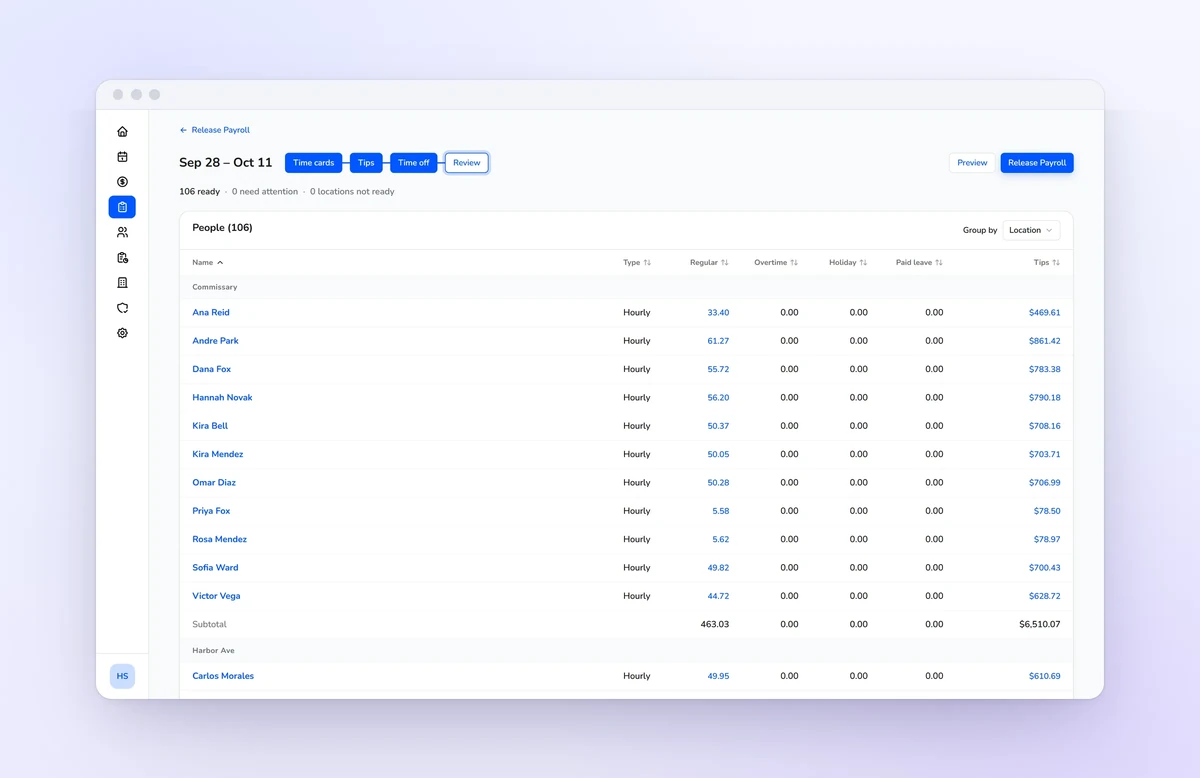
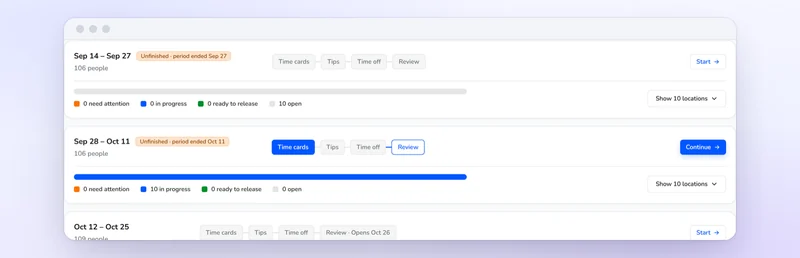
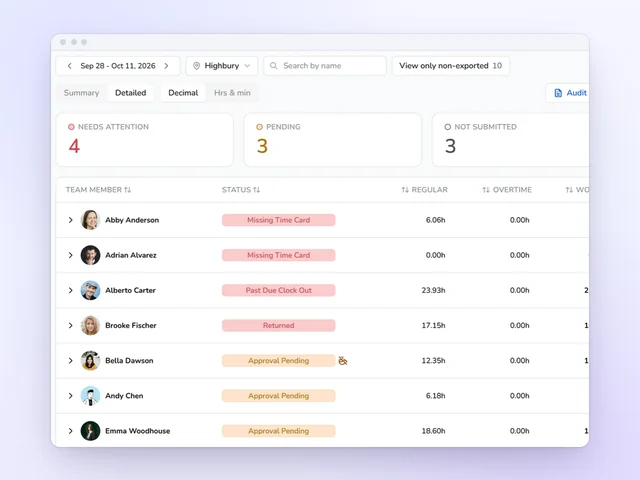
When the pay period ends, Release Payroll takes each shop through four steps: time cards, tips, time off and review. Any card that's missing, returned or not submitted sits at the top. Fix it there.
Then lock each shop's hours, tips and time off. Review shows every barista's regular, overtime, holiday and paid leave hours next to their tips, and names anyone who won't get paid, with a link to fix it. Then hit release.
Keeping your payroll provider? Kronto sends it the same hours and tips: ADP, Gusto, Paychex, Paycom, Paylocity, Rippling or Justworks.
For baristas
New baristas verify their identity, fill out their federal and state W-4 and link a bank account in Kronto. No paper packet for the office. After each payday they see their tips shift by shift, and why any tip was held.
Kronto pools card tips from Square or Toast with the jar cash your team declares. It splits the pool by hours worked, or evenly among baristas who met a minimum. You choose which roles share it and how often it pools: by day part, day, week, two weeks or pay period.
Yes, on the Pro plan, in early access. Each barista's approved hours, tip share and time off go straight into the pay run, and you review and release it in Kronto. If you'd rather keep your current provider, Kronto exports the same hours and tips to it on every plan, Free included.
Yes. Card tips sync from Square or Toast, with refunds shown against them. Jar cash is added on the shop's tablet or in the Kronto app.
Yes. Each shop that's its own legal entity runs payroll under its own EIN, with its hours and tips kept apart. You manage them all from one Kronto account.
Teams of up to 10 use Kronto free. Standard is $5 + tax per user per month. Pro, which adds running payroll in early access, is $10 + tax. Standard and Pro start with a 14-day trial, billed monthly with no contract.
Product details checked against Kronto's time clock, tips and payroll (early access) in October 2026. Last reviewed November 20, 2026.
Reviewed by Jonan Junwikul, Growth, Kronto, on November 20, 2026.
From the morning rush to payday, one app
We'll set up your tip pool with your own numbers.
No credit card requiredFree for up to 10 people
 Jim McKelvey
 Jonan Junwikul