Restaurant checklists that open and close every location the same way
The opening list before service, side work between tables, the closing list after the last guest leaves. Kronto puts each list on the right person's shift when you publish, and you see what's late without walking the floor.
Nobody asks whose job it is
Opening and closing lists land on the right shift as the schedule goes out.
Shared lists, named check-offs
One list for the whole shift. The tablet records who did each task.
Proof, not promises
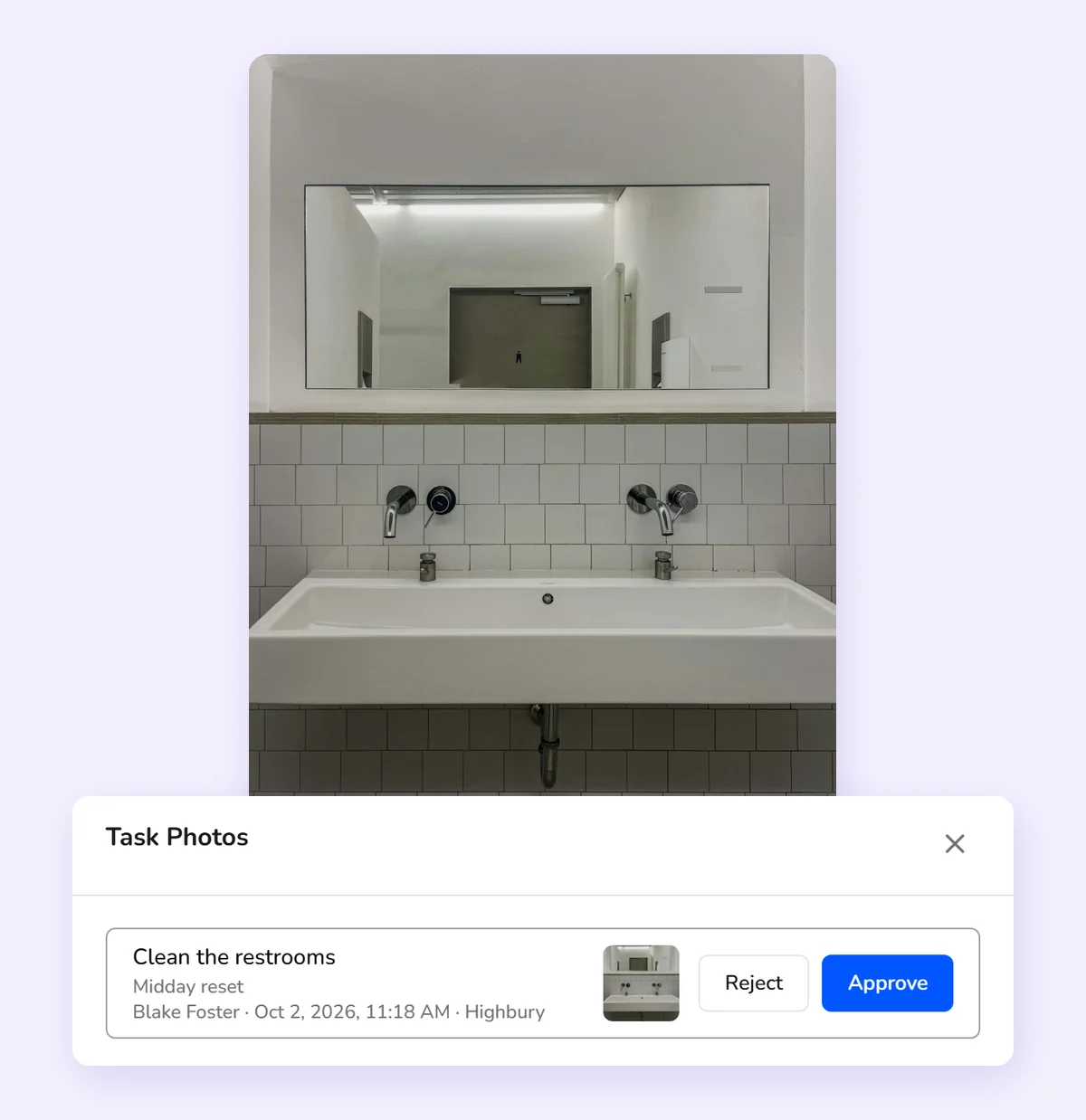
Ask for a photo on any task, then approve it or send it back.
Late tasks speak up
Give any task a time. Kronto flags it in the app once it's late.
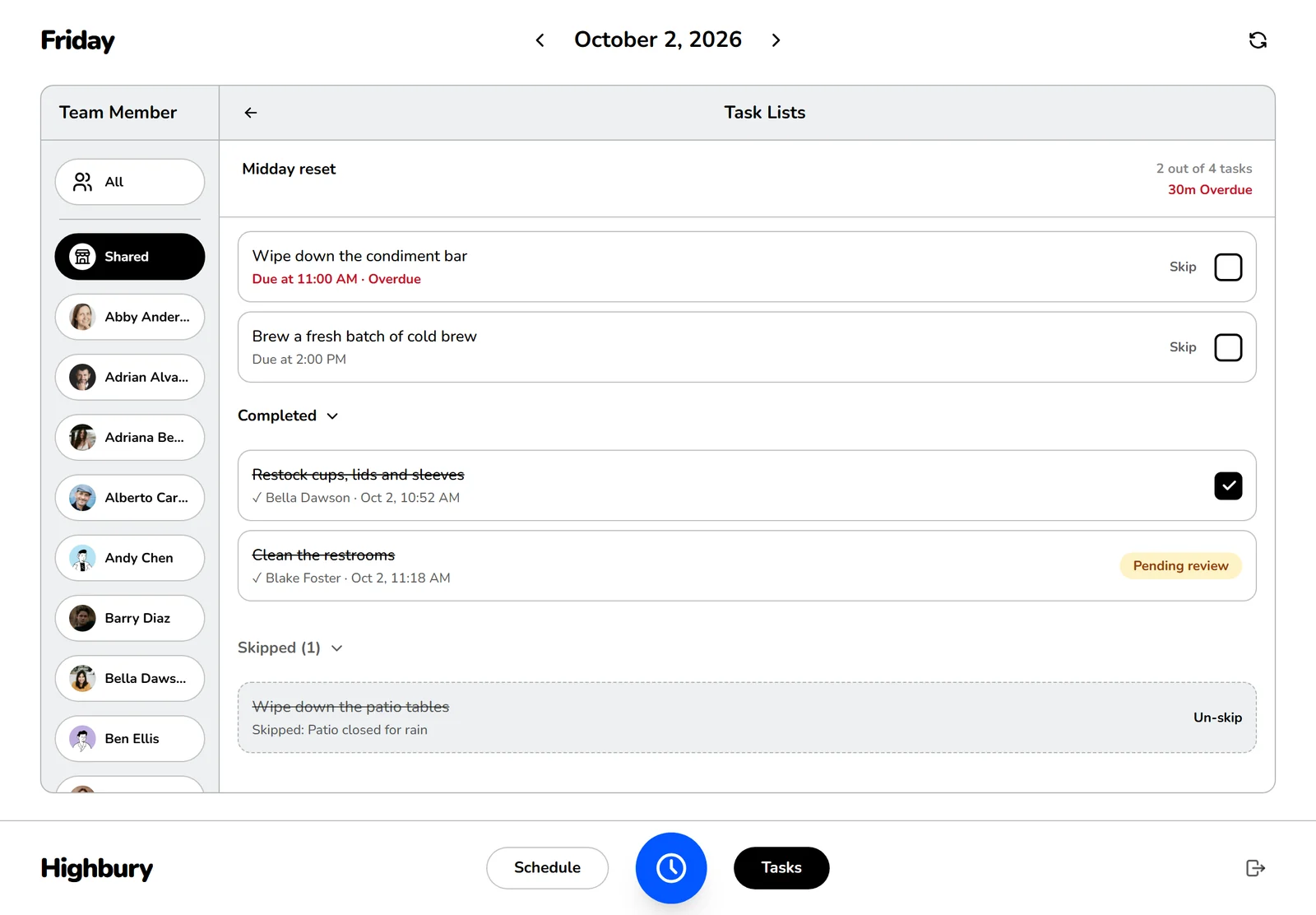
Every check-off on a shared list keeps a name and a time.
Checklist templates
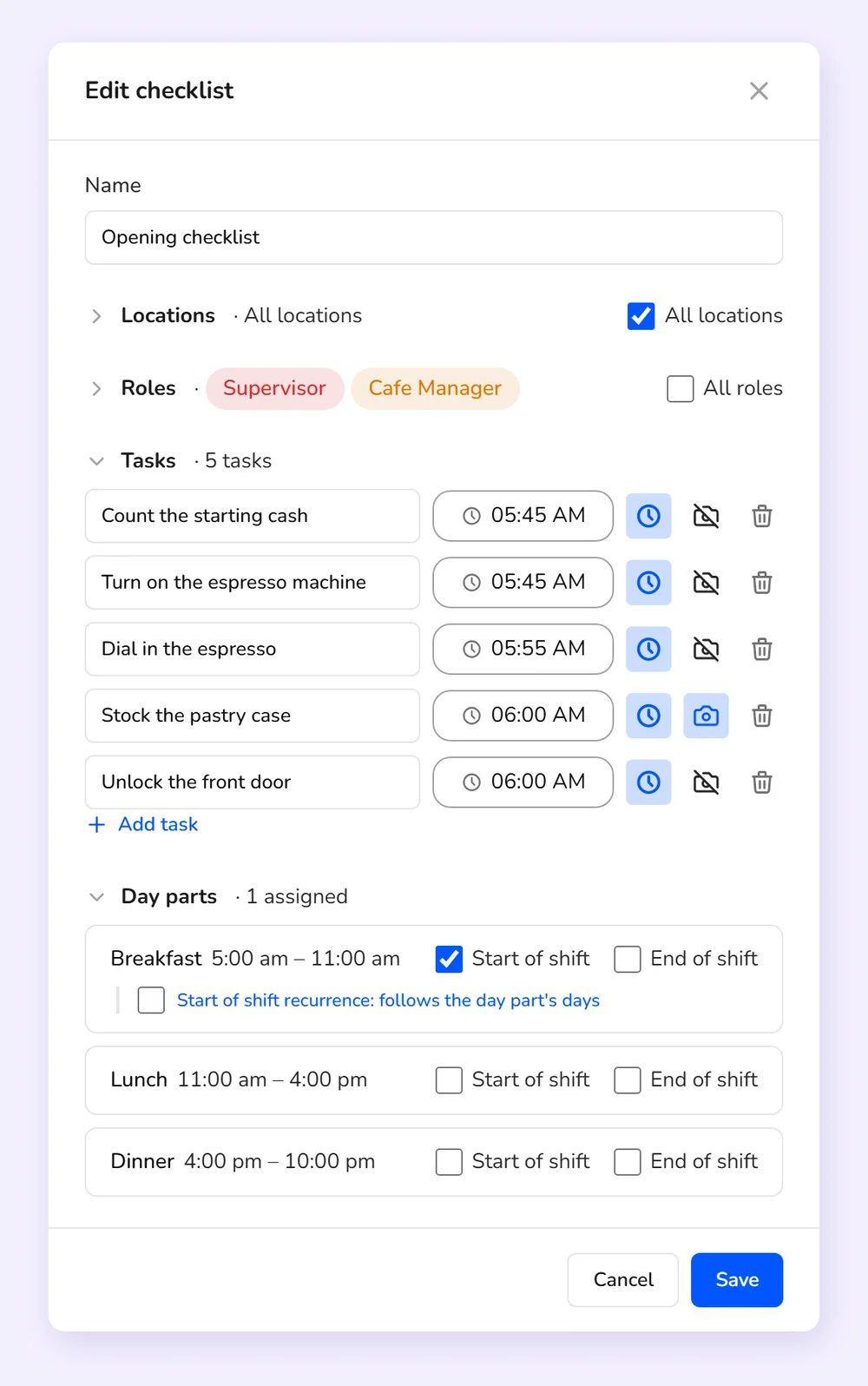
Write the closing list once. Every location gets it.
Opening, closing and side work go into lists you write one time, for one location or all of them, and for the roles you pick. Any task can have a due time, after midnight for a late close if you need it.
Scheduling
Side work finds the last one out
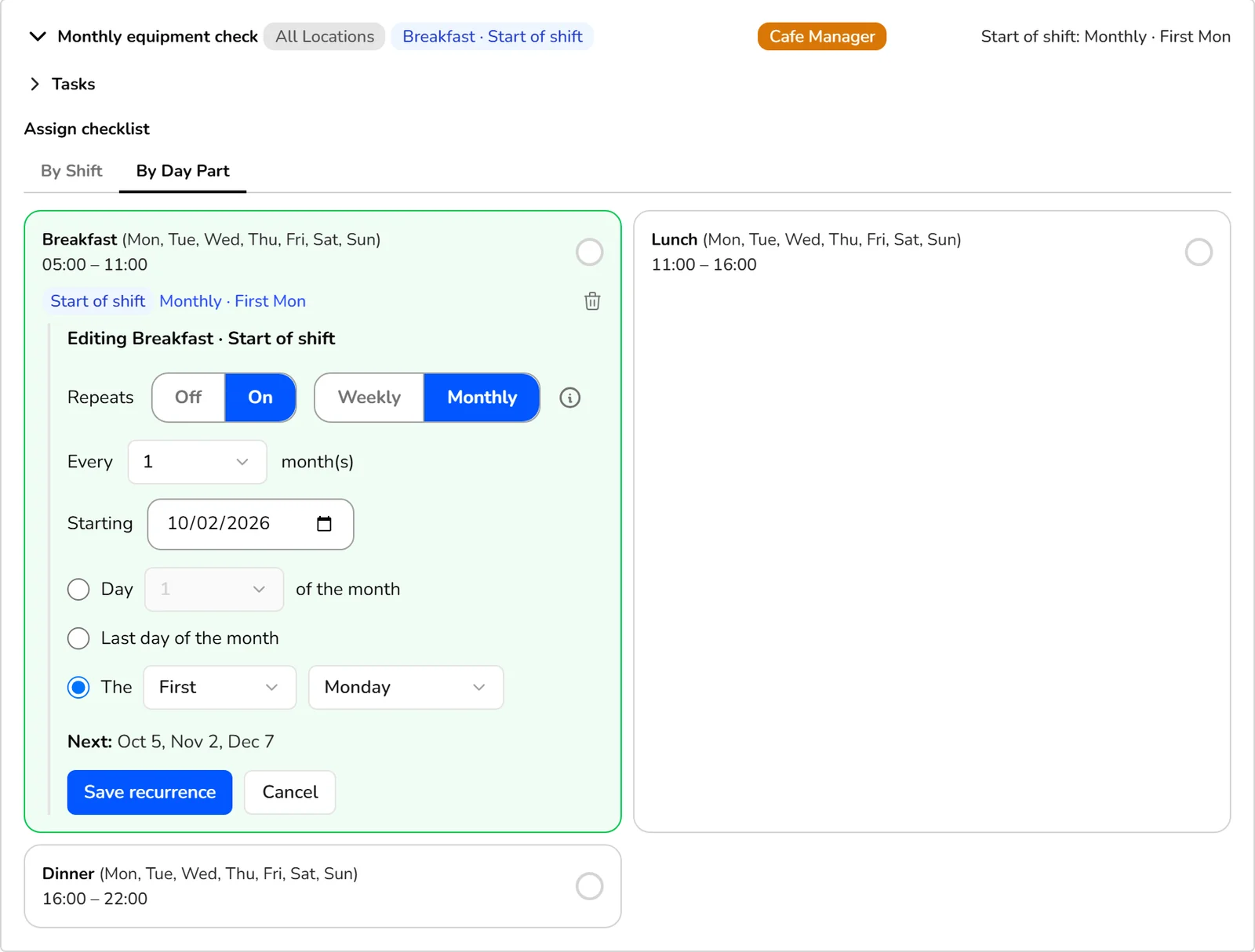
The closer changes every night, and the closing list shouldn't depend on someone remembering to tell them. Attach it to a part of the day, at the start or the end of shift. Publish the schedule and Kronto gives it to the first person in or the last person out, in the roles you picked. Nobody chases anyone down before service.
- One list shared by everyone on shift, or one task handed to someone else for the day
Store tablet
Every tablet check-off has a name on it
Shared lists go on the location's tablet. To check off a task, a team member picks their name and enters their PIN. They stay signed in for 15 seconds after each one to clear a few in a row.
Mobile app
Side work in every pocket
In the Kronto app, team members see their own lists first, then the shared ones, each task with its due time. Personal lists unlock when the shift starts or at clock-in, and photo tasks open the camera.
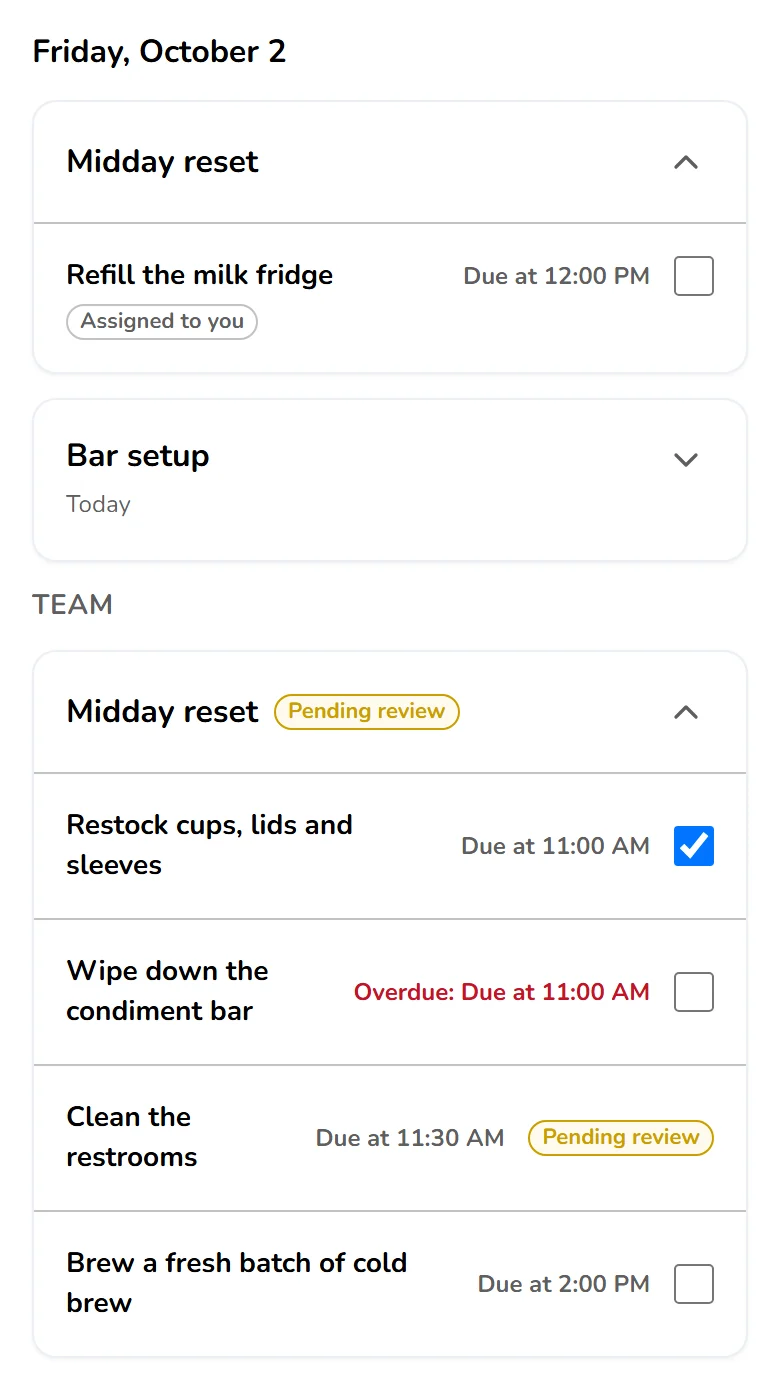
Photo proof
See the work, not just the checkmark
With photo approval on, a task stays open until a manager approves the picture, from the dashboard or the inbox. Reject it with a reason, then return it, skip it for the day or reassign it.
Follow-up
The missed close-out shows up tonight, not at tomorrow's open
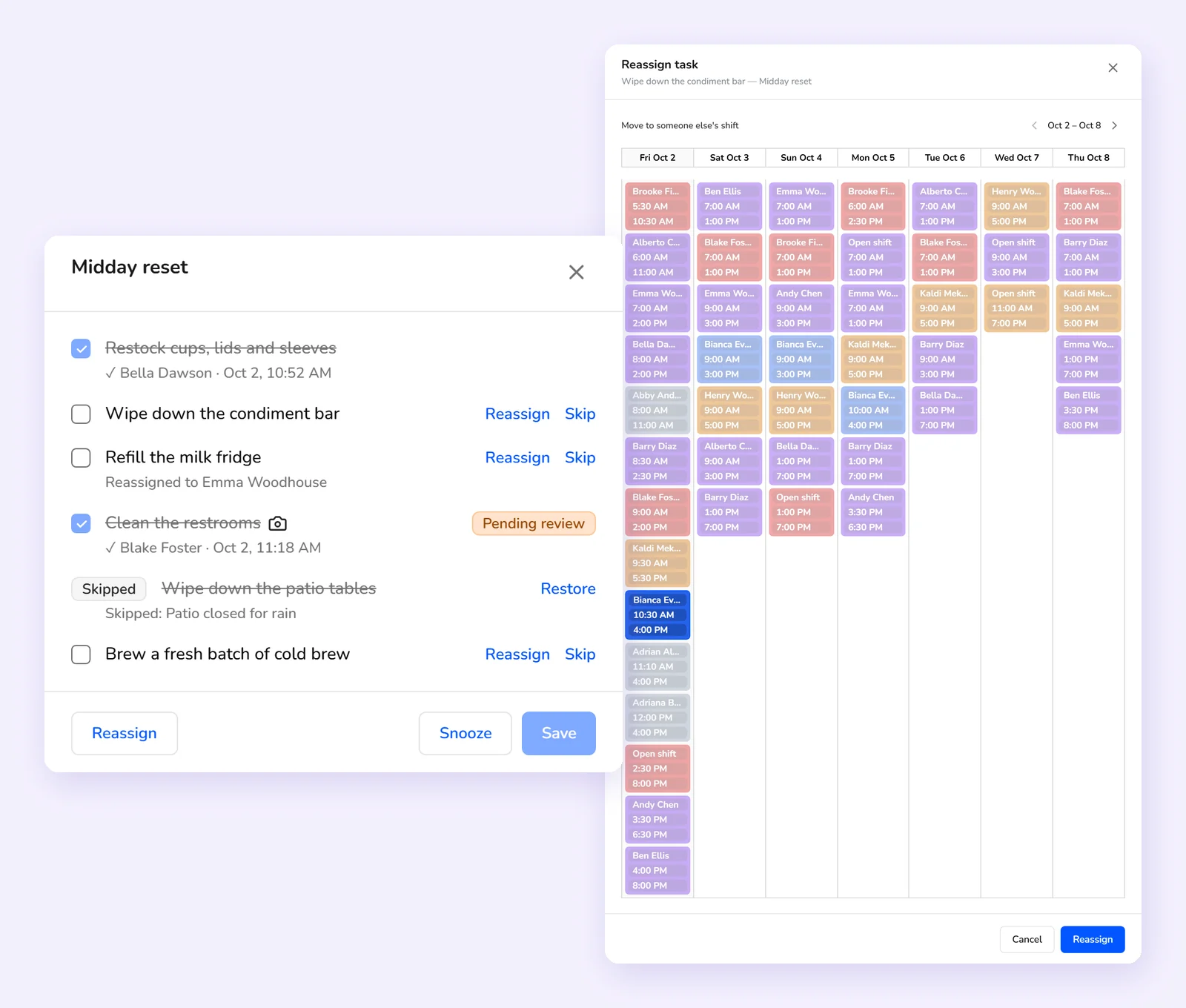
When a due time passes, even one after midnight, the team member and the location's managers get an alert in the app. The Checklists widget on your dashboard shows each open list and how far along it is. Skip a task for today with a reason, or move a task or the whole list to another shift.
Frequently asked questions
How do checklists get assigned to my team?
Attach a checklist to a part of the day, at the start or end of shift. When you publish the schedule, Kronto gives it to whoever in the roles you picked starts first or finishes last. You can also add one to a single shift by hand.
Can more than one person work on the same checklist?
Yes. A shared checklist belongs to everyone on shift. Anyone clocked in at the location can check off its tasks, and on the tablet each check-off is saved under the PIN that made it.
What happens when a task isn't done on time?
It's marked overdue in the app and on the tablet once its due time passes, and the team member and their managers get an alert. A manager can reassign it or skip it for today.
Can I require proof that a task was done?
Yes. Turn on photo approval and the task needs a photo, taken in the app or on the tablet. A manager approves or rejects it, and a rejected task can go back, be skipped or be reassigned.
Can a checklist repeat weekly or monthly?
Yes. A checklist repeats on the days its part of the day runs, by default. It can also repeat every few weeks on chosen days, or monthly on a date, the last day of the month or a weekday such as the first Monday.
Get started
No credit card requiredFree for up to 10 people