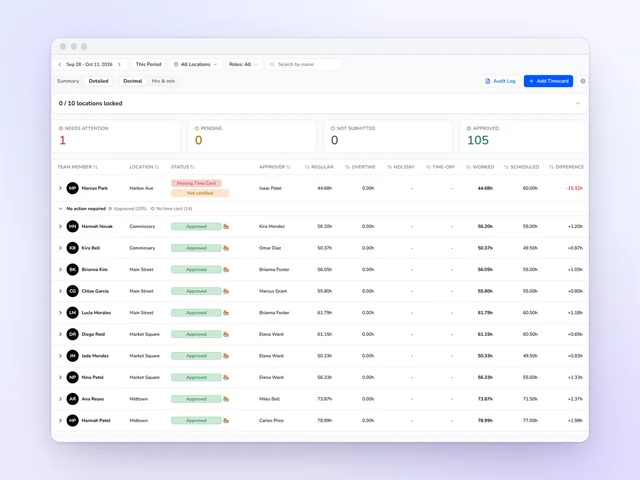
Time clock and time cards
Approve the week without opening every card, and send approved hours on to payroll.
See moreRestaurant sales forecasting
Kronto reads each restaurant's sales from Square, Toast or Clover and forecasts the next eight weeks, half hour by half hour. Tell it how you staff, and it works out the servers and cooks every half hour needs. The week's labor cost is on screen before you publish.
No credit card requiredFree for up to 10 people
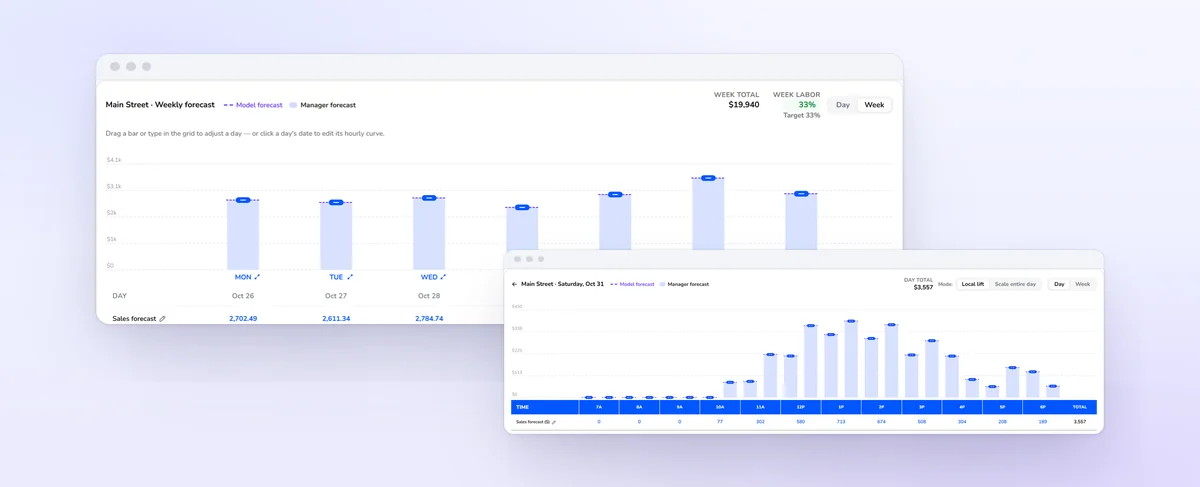
Sales forecast
Every location is forecast from up to 18 months of its own sales. The busy downtown spot and the quiet neighborhood one never share an average.
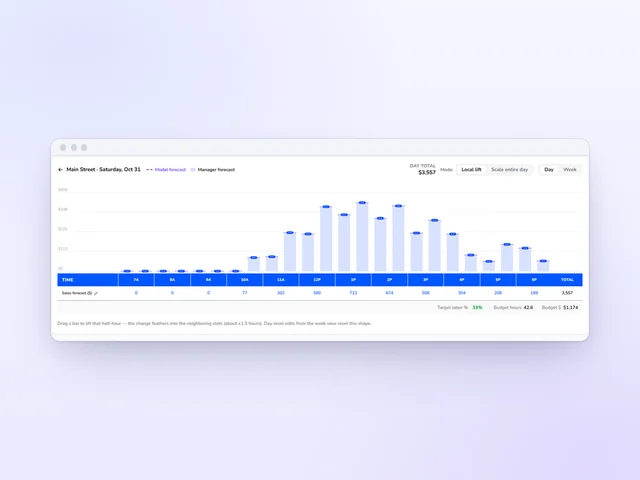
Open any day for its half-hour curve. Lunch and dinner each have a shape of their own. You can see when the second server should start and when the first cut can go home.
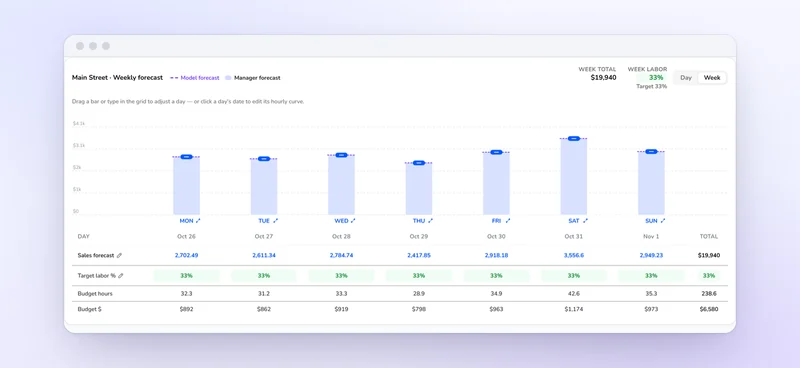
Your adjustments
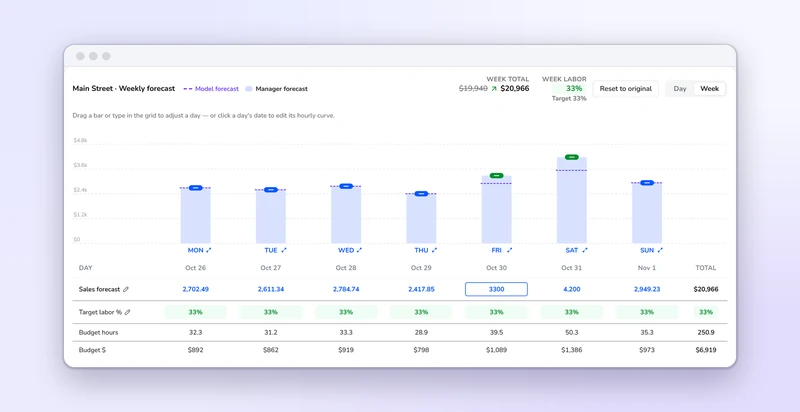
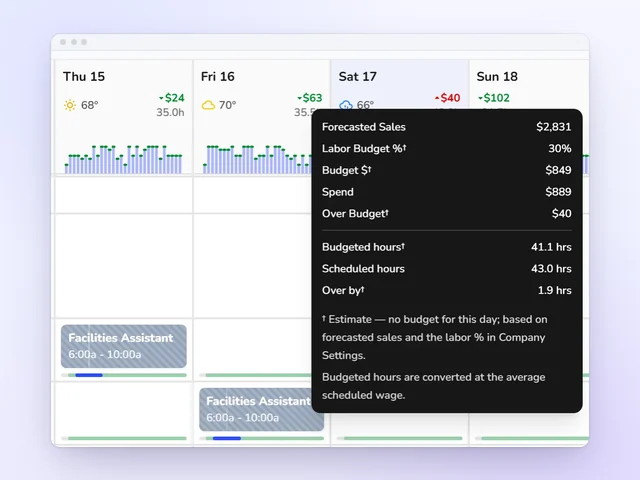
History can't see Friday's private party. Drag that day's bar or type in a number, and its budget hours and labor dollars move with it.
Inside a day, Local lift raises one half hour and blends it into the hour and a half on either side. Scale entire day keeps the shape and changes the size. Kronto's own forecast stays on the chart as a dashed line, and one click puts it back.
Staffing requirements
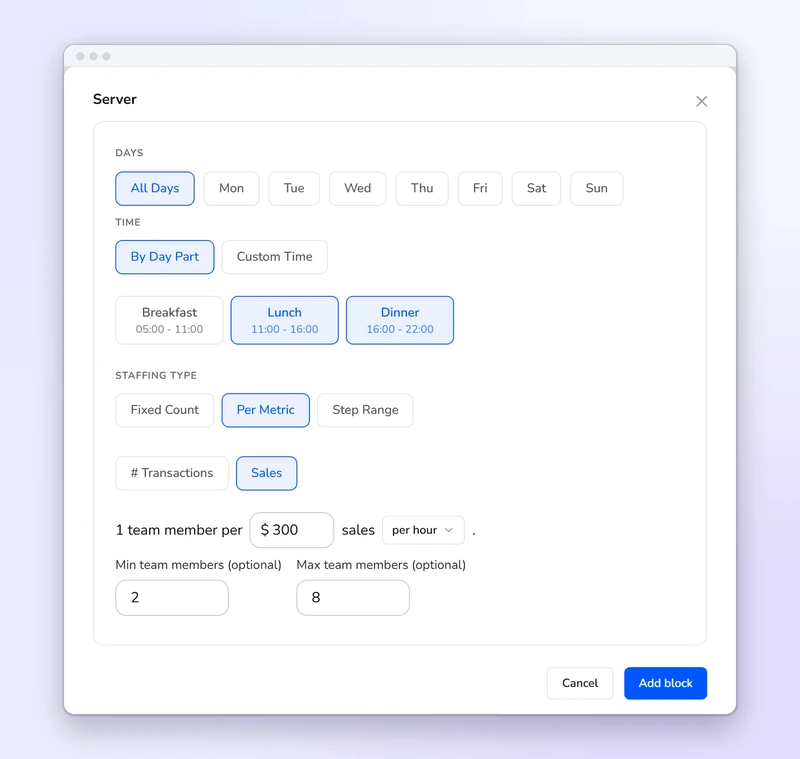
Staffing requirements turn the forecast into headcount for every half hour, one role at a time. Servers can scale with sales, line cooks can hold a fixed count, and hosts can step up at the sales levels you pick. Add a dependency, like no servers on the floor without a shift lead.
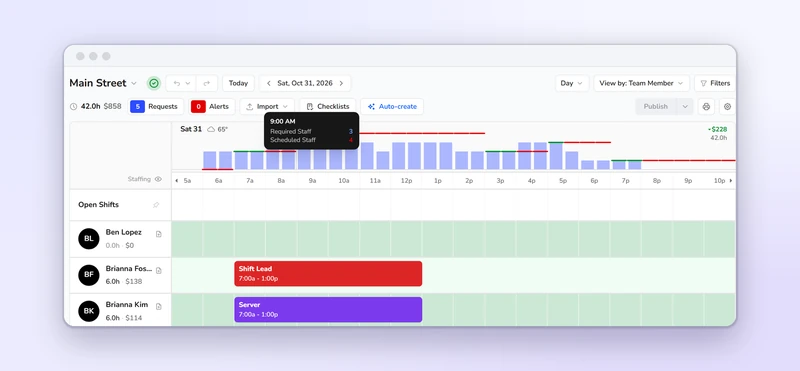
Required vs. scheduled
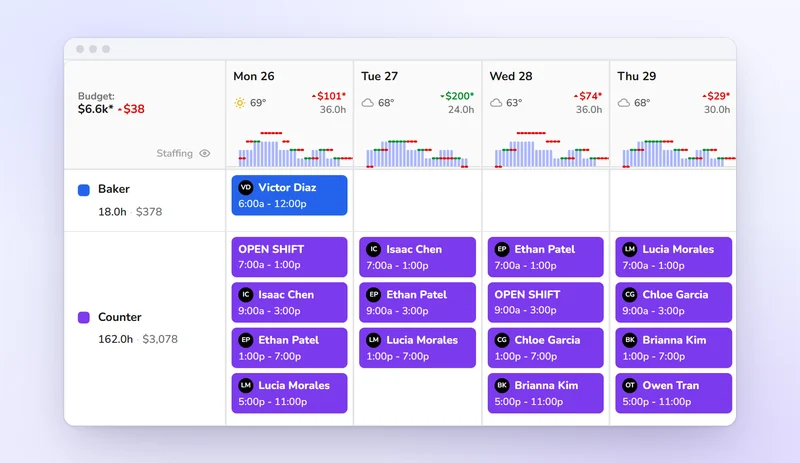
The day view stacks required staff above your shifts, half hour by half hour, with a marker for who's scheduled. Hover a bar for the numbers. Green is on target, yellow is within 15 percent and red is past it. Publish a day that's short or heavy and Kronto warns you first.
Auto-create
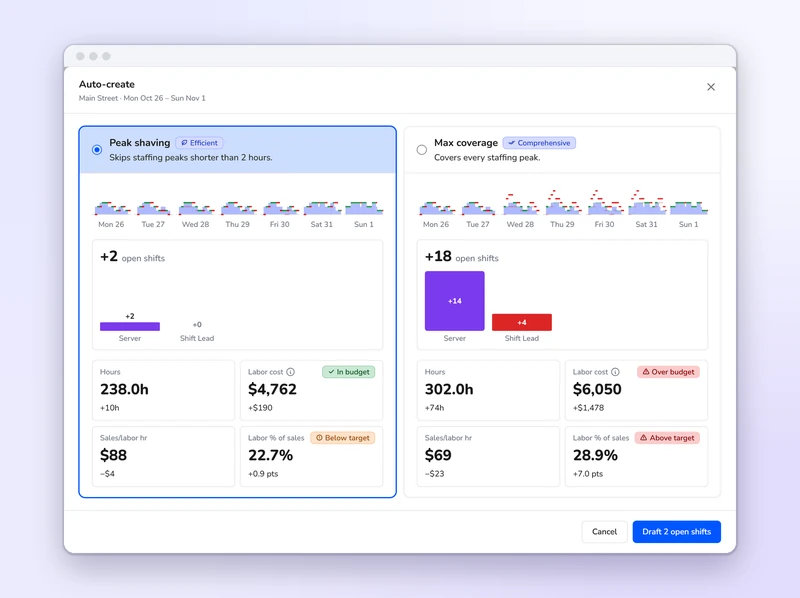
Click Auto-create and Kronto drafts open shifts by role to cover the required staff, from tomorrow on. Max coverage covers every peak. Peak shaving skips the ones under two hours. Each option shows its hours, labor cost, sales per labor hour and labor percentage before anything is drafted.
Nothing gets assigned or published. Who fills each shift, and when the week goes out, stays with the manager.
Coffee shops
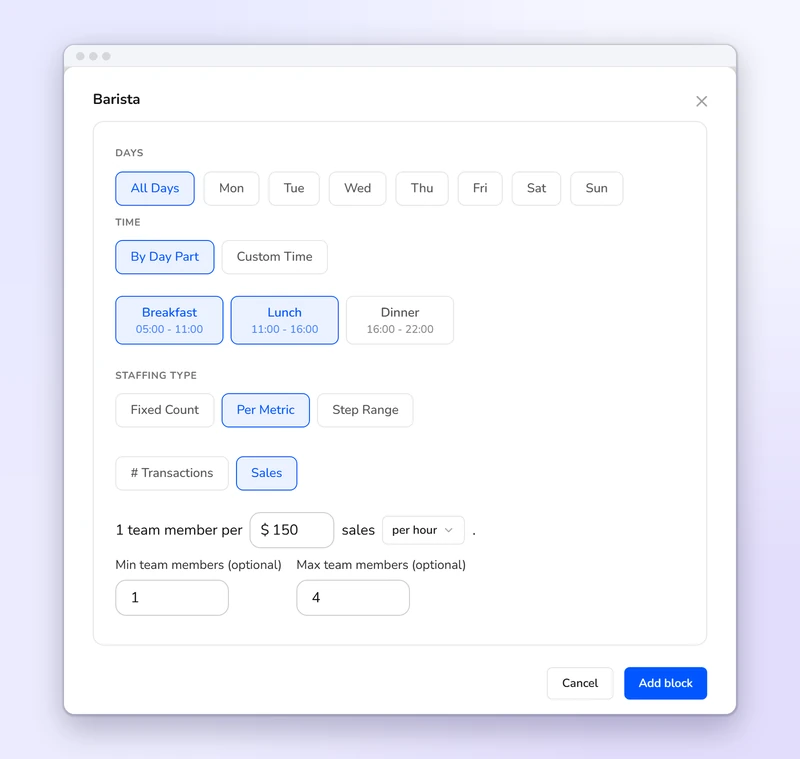
A bar gets busy on tickets, and most coffee tickets are small. A barista requirement can follow forecasted transactions instead of sales, with one opener as the floor and a ceiling at what your bar can hold.
Peak shaving will skip a morning rush shorter than two hours. Pick Max coverage to draft the second barista for it, then trim any quiet stretch by hand.
Bakeries
Most bakery labor happens before the first sale, and the Bureau of Labor Statistics notes that bakers' schedules often include early morning and night shifts. Set bakers as a fixed count for the early hours, and let the counter scale with forecasted sales once the doors open.
The size of the bake crew comes from your production plan. Kronto forecasts sales in dollars, not loaves. Raise a holiday pickup day in the forecast and the counter requirement rises with it.
Forecast vs. actual
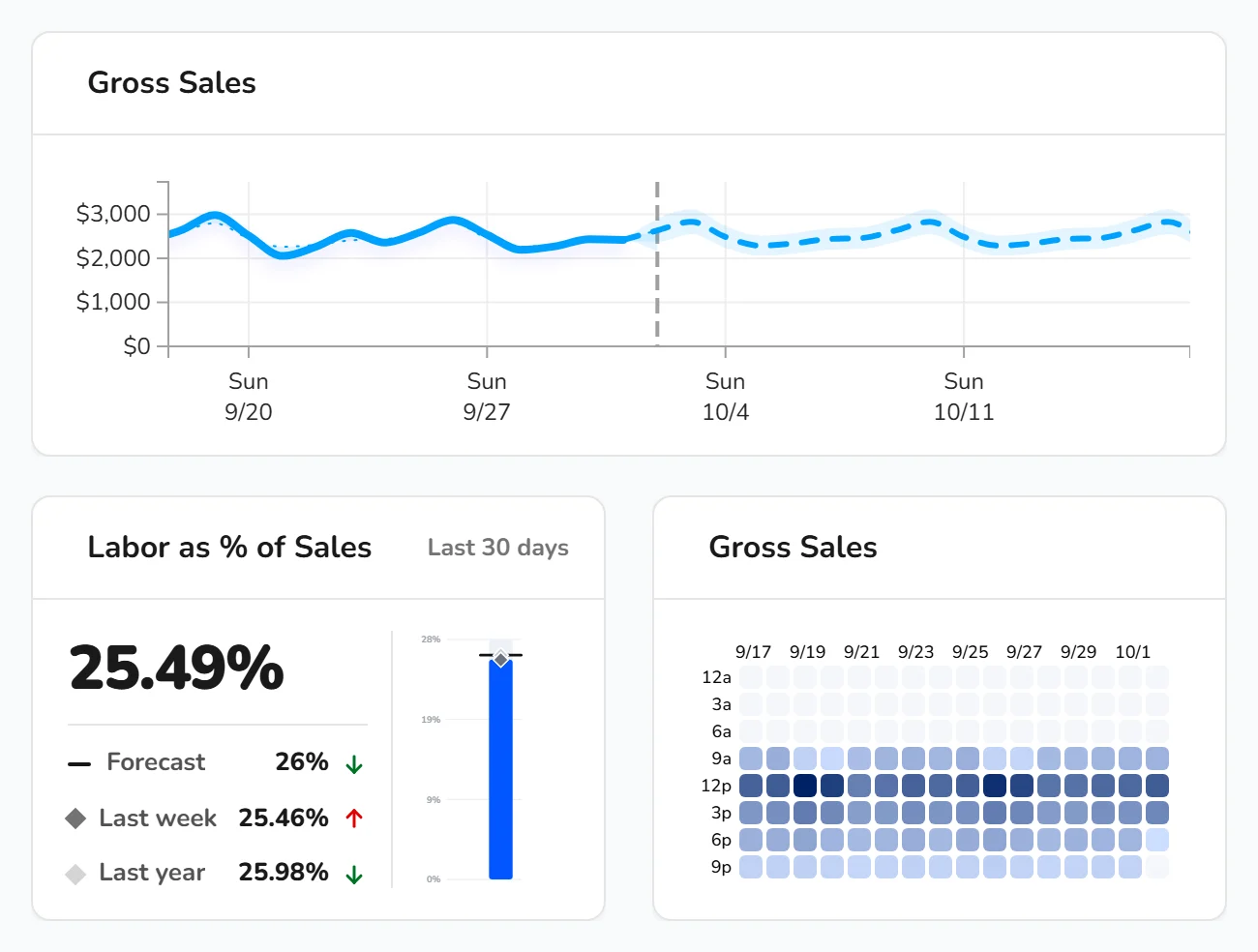
The dashboard plots sales against the forecast and its expected range, with labor cost and sales per labor hour against the forecast too. Labor percentage sits beside the forecast, last week and last year. Forecast Health shows which numbers are running outside their range.
Time clock and time cards
Approve the week without opening every card, and send approved hours on to payroll.
See more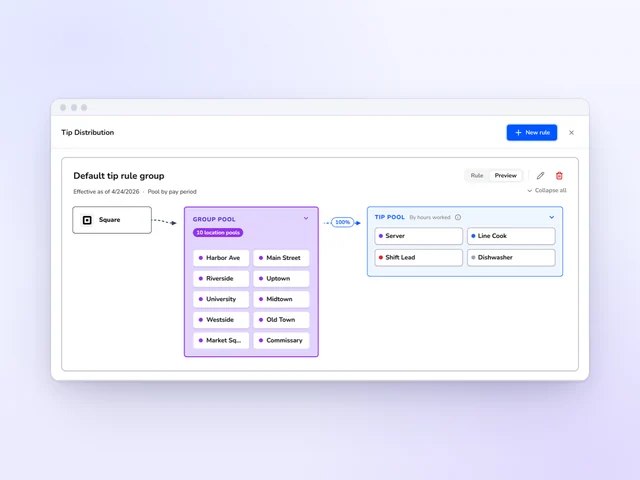
Tip distribution
Set tip pools and tip-outs by role, and Kronto does the math with card tips from Square or Toast.
See more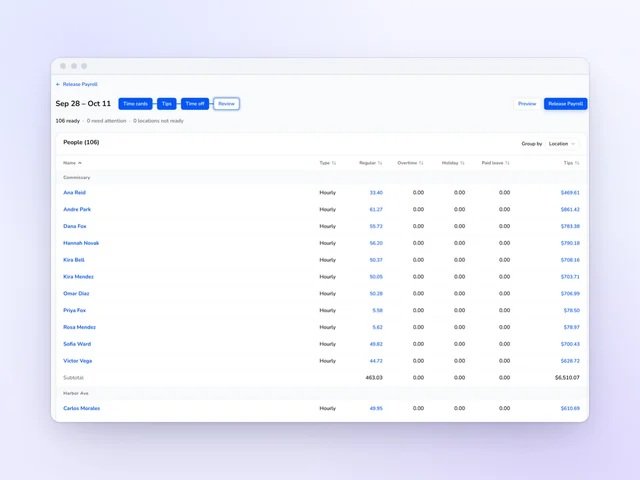
Payroll
Review hours and tips side by side, then release payroll from Kronto without retyping a time card.
See moreFrom each restaurant's own sales history in Square, Toast or Clover, up to 18 months back. Kronto learns the location's weekly and time-of-day pattern, then forecasts sales by the half hour, day and week for the next eight weeks. A manager can change any day they know will run differently.
You set staffing requirements once, role by role: a fixed count, one person per amount of sales or transactions, or steps at thresholds. Kronto applies them to the forecast for every half hour. The schedule shows required against scheduled staff, and Auto-create can draft open shifts to fill the gaps.
Not on its own. Kronto forecasts from each location's sales history and doesn't read holiday or event calendars. When you know a day will be different, change its forecast and the labor budget follows.
No. Kronto reads sales from Square, Toast or Clover and never writes back to the POS.
No. Kronto forecasts sales and the staff they call for. It doesn't plan production quantities or track inventory. To set each item's daily quantity from your POS item sales, see bakery production planning.
Forecasting comes with every plan, including Free for teams of up to 10. Standard costs $5 + tax per user per month. Pro is $10 + tax and adds running payroll, in early access. Standard and Pro each start with a 14-day trial, with monthly billing and no contract.
Product details checked against Kronto's live forecasting, staffing and schedule screens in October 2026. Last reviewed November 25, 2026.
Reviewed by Jonan Junwikul, Growth, Kronto, on November 25, 2026.
Friday's forecast sets Friday's crew
We'll show you a forecast built from your own POS history, eight weeks out, with the staff every half hour needs.
No credit card requiredFree for up to 10 people
 Jim McKelvey
 Michael Haft
 Jamie Rosenberg