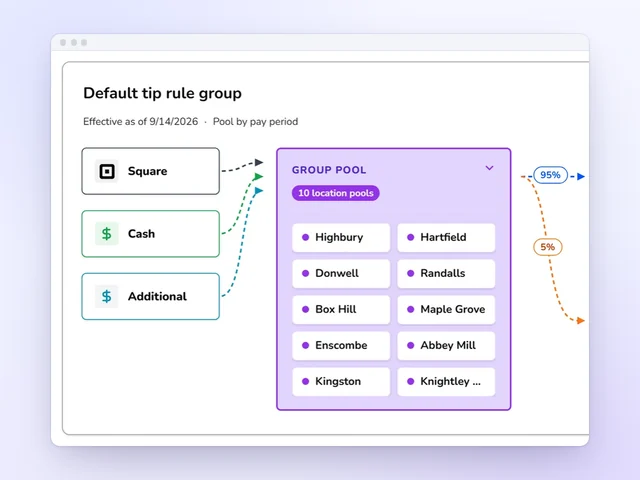
Tip pools without the spreadsheet
Card tips from Square and Toast and declared cash pool by role and store, then split by hours, equally or by points, with tip-outs to support roles.
Explore tip distributionKronto vs When I Work
When I Work pricing is per user: $2.50 a month for a single location or schedule and $5 for multiple locations, with time tracking included. Kronto is $5 per user with tip pools, forecasts from your Square, Toast or Clover sales, checklists, a manager log book and payroll in the same app. Here is how they compare.
Book a demo to get 2 months free
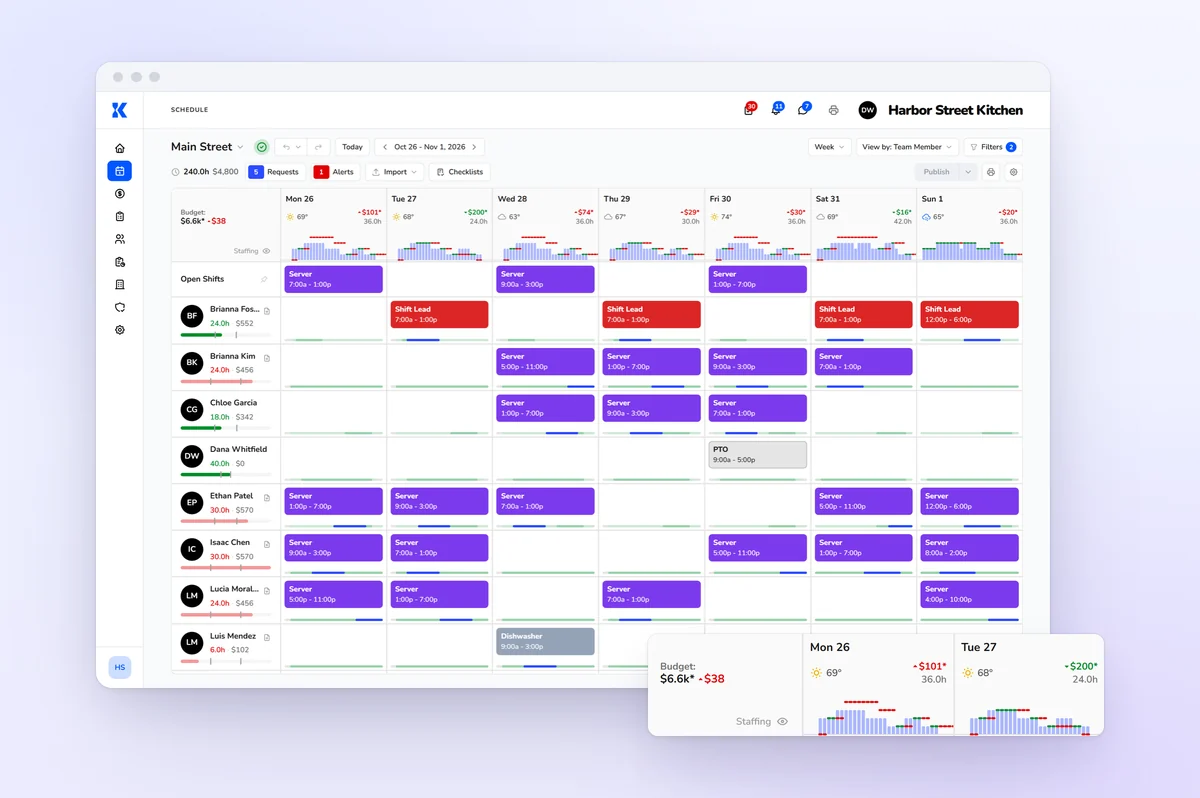
What each one includes for a restaurant, coffee shop or bakery. When I Work's facts come from its own site, and each cell links to its source.
| Feature | Kronto | When I Work |
|---|---|---|
| Price | Kronto$5 per user per month, billed monthly[1] | When I Work$2.50 per user per month for one location or schedule; $5 for multiple[2]Enterprise pricing through sales. |
| Free trial | KrontoBook a demo to see Kronto with your own schedule first | When I Work14 days, full access, no credit card[2] |
| Contract | KrontoNo contract. Cancel anytime.[1] | When I WorkNo contracts; month-to-month or annual billing[2] |
| Time clock | KrontoIncluded: phone or store tablet with PIN, time cards submitted at clock-out | When I WorkTime tracking and attendance on both plans, with GPS clock-in[2] |
| Shift swaps | KrontoOn every account: a teammate accepts, a manager approves, and staff can offer part of a shift | When I WorkShift swapping and open shift planning on every plan[2] |
| Tips | KrontoTip pools split by hours, equally or by points, with tip-outs to support roles | When I WorkTips tracking; staff enter tips at clock-out, and tip collection can be set by role[3]Tip pooling isn't described on the When I Work pages we checked. |
| Sales forecasting | KrontoFrom each store's own POS sales, by half hour, 8 weeks ahead | When I WorkLabor forecasting and budgeting on every plan[2] |
| POS connections | KrontoSquare, Toast and Clover | When I WorkNo POS named on its integrations page; the pricing page lists POS integrations[4] |
| Payroll | KrontoIncluded in the one price, or export approved hours and tips to your provider | When I WorkIntegrations with Rippling, its preferred partner, plus Square Payroll, Paychex, QuickBooks Online and others[4] |
| Checklists and tasks | KrontoIncluded: tablet checklists checked off by PIN, with due times and photo tasks | When I WorkTask management and task sharing on every plan[2] |
| Manager log book | KrontoIncluded: the Daily Manager Log fills in sales, labor and hours | When I WorkNot listed on its pricing page[2] |
| Industries | KrontoRestaurants, coffee shops and bakeries | When I Work37 industries, including restaurants, retail and healthcare[5] |
We'll walk through scheduling and the time clock, then the tip pools, forecasts and payroll that come with them.
Book a demo to get 2 months free
Tip pools without the spreadsheet
Card tips from Square and Toast and declared cash pool by role and store, then split by hours, equally or by points, with tip-outs to support roles.
Explore tip distribution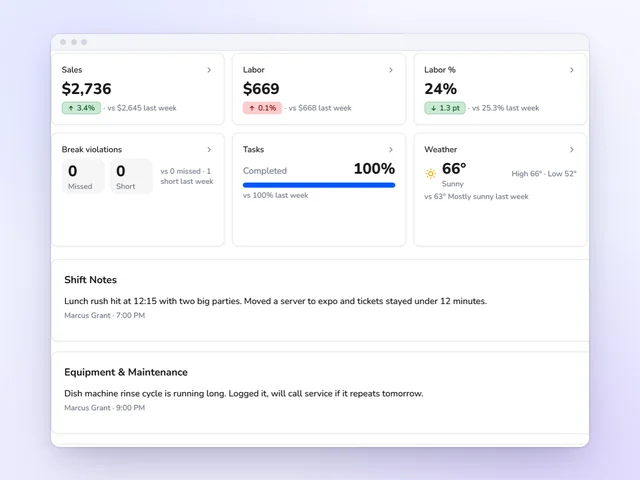
A manager log book that fills in the numbers
Each store's day starts with its sales, labor and hours already filled in. Managers add what happened, and the log goes out by email when the day locks.
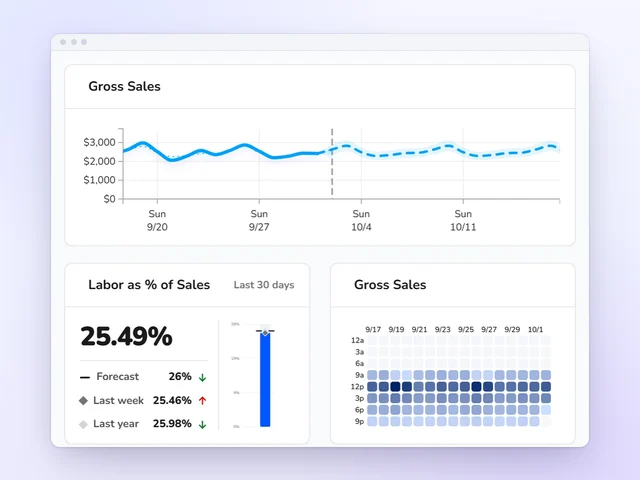
A forecast built from your register
Kronto forecasts each store's sales half hour by half hour, 8 weeks ahead, from that store's own Square, Toast or Clover history.
Explore dashboardsWhen I Work pricing is $2.50 per user per month for a single location or schedule and $5 for multiple locations, with scheduling, time tracking and messaging included. Kronto is $5 per user at any number of stores, and also includes tip pools, forecasts from POS sales, a manager log book and payroll.
For a single store of 12, When I Work is 12 × $2.50 = $30 a month[2], and Kronto is 12 × $5 = $60. With two or more stores, both cost $5 per user. The difference is what that $5 covers: Kronto adds tip pooling, payroll and forecasts from your own register sales.
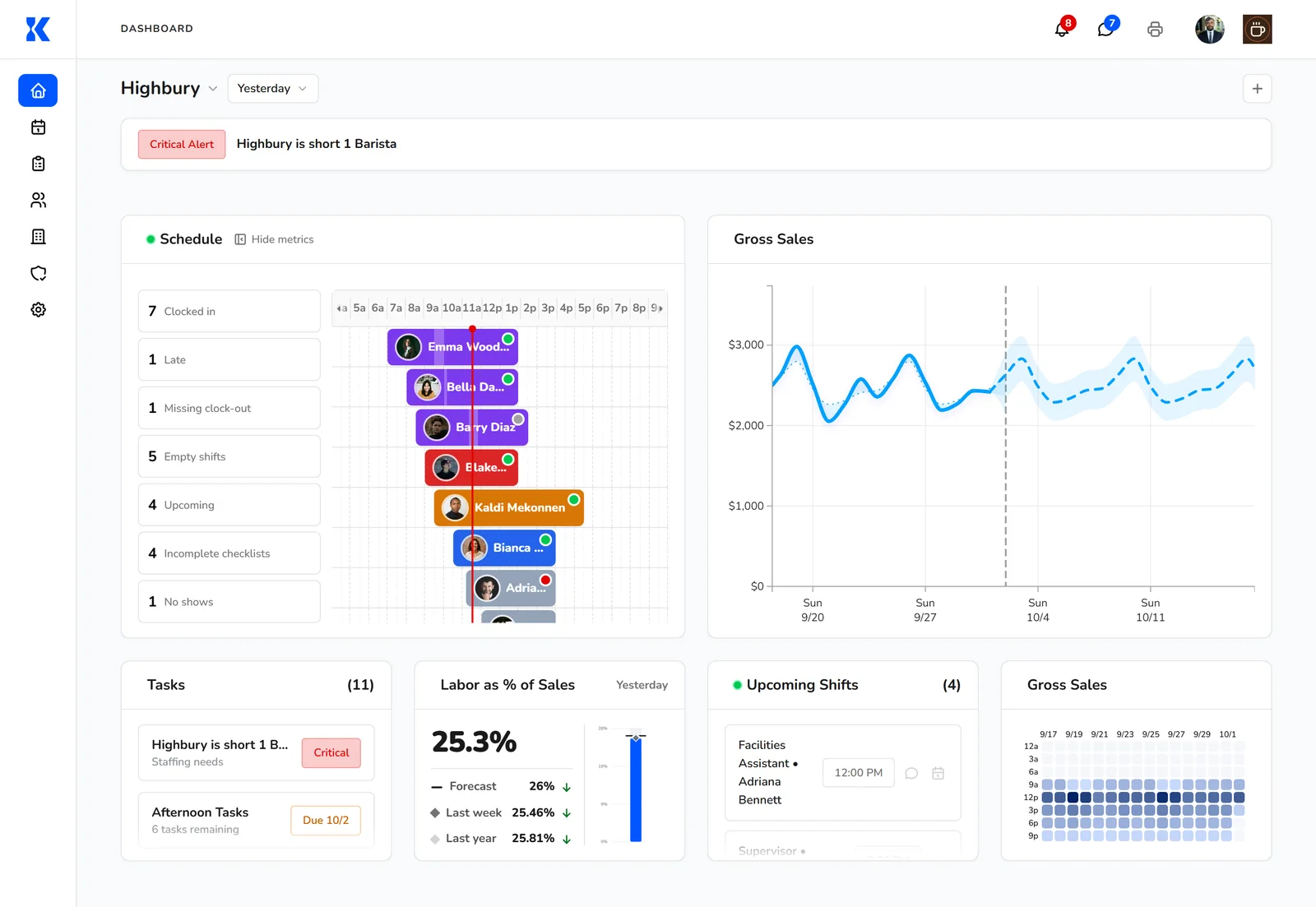
When I Work is the better choice for a single location that only needs scheduling, time tracking and messaging, since it costs $2.50 per user against Kronto's $5. It also fits businesses outside food service, with 37 industries listed, and teams that want a 14-day trial without a credit card first.
When I Work serves industries from healthcare to retail[5] and offers a full-access trial[2]. Kronto is built for restaurants, coffee shops and bakeries. It has no free-forever plan, but setup is free and you can create your account with no credit card, or start with a demo.
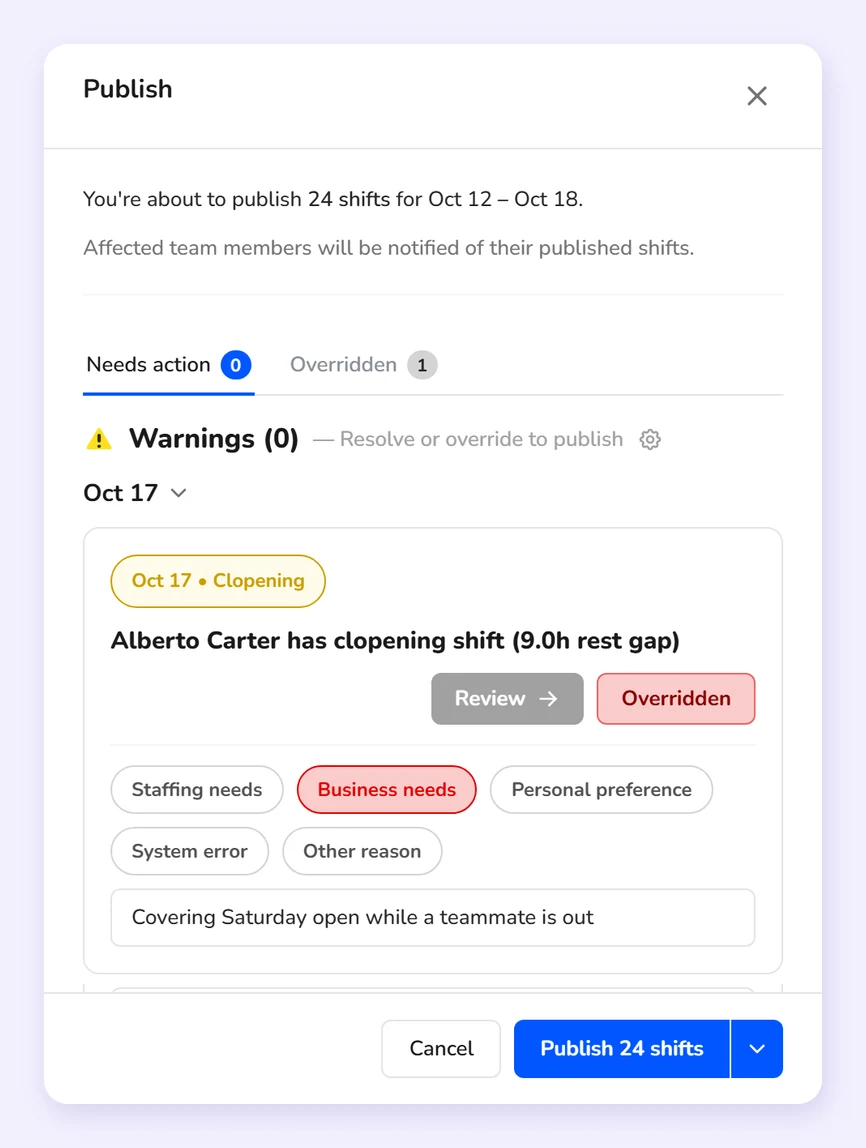
No. When I Work's pricing page shows time tracking and attendance, with GPS clock-in, on both of its plans. Kronto includes its time clock too: staff clock in on their phones or the store tablet with a PIN, clock-in opens a set time before the shift, and each time card is submitted at clock-out.
When I Work says every plan includes scheduling, time and attendance and team messaging[2]. In Kronto, a missed break gets a signed reason at clock-out, and managers approve each day of a time card with a tap.
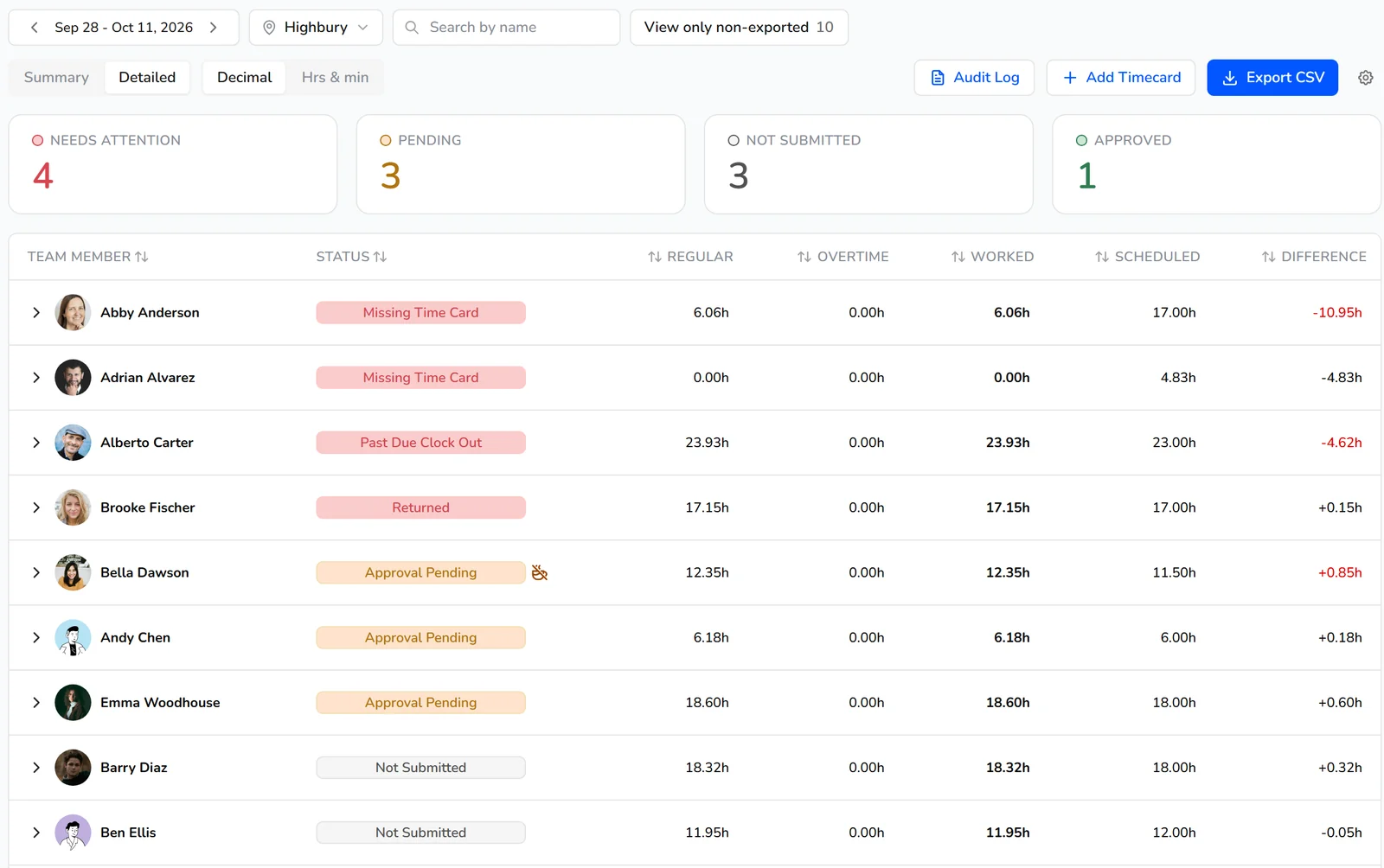
See card and cash tips pooled by role, split by hours, equally or by points, and sent to payroll with each person's hours.
Book a demo to get 2 months free
Kronto runs the tip pool itself. When I Work's restaurant page describes tip collection set by role and tips entered at clock-out, and its pages don't describe pooling. Kronto pools card tips from Square and Toast and declared cash by role and store, splits them by hours, equally or by points, and sends each share to payroll.
When I Work lists "tips tracking" among the features on every plan[2] and describes tip entry at clock-out[3]. In Kronto, tip-outs send a set percentage to support roles such as bussers or dishwashers.
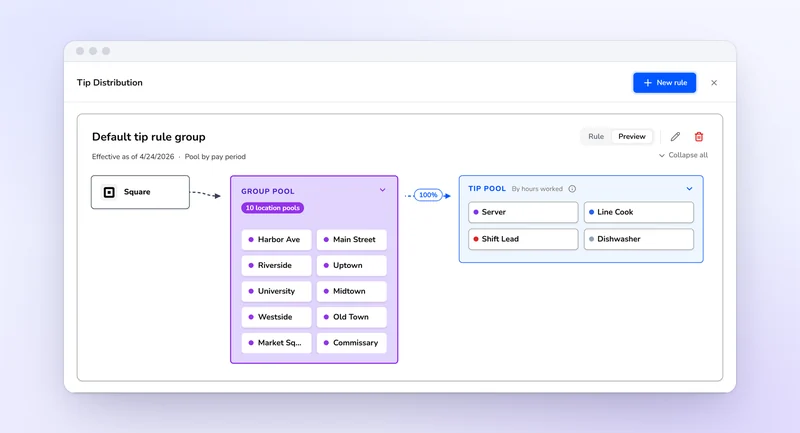
Kronto connects to Square, Toast and Clover, and forecasts each store's sales by half hour, 8 weeks ahead, from that store's own history. When I Work includes labor forecasting and budgeting, and its pricing page mentions POS integrations, but its integrations page names no POS system, only payroll and business tools.
When I Work's integrations page lists payroll partners such as Rippling and Paychex and business tools such as Zapier[4]. In Kronto, required staff per half hour comes from your staffing ratios and the forecast.
Kronto runs payroll in the same app, inside its $5 per user, with approved hours and tip shares already in it, or exports them to your provider. When I Work connects to payroll services instead, with Rippling as its preferred partner and others such as Square Payroll, Paychex and QuickBooks Online.
When I Work's pages describe payroll through integrations[4]. See restaurant payroll in Kronto.
Book a demo
We walk through a week of your own stores, roles and pay periods, and answer what's different from the app you use now.
Connect your POS
Kronto imports your locations and team members from Square, Toast or Clover, and reads sales for your forecast.
Build your first week
Copy a template, check the week's cost against your labor budget, and publish it to everyone's phone.
Pay your team
Approved hours and tip shares go to payroll in Kronto, or export to the payroll provider you use now.
Competitor facts come from each company's own website, checked October 24, 2026. Prices change, so check the vendor's site before you decide. Last reviewed October 29, 2026.
Reviewed by Jamie Rosenberg, Product, Kronto, on October 29, 2026.
See a forecast built from your Square, Toast or Clover history turn into the staff you need on the schedule.
Book a demo to get 2 months free
Yes. When I Work offers a 14-day trial with full access and no credit card[2].
Kronto doesn't have a free-forever plan. It's $5 per user per month, billed monthly, with no contract. Setup is free, and you can create your account yourself with no credit card. Prefer a walkthrough? Book a demo.
No. Kronto is $5 per user per month at every store[1]. When I Work charges $2.50 per user for a single location and $5 for multiple locations.
Yes. Kronto exports approved hours and tip shares to providers such as ADP, Paychex and Rippling, or as a CSV file, or you can run payroll in Kronto.
One price per user, no add-ons and no contract, built for restaurants, coffee shops and bakeries.
Book a demo to get 2 months free
Tell us a little about your business and we'll reach out.
Book a demo to get 2 months free