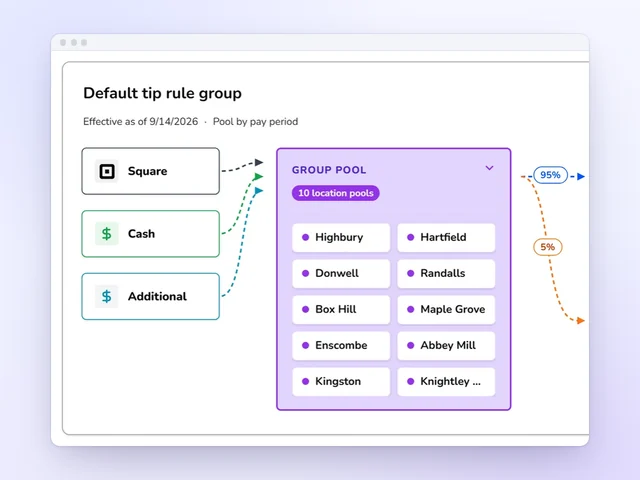
Tip pools without the spreadsheet
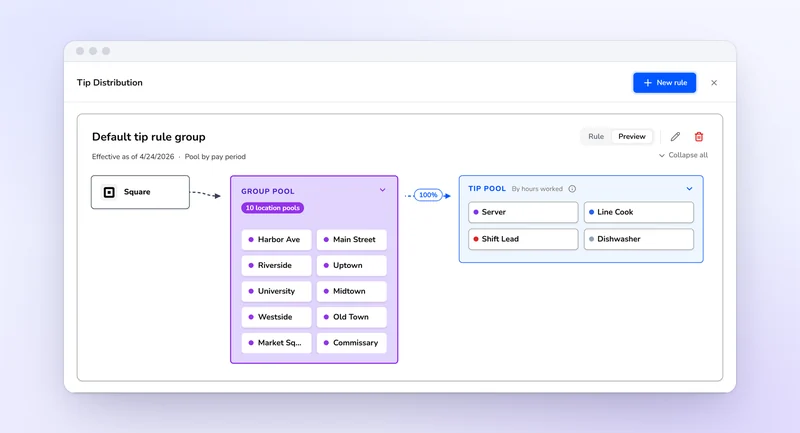
Card tips from Square and Toast and declared cash pool by role and store, then split by hours, equally or by points, with tip-outs to support roles.
Explore tip distributionKronto vs Tiphaus
Tiphaus is a tip management tool that calculates, pools and pays out tips, while Kronto runs tip pools alongside scheduling, the time clock and payroll in one app. Tiphaus doesn't publish a price, and Kronto is $5 per user per month. Here is how each splits tips, what each connects to, and when Tiphaus is the better choice.
Book a demo to get 2 months free
What each one includes for a restaurant, coffee shop or bakery. Tiphaus's facts come from its own site, and each cell links to its source.
| Feature | Kronto | Tiphaus |
|---|---|---|
| Price | Kronto$5 per user per month, billed monthly[1] | TiphausNo price published; book a demo[2] |
| Free trial | KrontoBook a demo to see Kronto with your own schedule first | TiphausFree trial, no credit card[2] |
| What it covers | KrontoScheduling, time clock, tips, checklists, a manager log book and payroll | TiphausTip calculation, tip pooling and tip payouts[2] |
| Tip split methods | KrontoBy hours worked, equally or by points, with tip-outs by percentage to support roles | TiphausPercentages, points and weighted distributions for each rule and pool[3] |
| How tips are timed | KrontoPools close by day, week, two weeks, pay period or day part | TiphausCalculated from the time of each sale[2] |
| POS connections | KrontoCard tips from Square and Toast; cash declared in the app or on the store tablet | TiphausToast, Micros, Square and Clover, syncing every 15 minutes[4] |
| Tip payouts | KrontoThrough payroll, beside each person's hours | TiphausDaily digital payouts to bank accounts or HausMoney, plus same-day earned tip access[2] |
| Scheduling | KrontoBuilt in | TiphausConnects to scheduling apps such as Homebase and Deputy[4] |
| Payroll | KrontoIncluded in the one price, or export approved hours and tips to your provider | TiphausExports tips to payroll providers such as ADP and Toast Payroll[2] |
We'll walk through a pool split by hours, equally or by points, with tip-outs to support roles and every share sent to payroll.
Book a demo to get 2 months free
Tip pools without the spreadsheet
Card tips from Square and Toast and declared cash pool by role and store, then split by hours, equally or by points, with tip-outs to support roles.
Explore tip distribution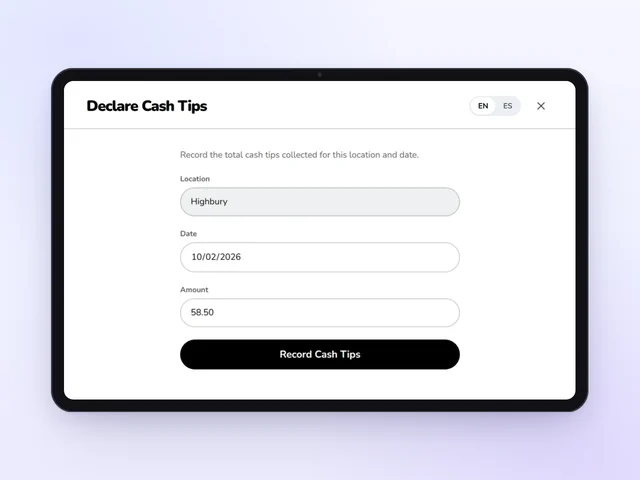
Cash tips declared at the register
Staff declare cash tips on their phones or on the store tablet with their PIN, so cash pools with card tips from Square and Toast.
Explore tip distribution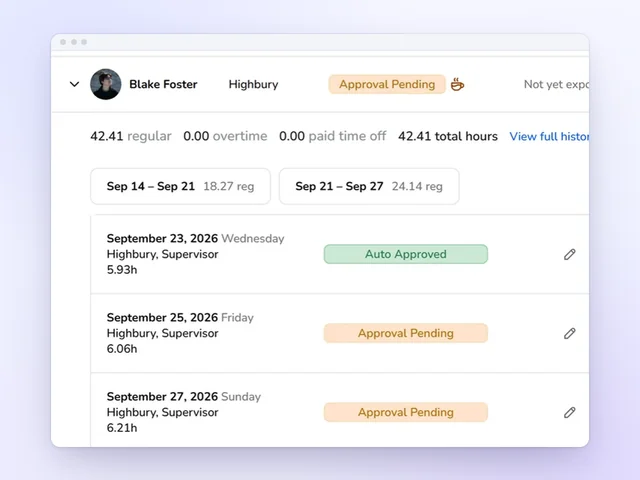
Tips go to payroll with the hours
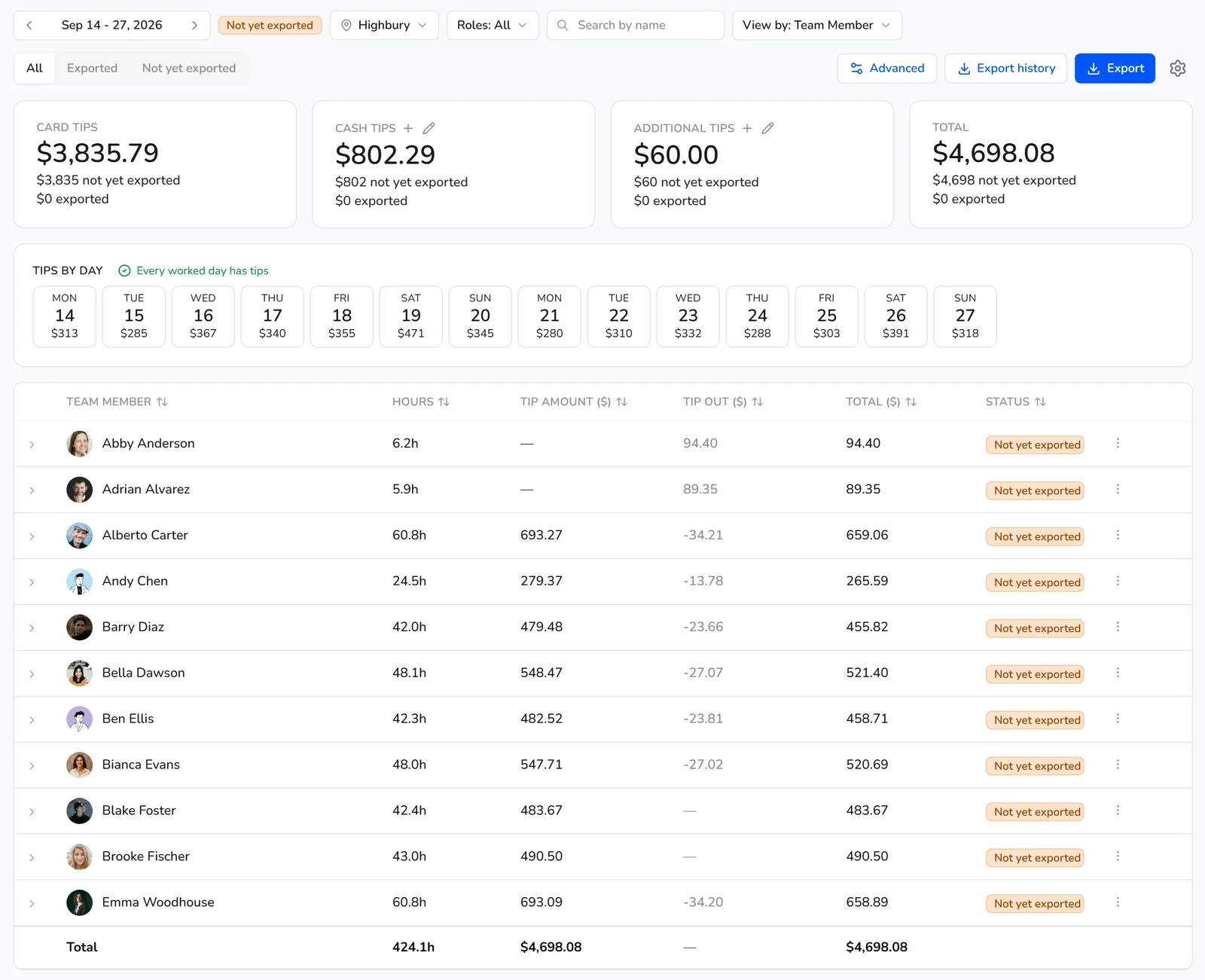
Each person's tip share sits beside their approved hours, so payroll runs without retyping a tip sheet.
Explore time cardsTiphaus is built only for tips: it calculates tips from the time of each sale, splits them by percentages, points or weights, and pays them out daily. Kronto pools tips inside the app you also schedule, clock in and run payroll with, splitting by hours, equally or by points, with tip-outs to support roles.
Tiphaus says it syncs with the POS every 15 minutes to reconcile tips, refunds and timecard errors[2]. Kronto takes card tips from Square and Toast and cash declared in the app or on the store tablet, and uses the hours from its own time clock.
Tiphaus is the better choice if you want daily digital tip payouts or same-day earned tip access, tips calculated by time of sale, or a POS such as Micros. It also fits a restaurant that is happy with its scheduling app and only wants tips handled, since Tiphaus connects to schedulers such as Homebase and Deputy.
Tiphaus lists Toast, Micros, Square, Clover, Homebase, Deputy and ADP among its integrations[4]. Kronto doesn't offer daily tip payouts; tips are paid through payroll.
Both handle the common rules. Tiphaus lets you set percentages, points and weighted distributions for each rule and pool, including tip-outs from bartenders to bussers. Kronto splits each pool by hours worked, equally with a minimum-hours threshold, or by points, and sends a set percentage to support roles as a tip-out.
Tiphaus describes custom front- and back-of-house rules, such as allocating alcohol sales to bartenders[3]. In Kronto, pools are set by role and location and can close by day, week, two weeks, pay period or day part.
Approved hours and tip pool shares flow straight into payroll in Kronto, or export to the provider you already use.
Book a demo to get 2 months free
Tiphaus exports tips to payroll providers such as ADP and Toast Payroll, and can also pay tips out daily. Kronto puts each person's tip share beside their approved hours and runs payroll in the same app, or exports both to your provider, so nobody retypes a tip sheet into payroll.
Tiphaus says its payroll exports are tailored to your provider[2]. See restaurant payroll in Kronto.
Tiphaus doesn't publish a price; its site asks you to book a demo or start a free trial without a credit card. Kronto is $5 per user per month, billed monthly with no contract, and that covers tips along with scheduling, the time clock, checklists, a manager log book and payroll.
Tiphaus's home page offers a demo and a free trial[2]. Kronto has no free-forever plan, but setup is free and you can create your account with no credit card, or book a demo first[1].
Book a demo
We walk through a week of your own stores, roles and pay periods, and answer what's different from the app you use now.
Connect your POS
Kronto imports your locations and team members from Square, Toast or Clover, and reads sales for your forecast.
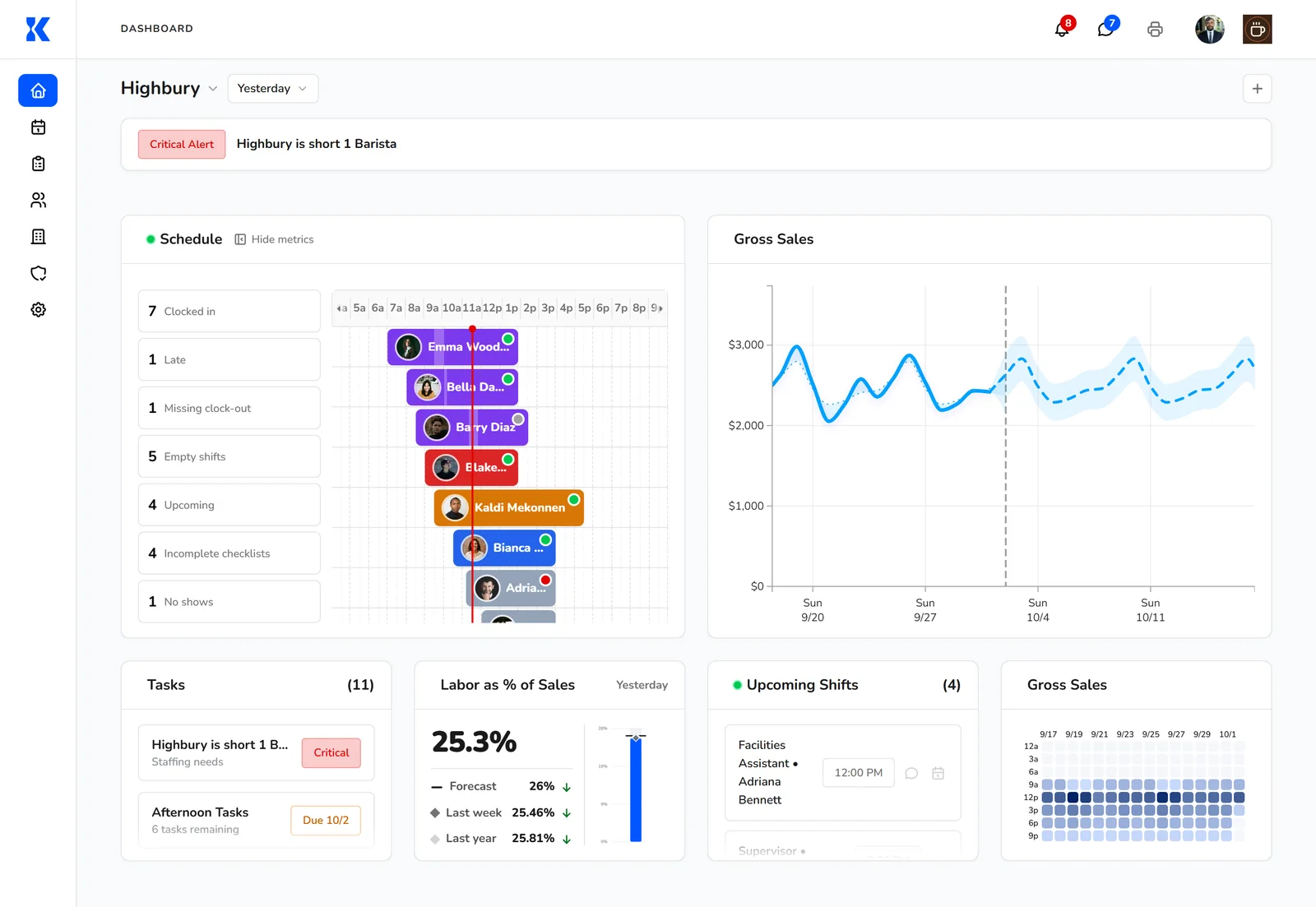
Build your first week
Copy a template, check the week's cost against your labor budget, and publish it to everyone's phone.
Pay your team
Approved hours and tip shares go to payroll in Kronto, or export to the payroll provider you use now.
Competitor facts come from each company's own website, checked October 24, 2026. Prices change, so check the vendor's site before you decide. Last reviewed October 30, 2026.
Reviewed by Jamie Rosenberg, Product, Kronto, on October 30, 2026.
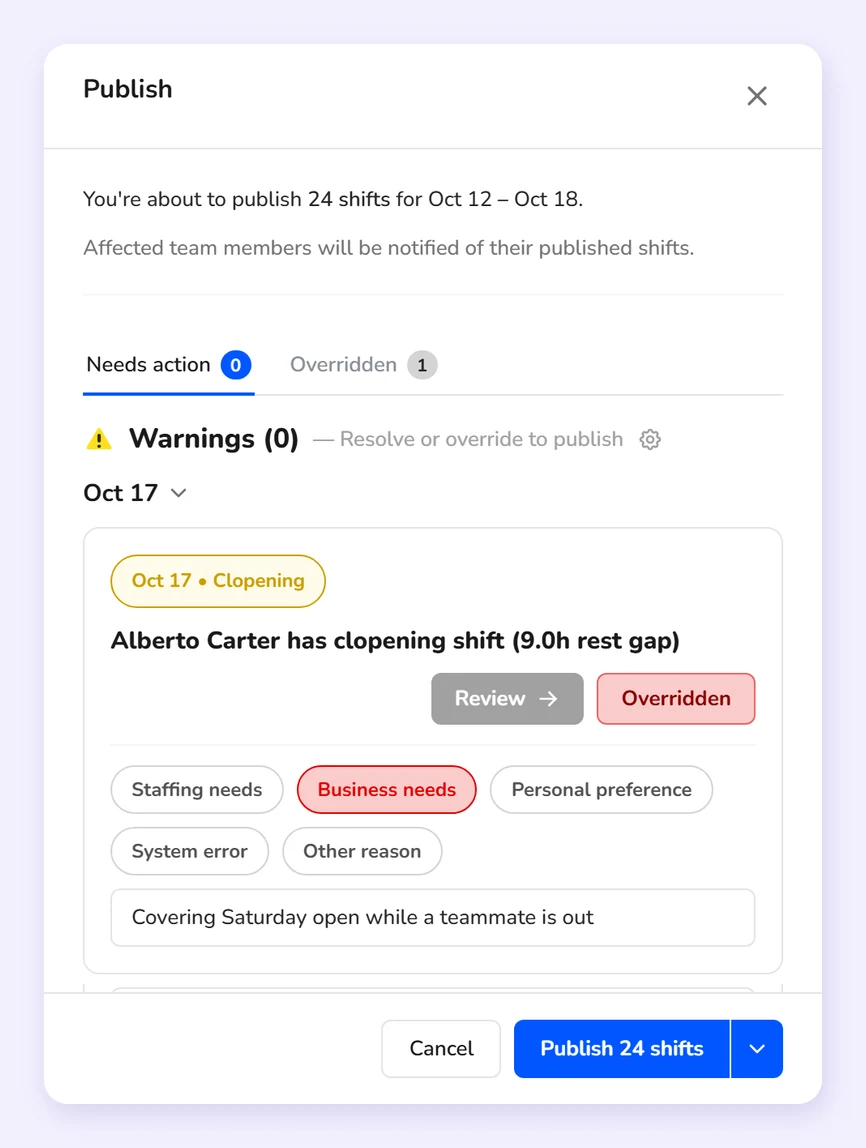
Watch a week priced against your labor budget as you build it, with overtime and clopenings flagged before anyone sees the schedule.
Book a demo to get 2 months free
No. Tiphaus's site shows no price; it offers a demo and a free trial with no credit card[2].
No. Kronto pays tips through payroll, beside each person's hours. If daily digital payouts matter most, Tiphaus offers them[2].
Tiphaus lists Toast, Micros, Square and Clover[4]. Kronto connects to Square, Toast and Clover, and takes card tips from Square and Toast.
Kronto doesn't have a free-forever plan. It's $5 per user per month, billed monthly, with no contract. Setup is free, and you can create your account yourself with no credit card. Prefer a walkthrough? Book a demo.
One price per user, no add-ons and no contract, built for restaurants, coffee shops and bakeries.
Book a demo to get 2 months free
Tell us a little about your business and we'll reach out.
Book a demo to get 2 months free